
Most photographers publish finished galleries. Galleries prove skill, yet almost nobody types a stranger’s wedding date into a search bar. The opening sits in posts built around a client’s uncertainty, the same principle behind the blog topic ideas by industry, applied here to photography.

You’ve probably felt the sting of a gorgeous gallery that collected a pile of likes from other photographers and zero inquiries. And each hour at the keyboard is an hour taken from culling and editing.
The 12 entries are grouped into four stages of a client’s decision: before booking, wedding planning, teaching and the archive. Each entry gives you one practical action and one honest caveat.
TL;DR: Five Rules Behind These Topics
Before They Book: Posts That Answer the Hesitant Client
Your inbox already holds your list of blog topics for photographers. Before anyone reaches your contact form, they type the same questions found in your inquiry emails into a search bar, which makes those questions the keywords clients actually type. Pull your last ten inquiry emails, highlight every question, and match each one to a row in the table.
| Question in the inquiry email | Entry that answers it | Where the finished post gets linked |
|---|---|---|
| “Where might the shoot take place?” | 1. Local location guide | Inquiry replies and the booking page |
| “What should clients wear?” | 2. Wardrobe guide matched to your edit | Booking confirmation |
| “How much will this cost?” | 3. What drives your price | Inquiry auto-reply and contact page |
| “What should clients do before the session?” | 4. Week-before prep timeline | Confirmation email |
1. Local Location Guides With the Boring Details Left In
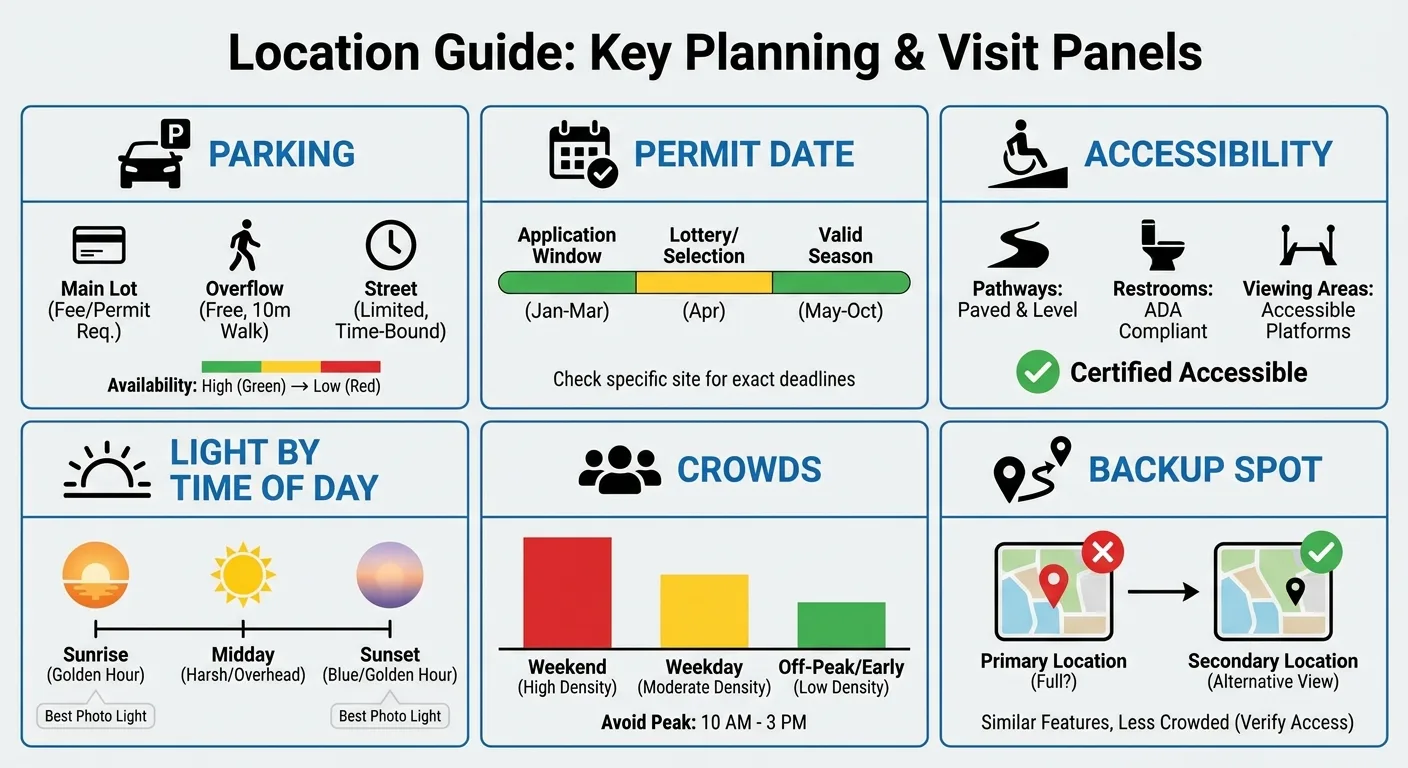
Someone searching for a particular park, beach or downtown block is showing local intent, which frequently sits just a step away from hiring intent. Write one guide per location you’ve shot at least three times, so every detail is firsthand.
Name the actual gate or trailhead, the hour the light falls well and the season crowds take over, then run an on-page SEO check so the location name sits in the title, headings and image alt text. Two cautions apply. Permit rules and fees change, so tell readers to confirm with the managing authority and add a “checked as of” month and year. There’s also a risk that a quiet spot fills up once you write about it. Some photographers keep their favorites off the blog on purpose, and that’s a fair call.
What Every Location Guide Needs
Use these fields in every guide so the series stays repeatable:
- Access and parking, down to the specific lot or entrance
- Permit status, with the date you checked
- Light direction by time of day
- Accessibility notes for strollers, wheelchairs and older relatives
- Crowd patterns by season and day of the week
- A backup spot nearby
- Restroom access, especially for families with toddlers
2. Wardrobe Guides Matched to Your Edit
Generic “what to wear” posts are everywhere, so write the version only you could write: guidance tied to your own color grade. Warm, film-style edits can push some colors in unexpected directions, and bright, airy edits treat whites in their own way. Tell readers which tones hold up under your presets, and leave universal rules out.
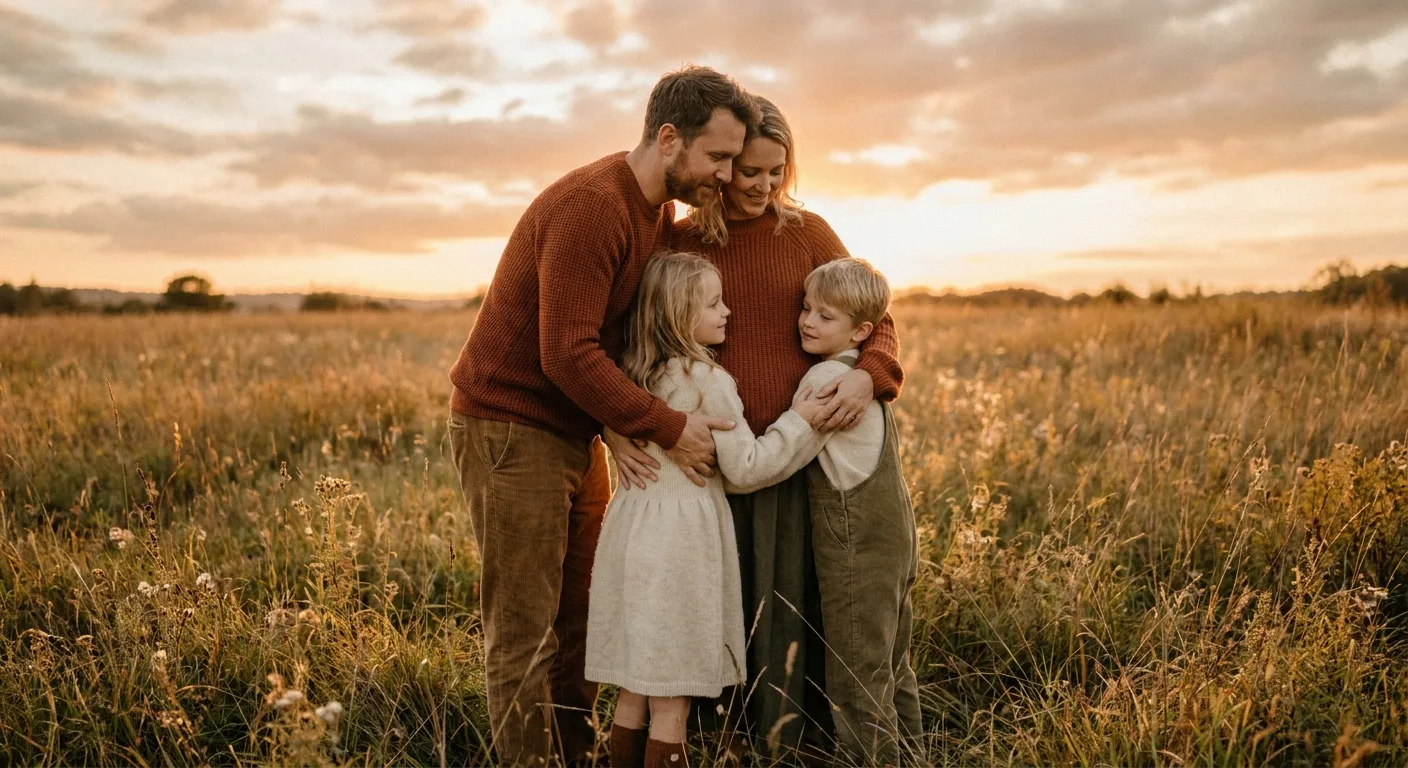
Show two or three real client outfits, with permission, plus one sentence on why each worked in your style. A guide like this quietly pre-qualifies clients who love your look and helps their galleries match the portfolio that drew them in.
Outfit choice is a common source of pre-session stress, so a clear guide calms nerves. Frame advice around colors, textures and movement; body-shaming language and gendered assumptions have no place here. If you change your presets or editing style, update the guide so it still matches your galleries.
3. What Drives Your Price (Without Posting a Rate Card)
Clients want to know what you charge, yet many photographers would rather not put numbers in public. There is a middle path: walk readers through the factors behind your cost so they grasp the value before they ever send an inquiry.
Break down what the fee covers: planning calls, travel, culling, editing hours, gallery hosting, and any prints or albums. Think twice before adding a “starting at” figure: Davey & Krista recommends against listing one, since showing your lowest collection can make all your other prices look more expensive. The post works either way.
Transparency may lower your inquiry count, but it also filters out poor-fit inquiries. That saves you hours of replies to people who were never going to book. Industry price averages are left out on purpose, because local markets vary too widely for one number to help.
Where Pricing Posts Go Wrong
Three missteps undo the credibility a pricing post builds:
- Justifying prices defensively, as if the reader has already objected.
- Leaving old numbers live after a rate change.
- Claiming “premium quality” without showing what that means.
Add a “last updated” line, and set a calendar reminder to review the post each year.
4. The Week-Before Prep Timeline
Booked clients still have questions, and a day-by-day prep post answers them once instead of across a dozen separate emails. Break it into four checkpoints:
- About a week out: get haircuts or trims done so they have time to settle (turiproductions.com).
- Three days out: try everything on, then steam or press each piece.
- The night before: pack non-staining snacks for the kids and check the weather.
- The morning of: leave buffer time for traffic, parking and one last lint roll.
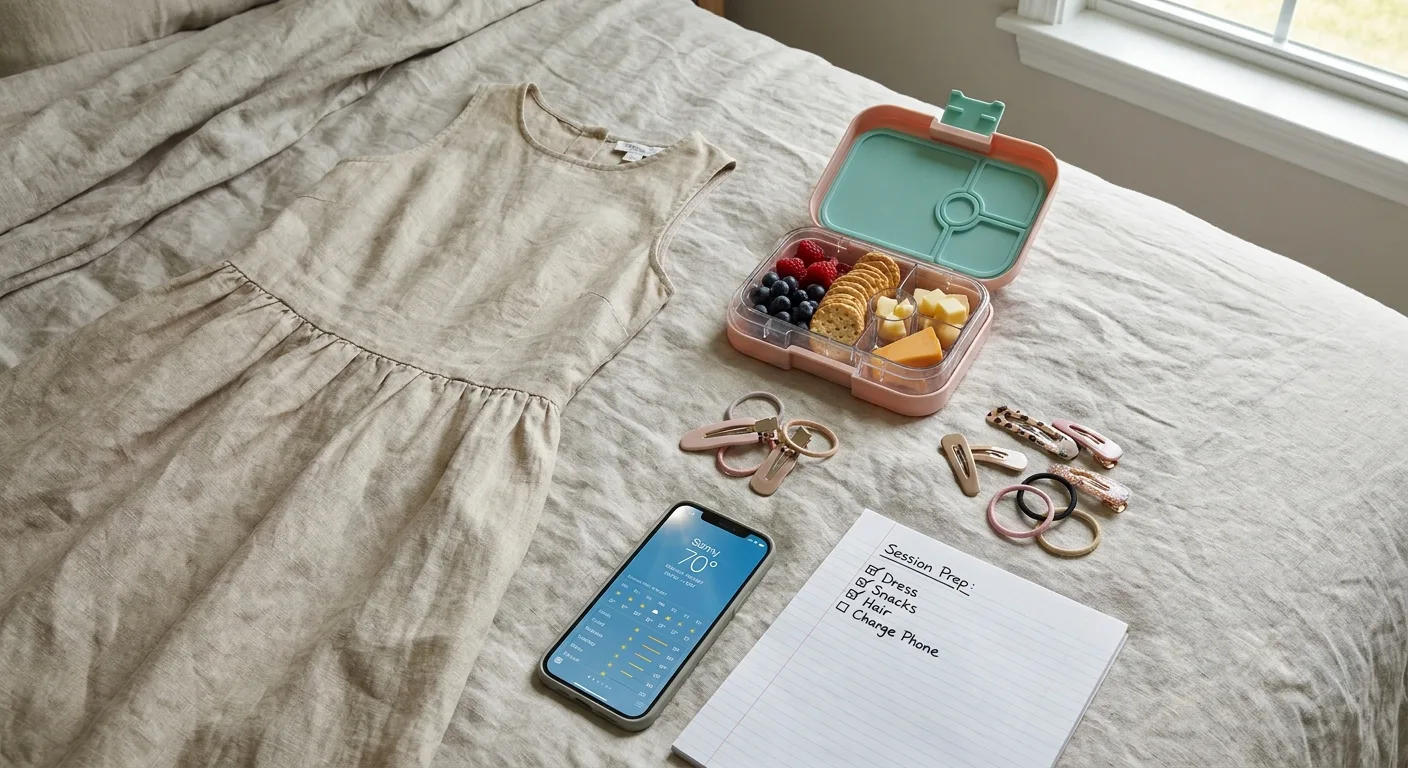
Prospects benefit too. Undecided readers browsing your blog see how organized the experience is, which sells the session before any consultation call.
One warning: readers skim, so make the post easy to scan or it will go unread.
Wedding Posts Couples Bookmark and Forward to Their Planner
Weddings bring more decisions, more stakeholders and longer planning windows, which means more search moments to answer. Couples research for months and plan as a team, so the blog topics for wedding photographers that pay off are logistics posts couples save and forward to planners, parents and other vendors.
5. Venue Guides Written From Behind the Camera
When couples look up a venue by name, they want to see how it looks on camera. Its marketing pages seldom show that, which leaves the gap for you to fill. Cover the details only a working photographer knows:
- Where the sun sits during a typical ceremony time
- Indoor backup spaces
- Flash or drone restrictions
- The best first-look location
- Which getting-ready rooms get decent window light
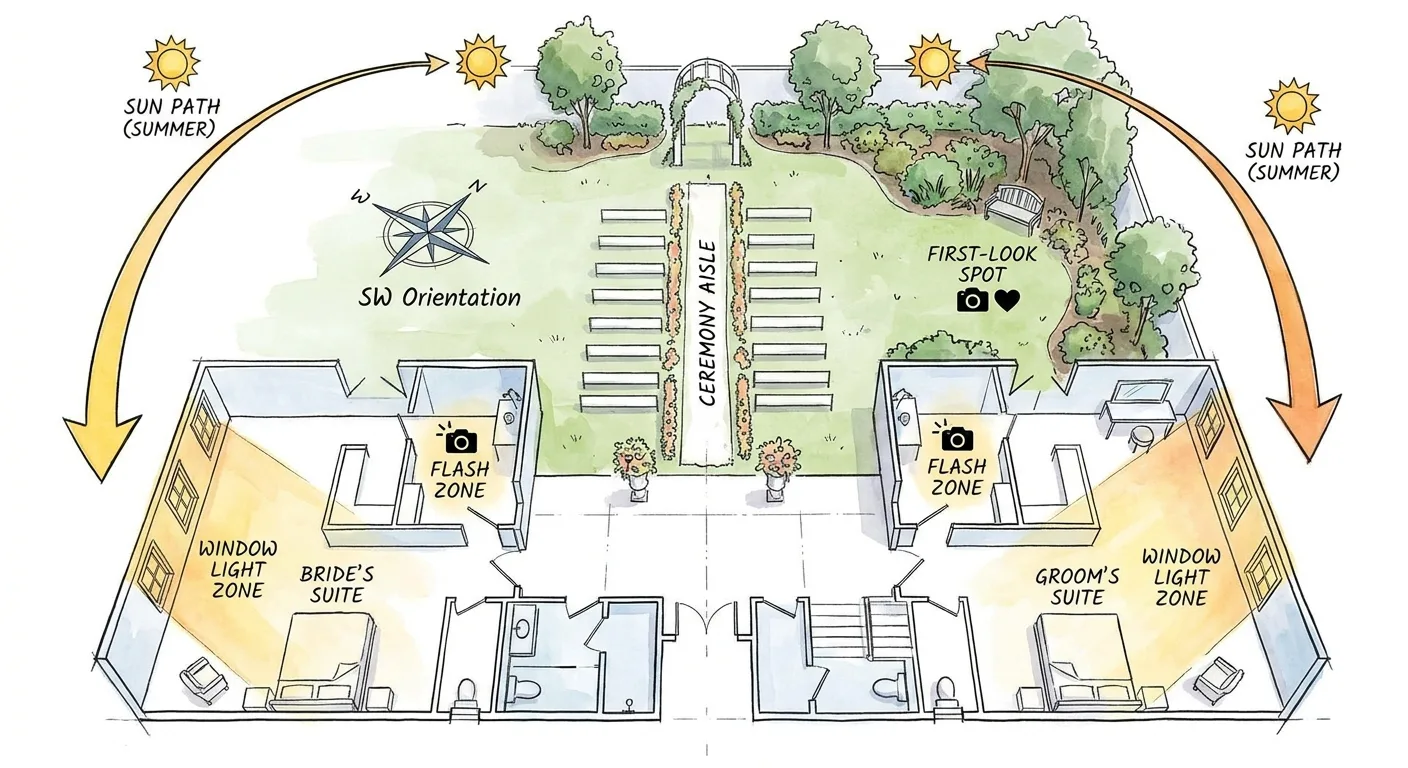
Write only about venues you’ve shot, mark any secondhand detail as such, and start tracking where venue guides rank for each venue name so you know which ones couples find.
Stay factual about drawbacks such as dim reception halls or tight timelines. Coordinators who send referrals your way may be reading. A candid note about a difficult room earns more trust than a stream of compliments.
6. How Much Coverage a Wedding Day Really Needs
Many couples find coverage hours confusing, and some end up booking too few. Rather than quoting a fixed number, link coverage to the moments in the day laid out in the timeline below.
Multi-day weddings, cultural ceremonies with several rituals, and microweddings each follow their own shape. Name them as exceptions and invite those couples to talk it through with you.
Budget pressure is real, so show couples where trimming coverage costs little and where it costs a lot. Some couples won’t miss a late-night exit, but cutting the getting-ready hour loses moments that can never be recreated.
A Fill-In Timeline Couples Can Copy
| Moment | Start time (couple fills in) | Who needs to be there | Photographer notes |
|---|---|---|---|
| Getting ready | ______ | Couple, wedding party, parents | Room with window light, details gathered in one place |
| First look (optional) | ______ | Couple | Private spot away from guests |
| Ceremony | ______ | Everyone | Note any officiant or venue camera rules |
| Family formals | ______ | Listed family members | Share a names list ahead of time |
| Couple portraits | ______ | Couple | Check sunset time for the date |
| Grand entrance | ______ | Couple, wedding party, DJ or MC | Confirm lineup order |
| Toasts | ______ | Speakers, couple | Know the speaker order |
| First dance | ______ | Couple | Ask about lighting changes |
| Exit | ______ | Couple, guests | Sparklers or petals need a cue |
Add up the span from the first row to the last to estimate how much coverage your day implies.
7. The Rain Plan Post
Weather worry tends to build before an outdoor wedding, and a calm, specific rain plan post answers it. Spell out what you bring: clear umbrellas so faces stay lit, off-camera flash for dim covered spaces, and a timeline that lets portrait time slide to whenever the rain breaks. Name covered spots at the local venues you shoot often, and link to your venue guides where they exist on your site.
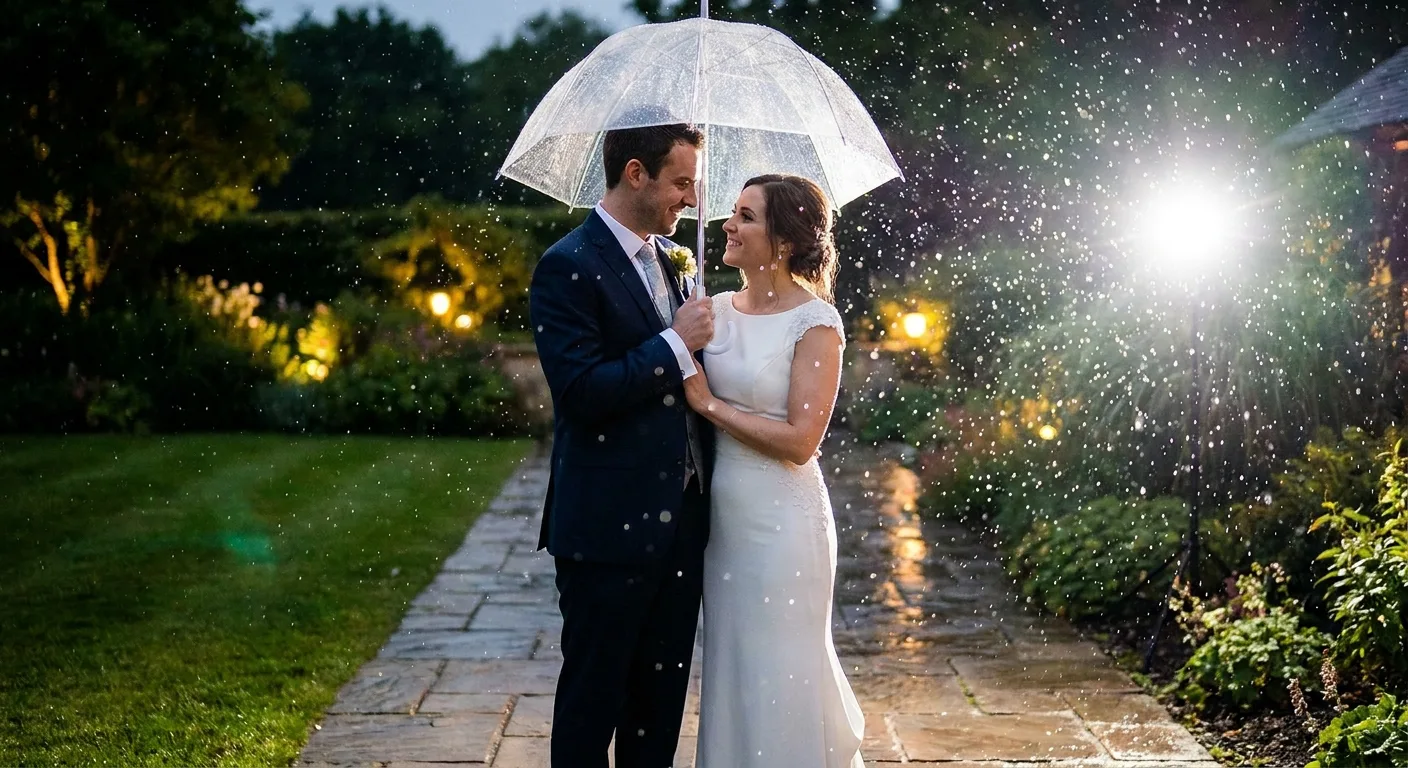
Back the plan with one rainy-day gallery excerpt, shared with permission.
Some couples will still feel sad about rain, and that’s valid. Acknowledge the disappointment without forced cheer. Don’t claim rain makes “better” photos. Promise a plan instead.
8. Vendor Spotlights That Earn Referral Links
Planners, florists and venue coordinators refer photographers they trust. A well-written spotlight strengthens that relationship and can earn a link from the vendor’s site. Build the post around how the collaboration worked: timeline handoffs, a styled moment you created together, and how their setup made your work smoother. Go easy on the praise.
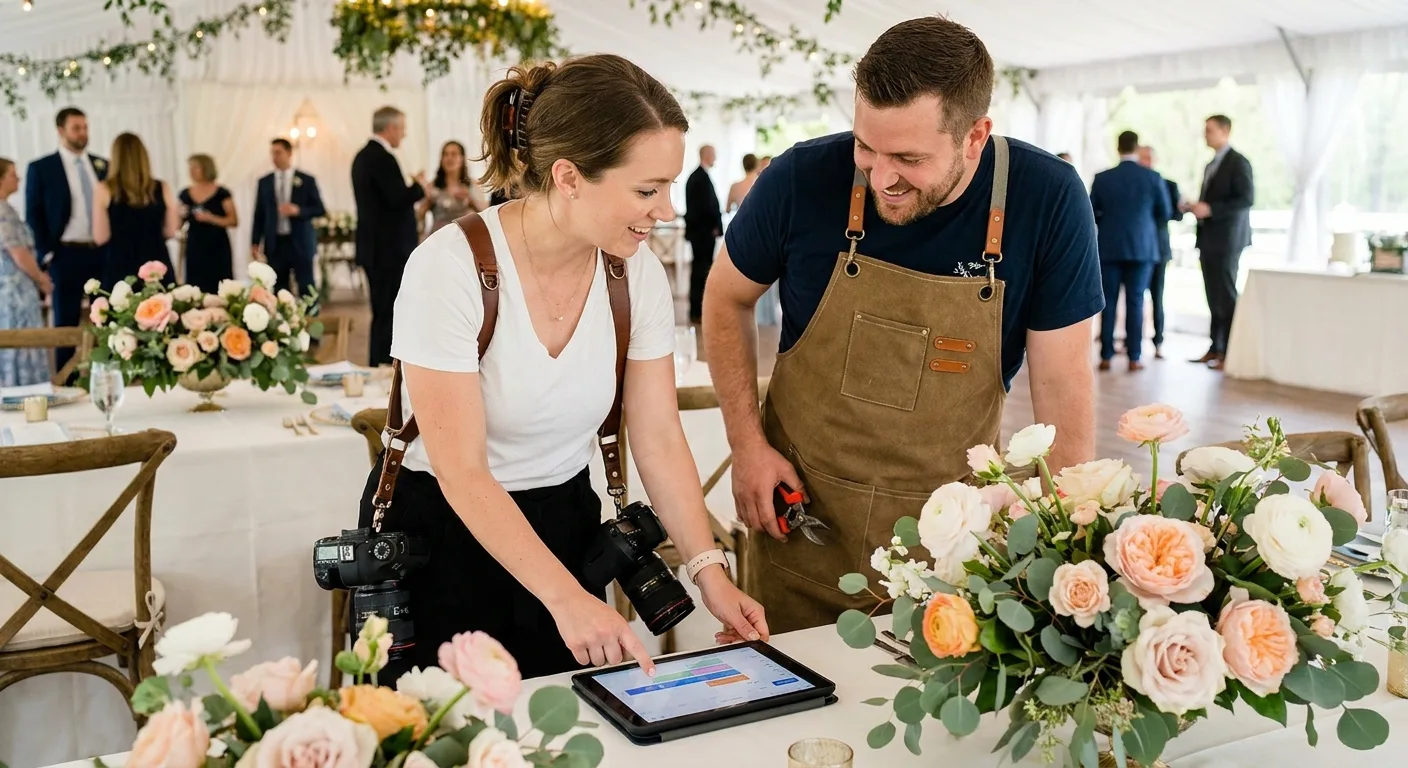
Send the vendor the live link along with ready-to-use, properly credited images. Some will share it or link to it. Links from local wedding vendors match your niche, and they put you in front of couples browsing a planner’s site. Those referral links and visits belong among the SEO KPIs worth watching each quarter.
Feature only vendors you’d genuinely recommend, because a spotlight is an endorsement.
Keeping Spotlights From Reading as Ads
Anything that smells like paid promotion loses couples. Three habits keep spotlights useful to someone hiring that vendor:
- Include one practical tip from the vendor that couples can use.
- Describe a specific problem the vendor solved on the day.
- Disclose any referral arrangement plainly.
Teaching Posts for Photographers Still Finding Their Footing
Teaching posts serve a different reader: other photographers. Photography blogs for beginners pay off mainly for photographers who sell workshops, presets or mentoring. Find your row below before you invest the hours.
| Your business model | Are teaching posts worth the time? | What to write first |
|---|---|---|
| Sell courses, presets, mentoring or workshops | Yes, they feed your offer directly | Entries 9 and 10 alongside your client posts |
| Building a teaching brand from scratch | Yes, they establish the brand | Tutorials tied to the offer you plan to launch |
| Client-facing only, no education offer | Rarely, since readers are mostly peers | Entries 1 through 8, then 11 and 12 |
| Client-facing, wants authority and backlinks | Occasionally, on a slower timeline | One teaching post after core client guides are live |
9. One Shoot, Every Setting Explained
Few things teach newer photographers faster than walking through a real session frame by frame and explaining each choice. Take a recent shoot and annotate it with the exposure settings and lighting decisions behind every image.
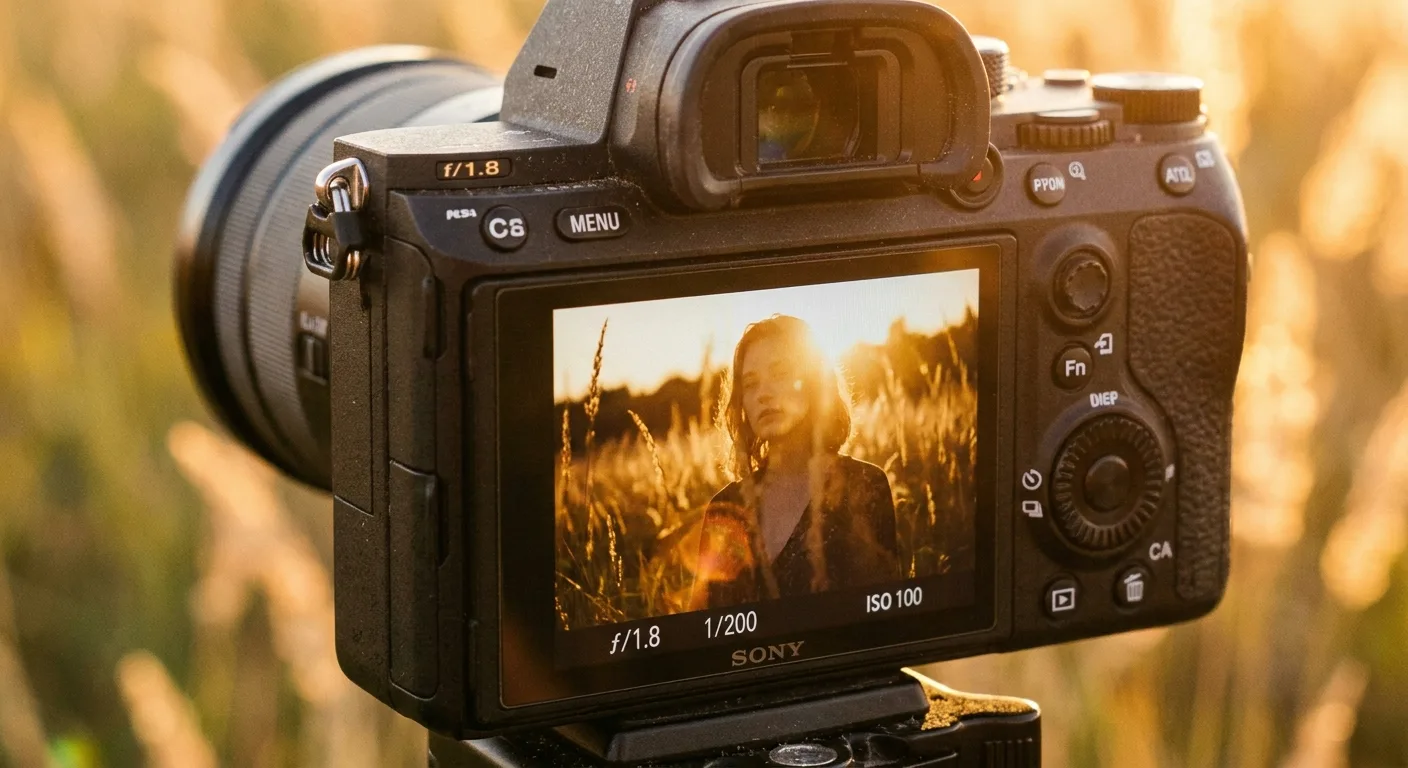
Choose four to six images and place a settings caption beneath each frame: aperture, shutter speed, ISO, focal length, light source and a one-line “why.” A caption in this format might read:
f/2.8, 1/640s, ISO 200, 85mm, sun behind the subject with a reflector camera left. Why: backlighting separated her hair from the trees, and the reflector put a catchlight back in her eyes.
Include one frame that didn’t work and explain what changed in the next shot, because that’s the part beginners remember.
Use correct terms, such as the exposure triangle, catchlight, backlighting and focal compression, and define each briefly on first use. Focal compression, for instance, comes from camera-to-subject distance, which longer lenses encourage, so don’t credit focal length alone.
The most important caveat: numbers copied into different light won’t produce the same result. State that clearly, then devote most of your explanation to why you chose each setting.
10. The Gear You Can Skip in Year One
New photographers face constant pressure to buy, and an honest post about what to wait on earns trust fast. Draw on your own buying history.
Items most beginners can delay: a second body, specialty lenses and elaborate lighting kits. Items that tend to pay off early: a fast prime and a reliable backup system for files. Tie each recommendation to a type of shoot so readers can self-select. A fast prime earns its keep in dim indoor family sessions, while a full lighting kit can wait until studio work shows up on the calendar.
Address gear anxiety directly, since feeling underequipped is common. Name categories instead of specific models to stay brand-neutral.
Readers stop trusting a gear post the moment they suspect a hidden incentive. Disclose affiliate relationships at the top of the post, and keep that disclosure out of the footer. Recommend items you’d suggest without a commission, and say when a cheaper option works fine. Protect your credibility by fact-checking each gear claim against manufacturer specifications wherever you cite a spec.
Posts That Make Your Archive Work Harder
Every delivered gallery holds material for useful posts. Aftercare and process posts often go unwritten, yet they answer real questions from past clients and future ones.
11. Gallery Delivery and Backup Instructions
Clients lose their photos: phones get replaced, laptops die, and gallery links expire while everyone’s busy. A plain-language backup guide prevents a panicked email a year later. Cover the essentials:
- How to download full-resolution files
- The date the gallery expires
- Two backup locations: cloud storage plus a physical drive

Add a short note explaining that web-size files look fine on screens but don’t carry enough resolution for large prints, and that a phone screenshot won’t print well either.
Link this post in every delivery email. Gallery platforms update their interfaces, so keep the steps general or review the post whenever your platform changes.
12. Behind the Cull: Why These Frames Made the Gallery
Clients rarely see the judgment that shapes their gallery, and explaining it builds trust that finished images can’t.
Show a small burst of near-identical frames and explain your pick: eyes open, a real expression, relaxed hands, a clean background. It also sets expectations for gallery size and answers the common client question of whether all the outtakes can be seen. before anyone asks.
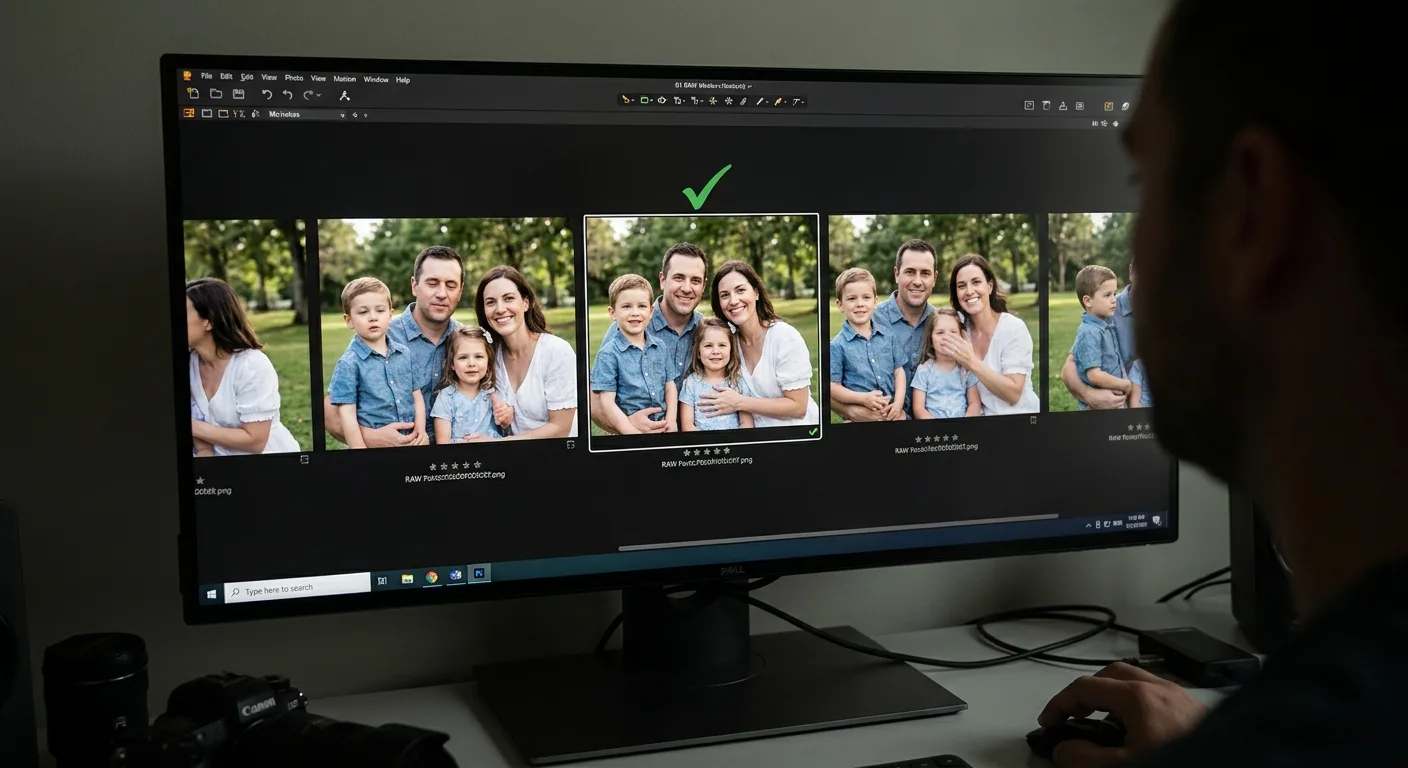
Be kind about the rejected frames, since your clients appear in them.
Picking a Session Worth Dissecting
A repeatable selection habit lets this run as an occasional series. Look for:
- Clear burst sequences
- Varied expressions within each burst
- Written permission for blog use
Skip sessions with sensitive moments, such as newborn care, grief or medical contexts, and skip clients who prefer privacy. Ask for permission at delivery, while the gallery is fresh.
Frequently Asked Questions
How often should a photographer publish new blog posts?
Publish at a pace you can keep through peak season, because an ambitious schedule abandoned mid-season leaves the blog stale. Batch-write during the off season and schedule posts ahead. Updating an existing guide with a new permit date or fresh images counts as publishing too, so a quiet calendar in busy months is no failure.
How long should a photography blog post be?
Write long enough to fully answer the client’s question, and stop there. A prep checklist can stay short while a venue guide runs longer. Lead with a plain, direct sentence, since that gives AI answers a tidy line to quote and plays into how AI visibility works. Well-captioned images also carry real information, so the words don’t have to do everything.
Should I still post full wedding and session galleries?
Yes, keep full galleries, because they still deliver vendor credit and social proof. Give each one a short question-led opening, such as how the venue handled rain or how the timeline flowed. Point each gallery to the guide it relates to, such as your venue post or your rain plan post. Confirm client permission before publishing any full gallery.
Knowing Which Questions Deserve a Post First
Even with twelve ideas in hand, one problem remains: photographers tend to write on instinct, only to find a location guide no one searches for or two posts fighting over the same question. Few of you went into business to pore over keyword data.
That’s the gap Vee3.ai’s SEO workspace was built to close. It covers the full workflow in one workspace: crawl, research, plan, write, fact-check, publish and measure. It also groups real searches by meaning, so a loose list of blog topics for photographers becomes an order based on real demand.
Map your next dozen posts against real searches before you write them.
Final Thoughts: Your Inbox Already Wrote the First Draft
Open your inquiry emails and find the single question clients ask most often. Match it to one entry from this list, and you have your first post.
Write it this month. Then link it in the email template where that question usually shows up.