Agencies
Turn approved briefs into client-ready drafts
Queue the pages a client signed off and review drafts instead of writing them.
An AI content writer for SEO pages: draft, review, rewrite, and land inside the word budget for each page type.
Free to start. No account or card needed.
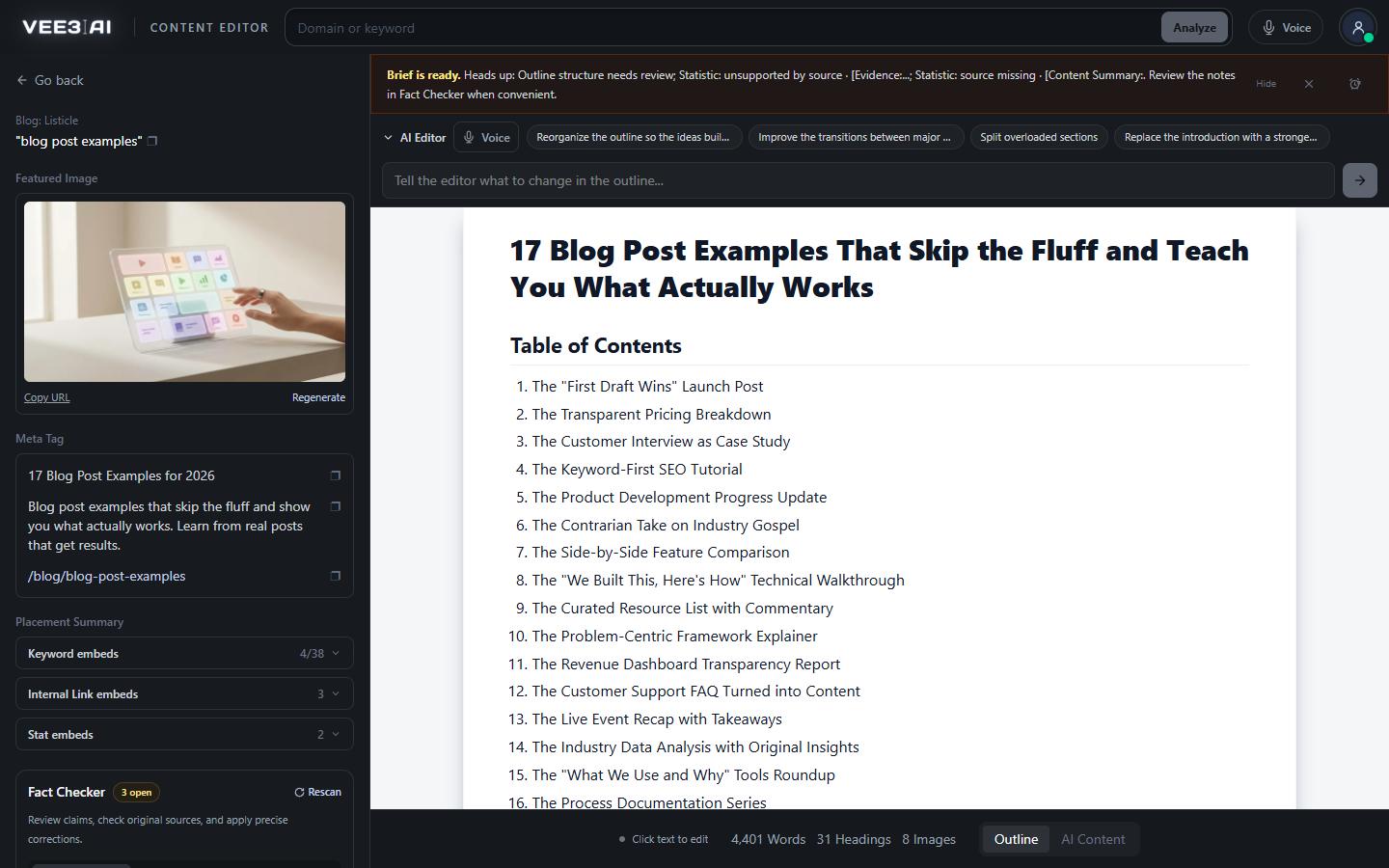
A draft, a review that only lists what to cut and fix, then a rewrite against those notes.
Vee3.ai's Content Writer is an AI SEO content writer: an AI writer built for pages that have to rank. It turns a finished brief into a full page in three passes: it drafts, reviews its own draft for filler and unsupported claims, then rewrites against those notes. Every link, image and citation planned in the content brief survives into the article, and the page lands inside the word budget for its type.
It never ships its first draft. The draft pass writes the page from the outline segment by segment, saving each segment as it completes. The review pass returns only notes: redundancy, filler, repetitive openings, keyword stuffing, unsupported claims. The final pass rewrites against those notes and checks structure, length, sources and assets. Comparison pages get an accuracy and fairness review instead, and commercial pages a conversion review.
The writer receives the selected keywords with a target frequency for each, measured from the pages that already rank. In one real workspace, a single guide went to the writer with 38 target keywords. Terms are placed to target rather than repeated until a score turns green, and the review pass treats stuffing as a defect. Once the page exists, Placement Summary in the editor shows each keyword's count against its target.
Guides land between 2,000 and 3,000 words, listicles 2,000 to 4,000, roundups 3,000 to 6,000, and reviews and VS pages 1,000 to 2,000. Only reader-visible words count, so markup, URLs and image prompts can't pad the total. Long pages are written in segments, 8K tokens first and 5K for each continuation, and each one is saved, so a failed run resumes where it stopped instead of starting over.
Every page carries a 40 to 70 word direct answer within roughly the first 150 words, a Key facts callout of three to six items, and an FAQ of three to five questions. Those blocks feed the page's structured data: the schema markup generator builds type-correct JSON-LD from the finished document, including an FAQPage graph when the FAQ qualifies.
Links, images and citations in the outline must all appear in the article. If a check fails, you still get the page, with a named review note such as Source links need review, so problems are visible rather than silent. Image placeholders become generated, hosted WebP images, and comparison pages use real screenshots. Before you publish, the fact checker tests each number, quote and date against the source it cites.
Hiring a writer buys judgment, interviews and first-hand experience. Vee3.ai writes from sources and your brand context, not from experience it doesn't have, so first-hand testing and named expertise, the parts of E-E-A-T only people can supply, stay yours to add. What it removes is the blank page and the research grind: a sourced, structured draft an editor can sharpen. Ask for changes in plain words in the SEO content editor, then send the page to WordPress, Webflow or Shopify with CMS publishing.
Turn your next brief into a page worth editing
Start in a guest workspace with no account or card, and read the first draft before you decide anything.
Writes the full page from the brief, segment by segment, each saved as it completes.
A second pass lists what to cut and fix, without rewriting.
The page is rewritten against the notes and checked for structure, length, sources and assets.
Placeholders become generated, hosted WebP images; comparison pages use real screenshots.
Agencies
Queue the pages a client signed off and review drafts instead of writing them.
In-house content teams
Writers become editors of sourced first drafts. Named review notes show exactly where a person needs to look, so nothing risky slips through.
Consultants and solo SEOs
VS and roundup pages get an accuracy and fairness review, product and solution pages a conversion review, so comparison copy holds up when a competitor reads it.
Software that drafts articles and web pages with a language model. Vee3.ai's is built for SEO pages: it writes from a researched brief with keyword targets, reviews its own draft and rewrites it, and keeps the sources and internal links the brief planned.
It replaces the blank page, not the judgment. You get a sourced, structured draft inside its word budget; a person still adds first-hand experience, checks the angle and approves what goes live. Named review notes point to the places that need that attention first.
A writer, human or AI, who produces pages meant to rank: matched to search intent, built around a primary keyword and its related terms, structured with clear headings, and linked into the rest of the site. Vee3.ai does the mechanical half of that job from a researched brief, and leaves editorial judgment to you.
Yes. The writer works from the completed outline and won't start without one. Choose Brief + content when you create the page, or open a finished brief in the editor, switch to the AI Content tab and click Write the content.
Finished steps are saved. Choose Retry from the page's row menu on the roadmap and the run picks up where it stopped instead of starting over.
Add notes in Page Condition when you start the page, and the writer receives them. Once the article is written, use the AI Editor to ask for specific changes.
On the AI Content tab, once the content is ready, click Publish to site. Connect WordPress, Webflow or Shopify, check the title, slug, category, tags and meta description, then save it as a draft or publish it live. Publishing live asks you to confirm first. To paste it elsewhere, Copy Document gives formatted content for Word, Notion or Docs, and Copy HTML gives raw markup.
Start a workspace without an account and watch the roadmap build itself. Save it to an account whenever you are ready.