Agencies
Qualify a prospect's keyword list before the proposal
Paste up to 500 keywords, sort by the lowest Domain Rank on page one, and export the comparison.
A keyword analyzer that reads the results page before you spend a page on it: demand, difficulty, and the weakest site already winning.
Free to start. No account or card needed.
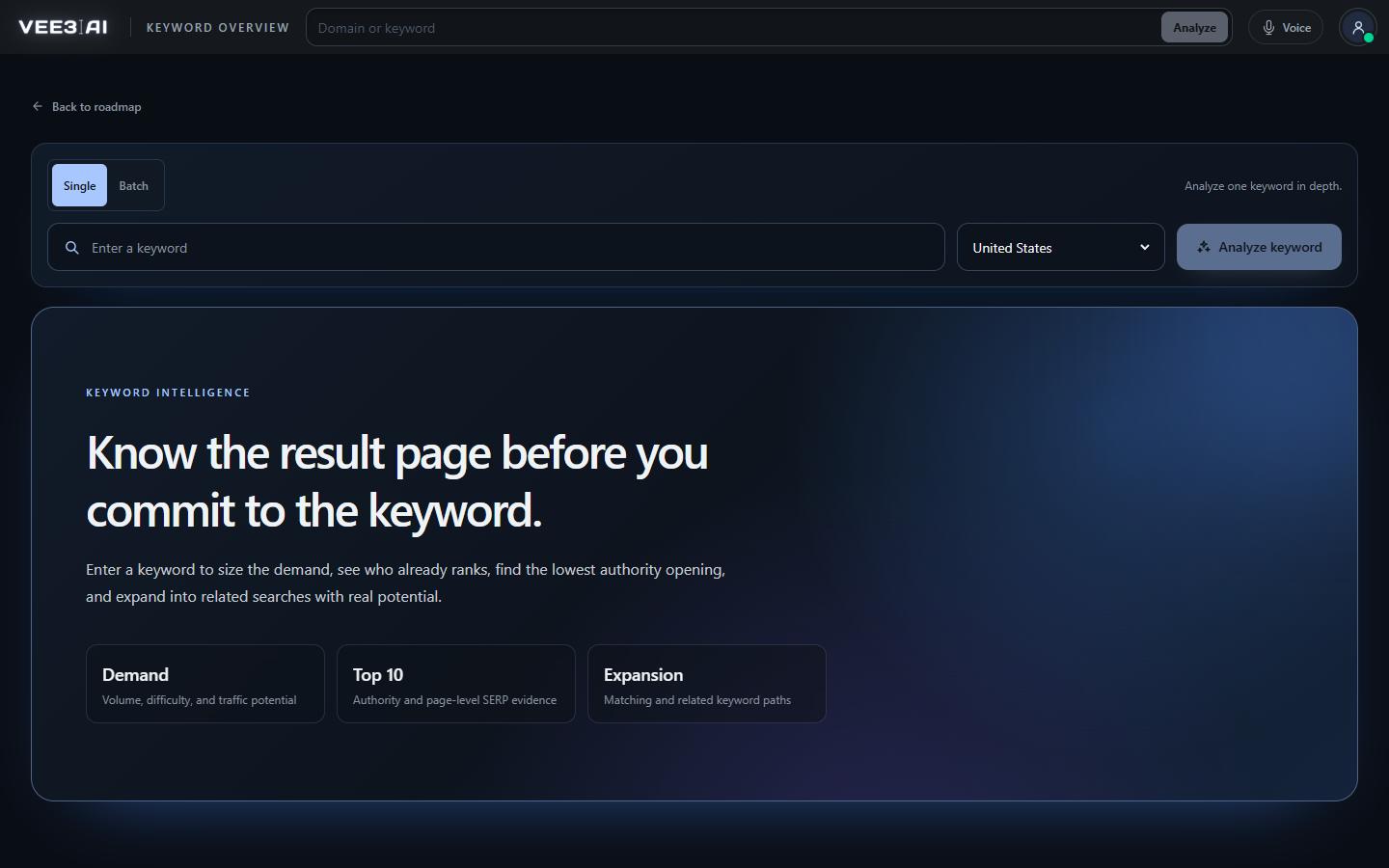
Monthly search volume, a 0 to 100 difficulty gauge and traffic potential for the market you choose.
A keyword is only worth targeting if you can win the page it produces. Most keyword tools give you a volume and a difficulty score and leave the real question open. Vee3.ai's keyword analyzer, Keyword Overview, puts the whole results page in front of you: who ranks, how strong their domains are, how much traffic each page earns, and what kind of page Google is rewarding.
Type a keyword into the header search and Vee3.ai recognizes it is not a domain and opens the report for your chosen market. You get search volume, a 0 to 100 difficulty gauge and traffic potential, then the top ten results with each page's type, Domain Rank, estimated traffic, referring domains and the top keyword that page ranks for. Page types are inferred from each result's URL, title and description, so you can see at a glance whether Google wants guides, product pages, tools or local listings.
The single most useful number is often the weakest one. Vee3.ai finds the lowest Domain Rank in the top ten and the traffic that page still earns. If a site at or below your authority already ranks, the door is open. For “digital marketing agency” in the US (Sep 26, 2026), the report showed 40,500 monthly searches, a DR 51 site as the weakest on page one, and 2.9K monthly visits that site still earns. The average Domain Rank and page traffic of the top ten sit beside it, so one outlier never misleads you.
Search volume counts one phrase, and this is where most SEO keyword analysis goes wrong. The page that ranks first usually earns traffic from hundreds of variations. Traffic potential is the total estimated organic traffic of the current rank-one page across all its keywords, which is the better measure of what winning is worth. A modest-volume keyword with high traffic potential is often the head of a topic you should cover with one strong page rather than five thin ones.
Batch mode runs up to 500 keywords in one table, separated by line breaks, tabs or commas. Duplicates are skipped and every entry is checked before the run starts. Each row carries volume, difficulty, traffic potential, top-ten averages and the lowest-authority opening, plus AI search volume and the domains ChatGPT and Google AI Overviews cite. A Source age column shows whether a row is fresh or cached, and Retry failed reruns only the rows that need it. For the full AI picture per prompt, open the AI visibility tool.
Related keywords come in two groups: closest matches at the first level of depth and broader opportunities at the second, each with its own volume and difficulty. Any of them can go straight to Expand Roadmap with your brand pre-selected, where the keyword clustering tool groups them into pages and the cannibalization checker stops a keyword that duplicates one you already target. The result lands on your SEO roadmap, scored and ready to brief.
Find the keywords you can win before you write a word
Start in a guest workspace with no account or card, and run your first keyword report from the header search.
Type a keyword in the header search. Vee3.ai recognizes it is not a domain and opens the keyword report for your chosen market.
Volume, a 0 to 100 difficulty gauge and traffic potential: the total organic traffic reaching the page ranking first.
Average Domain Rank and page traffic of the top ten, plus the lowest-authority opening.
Closest matches and broader opportunities with their own volume and difficulty, ready to import.
Agencies
Paste up to 500 keywords, sort by the lowest Domain Rank on page one, and export the comparison.
In-house teams
When someone asks for a page on a head term, show the top ten, their authority and the page types Google rewards.
Founders and solo SEOs
Look for keywords where a site near your authority already ranks and still earns traffic.
A keyword analyzer tells you how much demand a search has, how hard it is to rank for, and who ranks now. Vee3.ai adds traffic potential, the weakest domain on page one, the page types Google rewards, and AI search demand, then lets you send the keyword straight to your roadmap.
Compare the lowest Domain Rank in the top ten with your own. If a site at or below your authority ranks and still earns traffic, the keyword is open to you. The difficulty gauge and the top-ten average tell you how much work the rest of the page will take.
A plain-text keyword of up to 80 characters and 10 words, in the United States, United Kingdom, Canada or Australia. Search operators and URL-encoded text are rejected. In batch mode, separate keywords with line breaks, tabs or commas; duplicates are skipped.
Not while a saved report is still fresh. Complete reports are reused for 7 days and partial ones for 1 day, so they refresh sooner. In batch mode, the Source age column shows whether each row was freshly generated or cached, and how old it is.
It’s inferred from the result’s URL, title and search description. Vee3.ai doesn’t crawl the ranking page itself.
Use Import to Roadmap on the report, or Import on any top-10 row to take that page’s top keyword. Pick a brand under Roadmap destination and Vee3.ai opens Expand Roadmap with the keyword filled in. If you have no brand yet, you’ll be asked to create one first.
Yes. Export results downloads the top 10 as a CSV, and Closest matches and Broader opportunities each have their own Export. In batch mode, Export comparison saves the whole table, Retry failed reruns failed or cancelled rows, and clicking a completed keyword opens its full report.
Start a workspace without an account and watch the roadmap build itself. Save it to an account whenever you are ready.