Agencies
Titles for a whole roadmap
Every page Vee3.ai briefs gets its title tag in the same step, so a client roadmap never needs a separate title spreadsheet.
A meta title generator built into every page: keyword first, 35 characters or fewer, checked by code and sent to your SEO title field.
Free to start. No account or card needed.
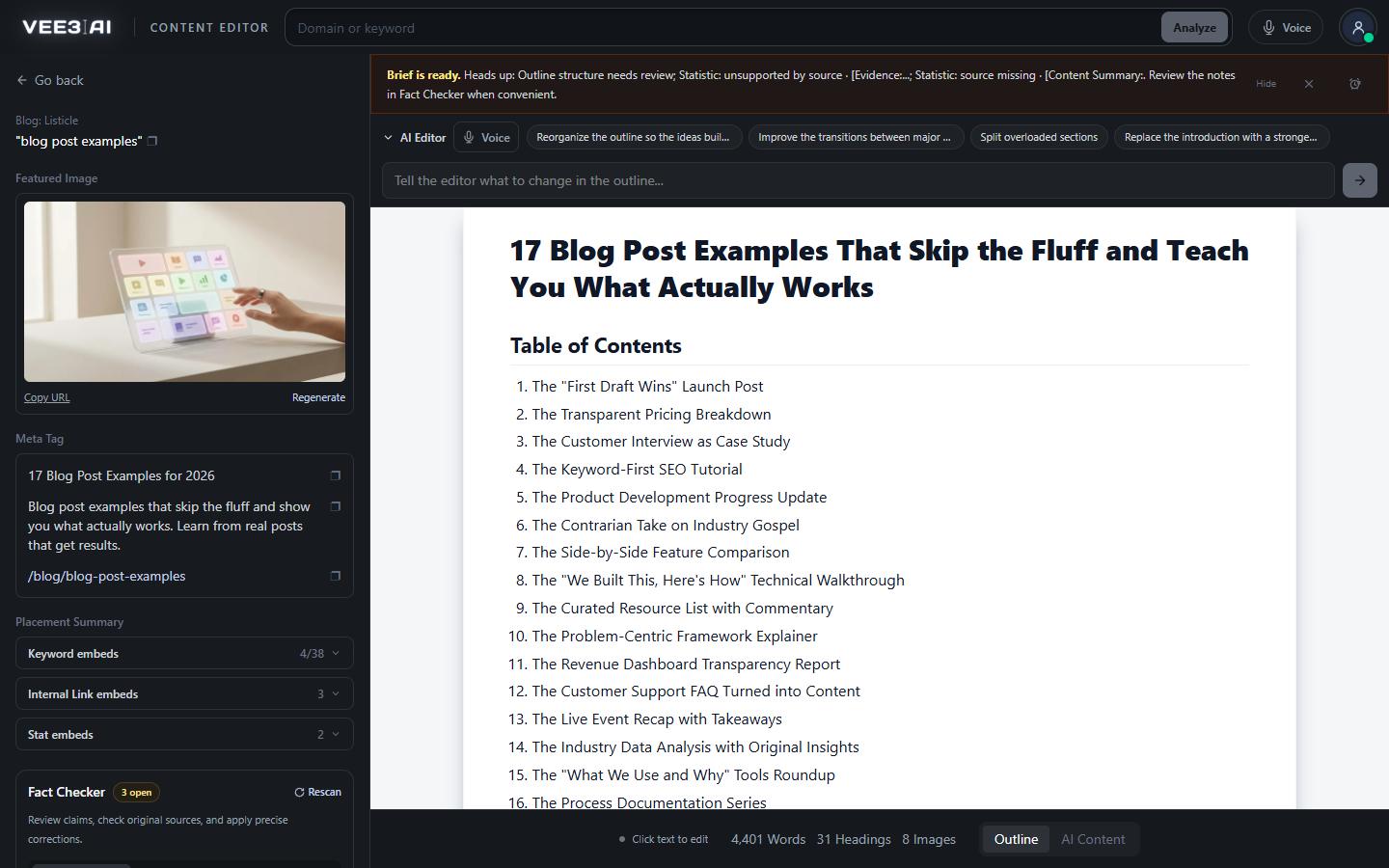
Titles open with the primary keyword. Listicles and roundups open with their item count instead.
Vee3.ai's meta title generator is not a box you paste a URL into. It writes the title tag as part of every page it builds. Once the outline is finished, the H1 is shortened into a title of 35 characters or fewer that opens with your primary keyword. Code checks every rule before the title is saved, and if the model misses one, code writes a compliant title instead. Publish the page and the title goes straight into your SEO title field.
Every brief ends with one short step that writes three lines: the URL slug, the title tag and the meta description. It runs the same way for all nine page types, from guides and listicles to product, solution and tool pages, and for both Brief only and Brief + Content runs. The step reads only the finished outline's H1 and the page's primary keyword. It never sees the research, so copy scraped from ranking pages can't compete with your own headline. The content brief generator builds the outline first; the title is the last thing it commits to.
The model is asked for a title, and code decides whether it is accepted:
There is one model attempt. If the output breaks a rule, Vee3.ai does not pay for a second try: code builds a title within the limit from the keyword, cased the way the H1 writes it, and lists get their count and year. The page is saved with an SEO metadata needs review note, so a fallback is never silent.
A title only earns a click if the searcher can read it. Search results show a limited width, and long titles get cut off or rewritten. At 35 characters the whole title fits on phones and desktops, so the promise is never lost behind an ellipsis. Putting the keyword first means the searcher sees their own query in the first words. Vee3.ai counts characters, not pixels, but 35 characters sits comfortably inside the width results display. Because the title follows the H1, head and headline agree, which gives Google less reason to swap in a title of its own.
The title appears in the Meta Tag box in the editor sidebar with a copy button, and on the roadmap as the page's title. The page's JSON-LD uses it as the name, so the schema markup generator and the head say the same thing. When you publish with CMS publishing, it is written to the SEO title field: the WordPress SEO plugin Vee3.ai detects or custom meta keys you name, Shopify's article title tag, or the SEO title field you map in Webflow.
The title tag is a record of the brief, not free text. The SEO content editor rewrites the document on request but never edits the title tag, meta description or slug. For a new title, choose Rerun Brief on the roadmap and the outline and title are rebuilt together. Pages imported from your site show Refresh Page instead: the refresh reads the live page, current title included, then writes a new one to the same rules. Its partner, the meta description generator, runs in the same step.
Get a title tag with every page you build
Start in a guest workspace with no account or card, and watch the title appear in the Meta Tag box as soon as the outline is done.
The brief finishes the outline and fixes the H1.
The H1 becomes a keyword-first title of 35 characters or fewer.
Code tests length, keyword position and list count, or writes a fallback.
The title goes to your SEO title field in WordPress, Shopify or Webflow.
Agencies
Every page Vee3.ai briefs gets its title tag in the same step, so a client roadmap never needs a separate title spreadsheet.
In-house content teams
The title is a shortened H1, so editors stop reconciling two versions of the same promise.
Ecommerce SEO
Publish a guide to Shopify and its title tag is written to the article's SEO title field.
A tool that writes the title tag, the clickable headline in search results and the text on the browser tab. Most take a URL or topic and suggest options. Vee3.ai writes one title for every page it briefs, from the H1 and the primary keyword, and checks it against its rules before saving.
Yes. All three names mean the HTML title element. SEO plugins usually call it the SEO title, and Vee3.ai shows it as the title line in the editor's Meta Tag box.
Vee3.ai caps titles at 35 characters, except a title that is exactly the keyword plus in or for the current year. It counts characters, not pixels. At that length the whole title fits in results on phones and desktops, with the keyword in the first words.
Not in a standalone box. Import a page by URL into the editor and it gets a keyword-first title built by code straight away. Pages imported from your site show Refresh Page on the roadmap, which reads the live page, current title included, and writes a new title to the same rules.
Copy it from the Meta Tag box whenever you need it. The AI Editor rewrites the document but never the title tag. Rerun Brief rebuilds the outline and title together. In Publish to site you can change the CMS page title, slug and meta description, while the SEO title field receives the saved title tag.
It is rejected by code. There is no second model call: code builds a compliant title from the keyword, and the page carries an SEO metadata needs review note. Fact Checker rescans the outline and keeps the note visible until the saved title passes.
Yes. The same step writes the slug, the title tag and the meta description together, so the three always describe the same page. The meta description has its own rules: at most 125 characters, opening with the keyword and never carrying a year.
Start a workspace without an account and watch the roadmap build itself. Save it to an account whenever you are ready.