
Charts like this often get judged by their design: colors, fonts, whether the radar lines overlap neatly. The weak point usually sits somewhere far less glamorous: the roster.
You’ve probably felt it. Every company on the slide should have a specific reason for being there, and if you can’t explain how or why it competes with you, it should be left out (Mouseflow).

The question worth asking first is simple: who earned a row on your chart, and what evidence put them there?
Key Takeaways
Choosing Which Rivals Earn a Row
Rosters are often assembled from memory, pulled from the sales deck, leadership’s watchlist, or whichever startup announced funding last quarter. None of those sources is wrong, exactly, but each one is incomplete.
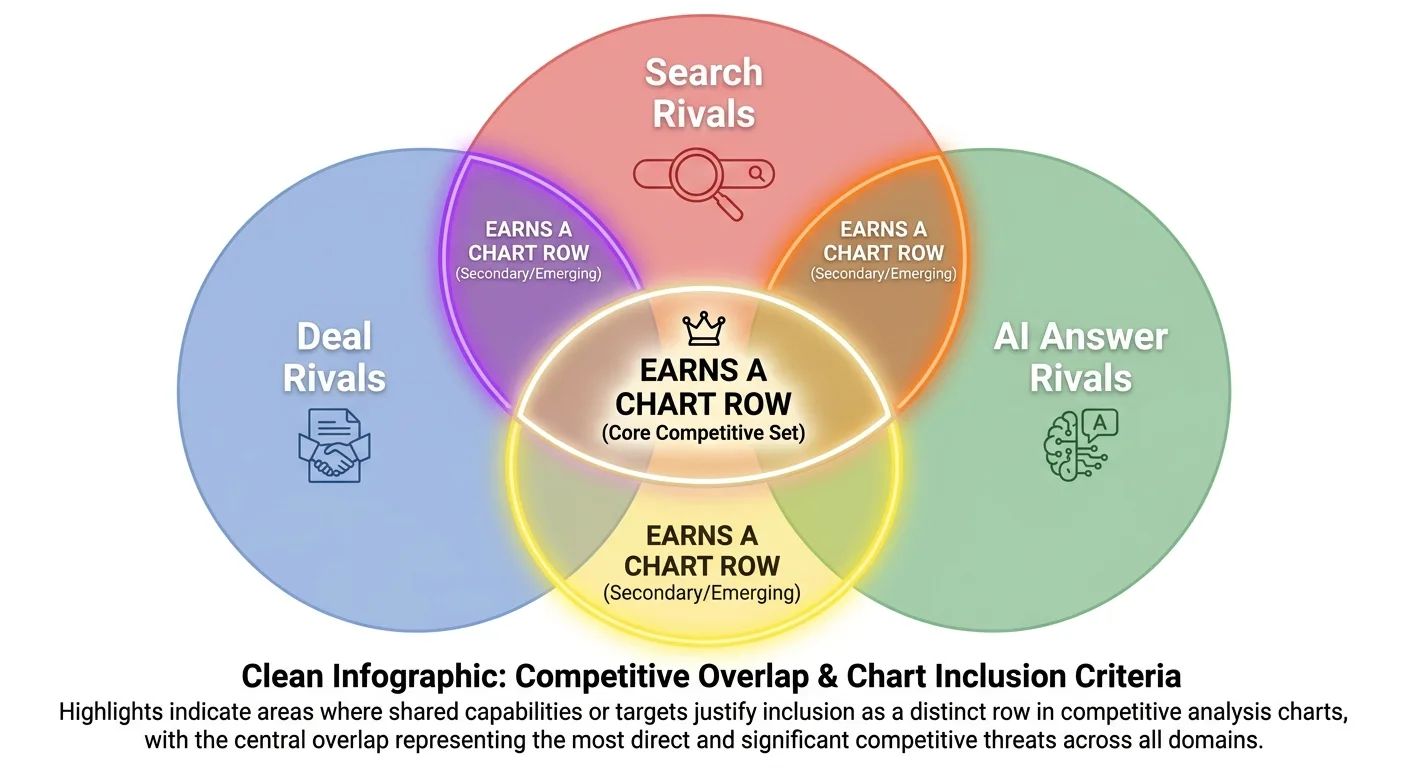
The roster is built from several evidence sources:
- Deal rivals. These are the companies you lose deals to, drawn from the names your sales reps hear pop up repeatedly in deals (competitiveintelligencealliance.io). answers prospects give on calls. The win/loss matrix in InfoDesk’s 2021 guide to competitive analysis matrices pulls won and lost opportunity data from the sales team’s CRM and adds interviews with lost prospects and new customers. It then plots win rate and win/loss ratios for your business and each competitor.
- Search rivals. These are the sites ranking for the queries you target, surfaced through a keyword overlap analysis instead of a guess based on brand size.
- AI answer rivals. These are the brands named when buyers put your category questions to AI assistants.
| Competitor (illustrative) | Deal rivals | Search rivals | AI answer rivals | Earns a scored row? |
|---|---|---|---|---|
| Rival A | Yes | Yes | Yes | Yes |
| Rival B | Yes | No | Yes | Yes |
| Niche Site C | No | Yes | Yes | Yes |
| Rival D | Yes | No | No | No, watchlist only |
| Directory E | No | Yes | Yes | Context row only |
The three lists rarely match. A small niche site can own the queries you care about and never once come up in a sales call.
Platforms create a separate problem. Marketplaces, directories, review aggregators, and huge publishers rank for almost everything without selling what you sell. Score them as direct rivals and every average drifts toward noise. Keep them off scored rows or place them in a labeled context row, so their reach stays visible without distorting the comparison.
The editorial rule: a rival earns a row when it shows up in at least two of the three sources, unless it is a platform covered above. That’s a recommendation, not an industry standard. (Wondering how many rows is too many? The FAQ covers it.)
An honest roster deserves honest scores, and startupproject.org recommends choosing axes customers actually use to decide, not ones engineered to put you alone in the top-right corner.
Axes That Survive a Skeptical Stakeholder
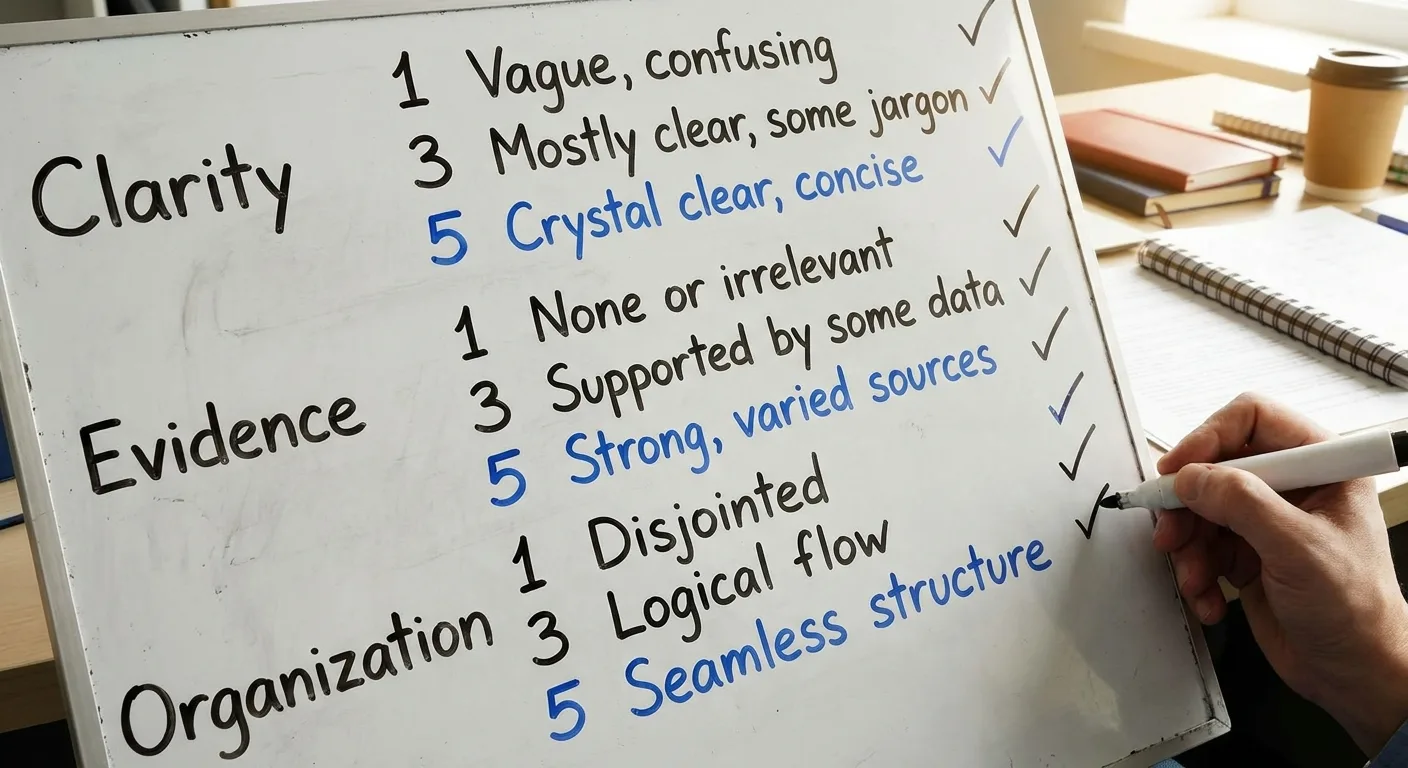
Unanchored 1-5 scores turn into vibes. A “4 on UX” means one thing to the designer and something else entirely to the sales lead.
The fix is an anchored scale. For each axis, write an anchor describing what a 1, a 3, and a 5 look like, a practice borrowed from behaviorally anchored rating scales (Engagedly). Choose attributes tied to the decision the chart supports. Five to seven axes is generally plenty. The table maps common attributes to signals anyone in the room can check.
| Attribute being compared | Measurable signal | Where the data comes from |
|---|---|---|
| Pricing accessibility | Entry-plan price (same currency and billing period for every rival), free tier present | Public pricing pages |
| Search visibility | Share of tracked target queries ranking in the top ten | Rank tracking data |
| Topic coverage | Pages covering each core topic cluster | Site crawl |
| Customer sentiment | Rating and review volume on one named review platform | The review platform itself |
| Feature coverage | Yes, partial, or no against a must-have list, converted to 1-5 with written anchors (e.g., 5 = every must-have present) | Product docs or a demo |
Your own row is where bias hides, because self-scoring invites unintentional generosity. Hand your row to someone outside the team, or score it blind using only the public evidence you’d use for a rival.
Some cells will rest on thin evidence, so flag them with a simple asterisk to show readers where the data is soft. An honest asterisk protects the credibility of every other cell.
Weighting is optional. Use it if it helps, but print the weights on the chart, because hidden weights erode trust fast. Imported scores need the same transparency. The G2 Grid, as described in InfoDesk’s 2021 competitive analysis matrix guide, scores vendors from user reviews plus aggregated online data such as social networks. A proprietary algorithm calculates its Customer Satisfaction and Market Presence scores in real time, and you can’t inspect those weights. Name G2 on the chart and label the score as that platform’s method, never as one of your own anchored axes.
Could you explain every score on your current chart without opening a spreadsheet? A “no” means the scoring rubric needs work before the design does.
Identical scores can tell very different stories depending on the visual you put them in.
Grid, Radar, or Bubble: Picking the Shape That Answers Your Question
Each format answers one kind of question well and misleads on others. The table gives the short version, and the notes below cover the caveats.
| Format | Question it answers | Watch out for |
|---|---|---|
| Comparison grid | What are the exact values? | Patterns hide across many rows |
| Radar chart | What shape is each rival’s profile? | Axis order changes polygon area |
| Bubble chart | How do three variables relate? | Radius sizing exaggerates gaps |
| Positioning map | Where does each player sit strategically? | Self-serving axis choices |
Comparison grid. A competitor analysis comparison chart in grid form also suits feature checklists.
Radar chart. In radar chart competitor analysis, each rival’s profile shape shows at a glance. Some teams call the same visual a competitor analysis spider chart. Because axis order alters the polygon, the same data can leave a different visual impression.
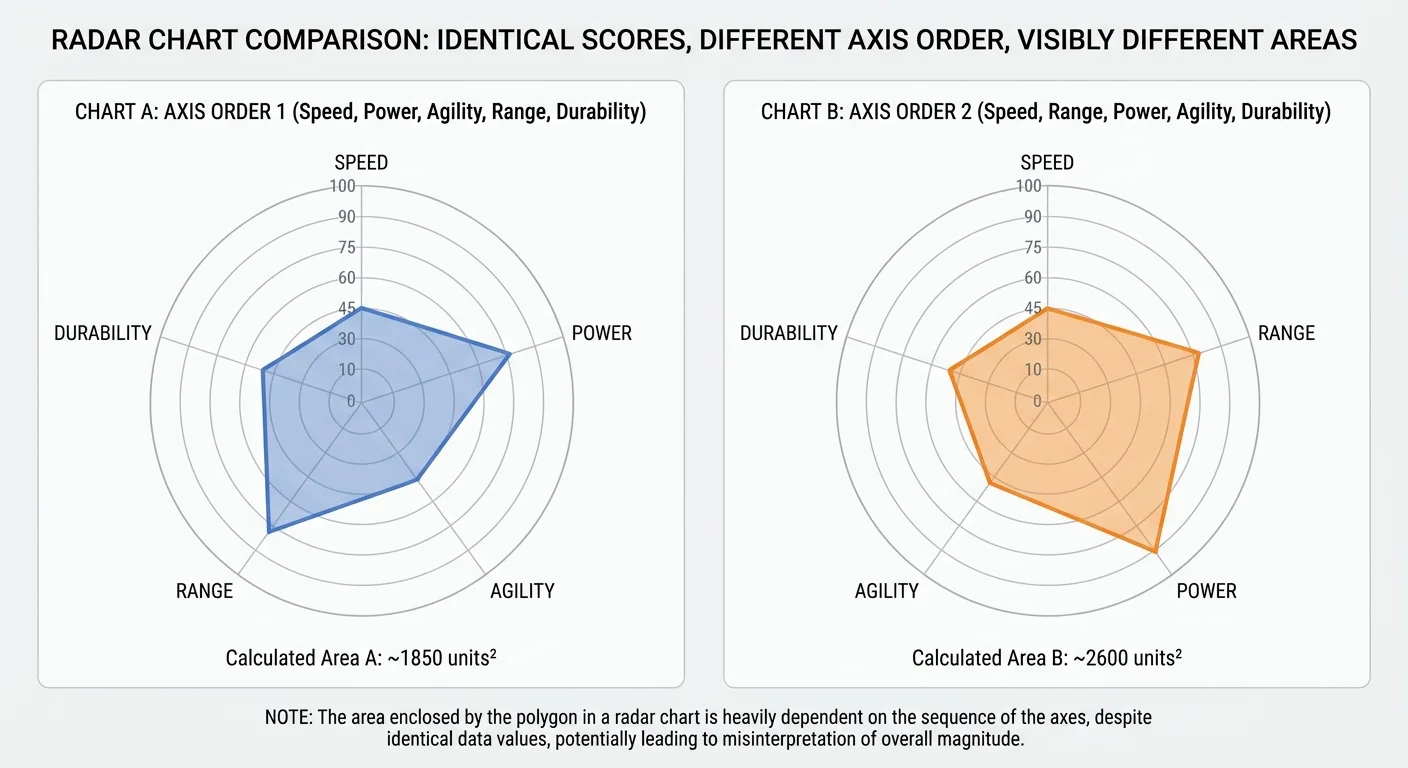
Keep it to three or four overlaid rivals, with every axis normalized to the same scale.
Bubble chart. For bubble chart competitor analysis, plot revenue on the x-axis, customer satisfaction on the y-axis, and market share as bubble size to compare companies in one place (Coursera). Size bubbles by area, because radius sizing inflates large values. Label bubbles directly so nobody has to hunt through a legend.
Positioning map. Two-axis maps carry strategic narrative well, but self-chosen axes can conveniently leave you alone in an empty quadrant. Would a neutral reviewer pick the same two axes? Gartner’s Magic Quadrant, as summarized in InfoDesk’s 2021 matrix guide, models the defensible version. Ability to Execute summarizes financial stability, product development, customer base, and sales channels. Completeness of Vision covers innovation and whether the vendor drives the market. Vendors land as Leaders, Challengers, Visionaries, or Niche Players, and each axis is defined by stated components before anyone gets plotted.
Write the question as a sentence first. Only then pick the shape that answers it fastest.
How to Make a Competitor Analysis Chart, Step by Step
Follow these steps in order:
- Write down the decision the chart supports: a pricing change, a content investment, or a positioning shift.
- Build the roster with the two-of-three rule.
- Choose five to seven anchored attributes.
- Collect data, verify each figure before scoring, and record the date of collection on each source.
- Score every row, including your own, with a second scorer assigned to your row.
- Pick the format that answers the decision’s question.
- Annotate the visual with a one-line headline takeaway, the data date, and source notes.
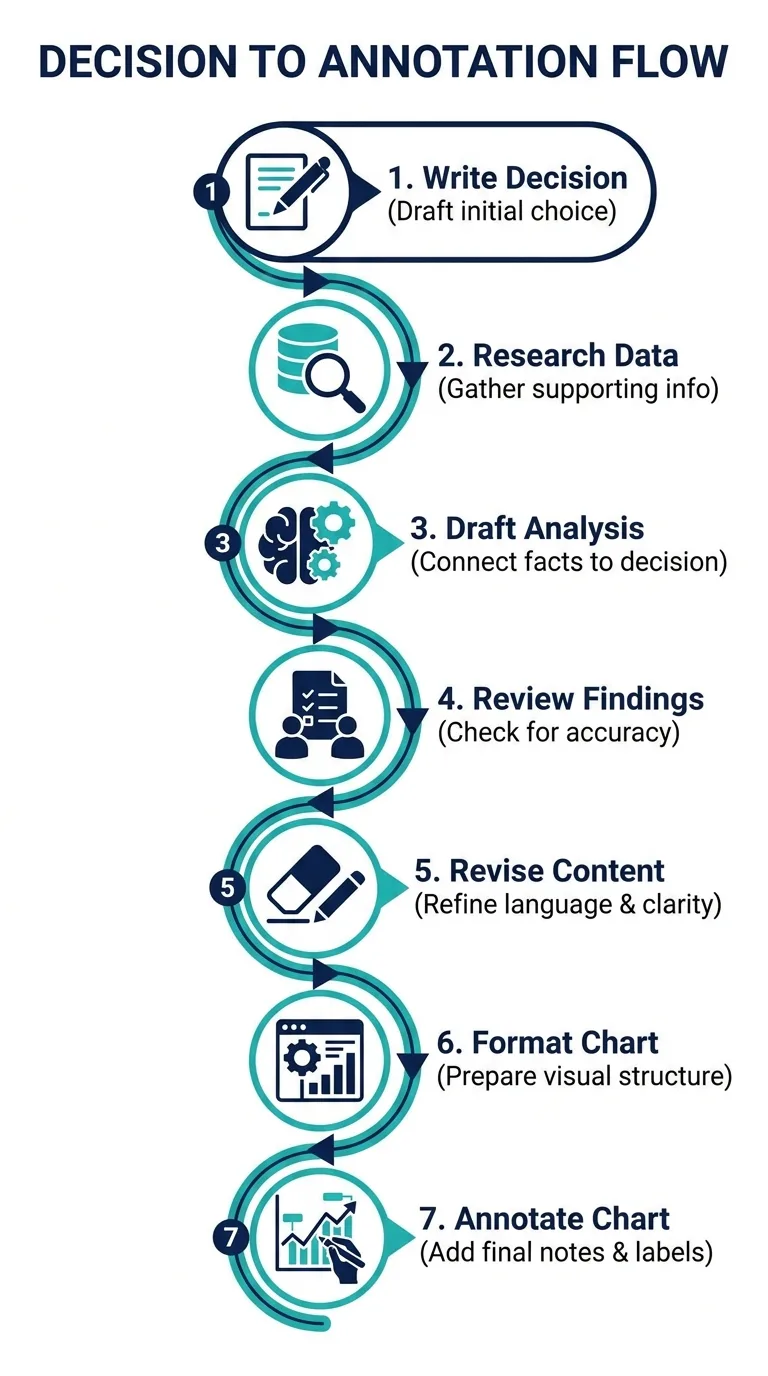
Don’t skip step seven. An unannotated chart invites misreading, because every viewer fills the silence with their own conclusion.
Below is a purely hypothetical competitor analysis chart example. A B2B accounting software company scores four rivals, then plots its own row and its three closest rivals as a radar chart. The full grid stays as the reference.
Headline: A brand may trail on topic coverage, while some rivals appear to lead in search visibility.
| Attribute (scored on an anchored rating scale) | Us | Rival A | Rival B | Rival C | Rival D |
|---|---|---|---|---|---|
| Search visibility | 2 | 4 | 5 | 3 | 2 |
| Topic coverage | 2 | 4 | 4 | 3 | 2* |
| Pricing accessibility | 4 | 3 | 3 | 1 | 5 |
| Feature coverage | 4 | 4 | 3 | 5 | 2 |
| Sentiment | 4 | 3 | 4 | 4 | 3* |
Data date: [your collection date]. Sources: public pricing pages, rank tracking data, site crawl, product docs, one named review platform. * marks a low-confidence cell. All scores are hypothetical radar chart inputs.
Reading the Finished Example
Take Rival C’s score of 1 on pricing accessibility, which may reflect an intentional premium position rather than a flaw waiting to be exploited.
A topic coverage gap, by contrast, signals a content opportunity that a shortlist of accounting blog topic ideas can start to close.
Ask one question of every gap: did we choose this, or did it happen to us?

What a Free Template Can (and Can’t) Do for You
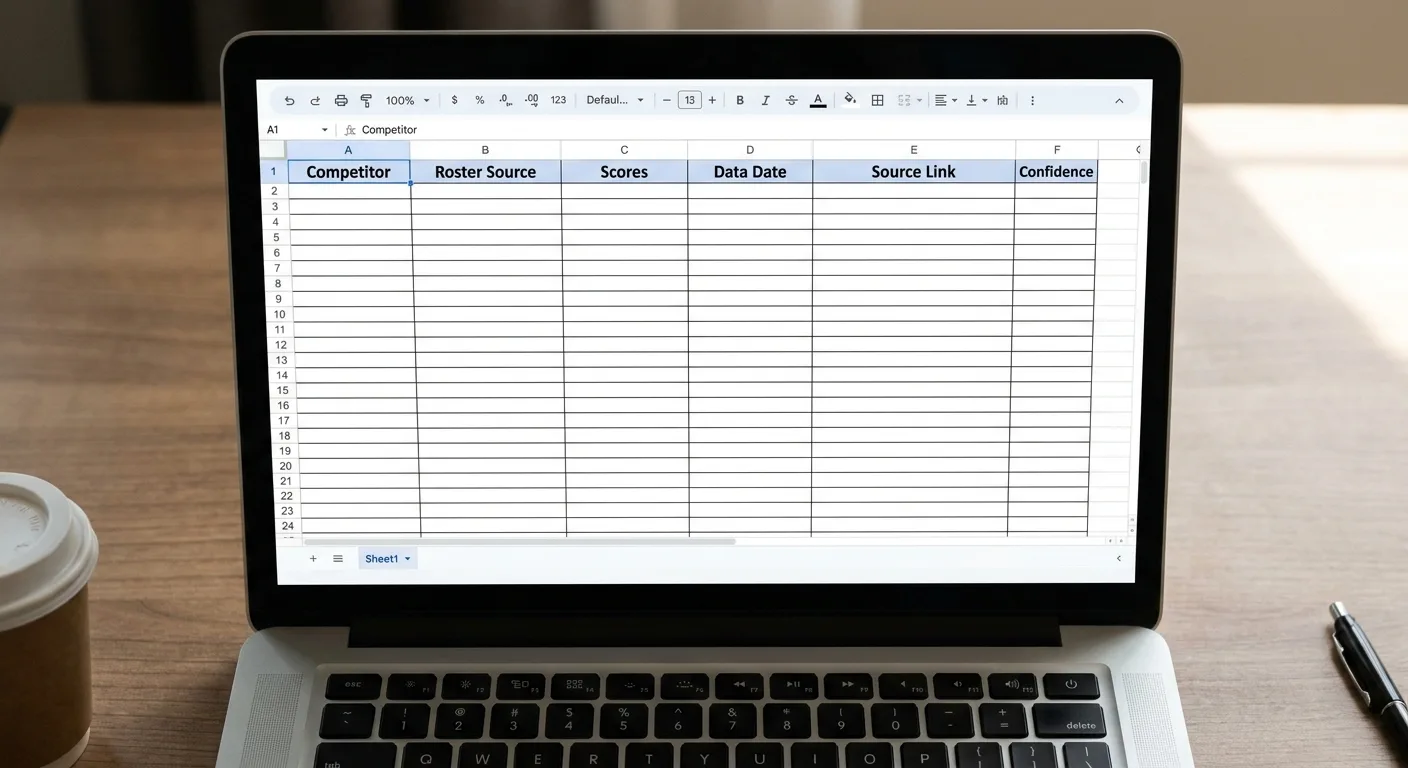
A good competitor analysis chart template includes:
- Editable scale definitions
- A data-date field
- A source column
- A confidence marker
- A row reserved for your own business
Watch for these red flags before any competitor analysis template free download lands in your drive:
- Pre-filled generic attributes that don’t fit your decision
- A locked radar axis order
- No space for sources
This page doesn’t host a download, so skip the free competitor analysis template file. Copy the structure below instead, and fill the Source link column from exports in the SEO tools you already use.
| Competitor | Roster source(s) | Attribute 1 (score + anchor note) | Attribute 2 (score + anchor note) | Attribute 3 (score + anchor note) | Attribute 4 (score + anchor note) | Attribute 5 (score + anchor note) | Data date | Source link | Confidence |
|---|---|---|---|---|---|---|---|---|---|
| Your business | |||||||||
| [Rival] |
Keeping the Chart Current After the Meeting
Every chart starts aging the day you present it. These triggers tell you which cells to revisit.
| Refresh trigger | What to re-check | Cells that change |
|---|---|---|
| A rival changes pricing | Entry-plan price, free tier | That rival’s pricing accessibility score |
| A major launch | Must-have feature list | Feature coverage for the launching rival |
| Noticeable ranking shifts on target queries | Top-ten share of tracked queries | Search visibility; roster if a new site appears |
| A new entrant passes the two-of-three rule | All three roster sources | New row, scored on every axis |
| Quarterly baseline review, with lighter monthly check-ins on fast-moving areas like pricing (targetcompanyresearch.com). | Every source and data date | All rows, saved as a new dated snapshot |
Triggers catch sudden moves that no calendar reminder would flag, such as the ranking shifts that consistent rank tracking surfaces between quarterly reviews.
A regular baseline review can be worth scheduling, perhaps more frequently for fast-moving markets and less frequently for slower ones (Deckary). Moody Media’s competitor analysis template guide lists quarterly updates as recommended by Atlassian for ongoing relevance (Moody Media). Moody Media also expects more templates to arrive with built-in AI scoring and competitor trend tracking. That’s their forecast at the time of writing, not a confirmed trend.
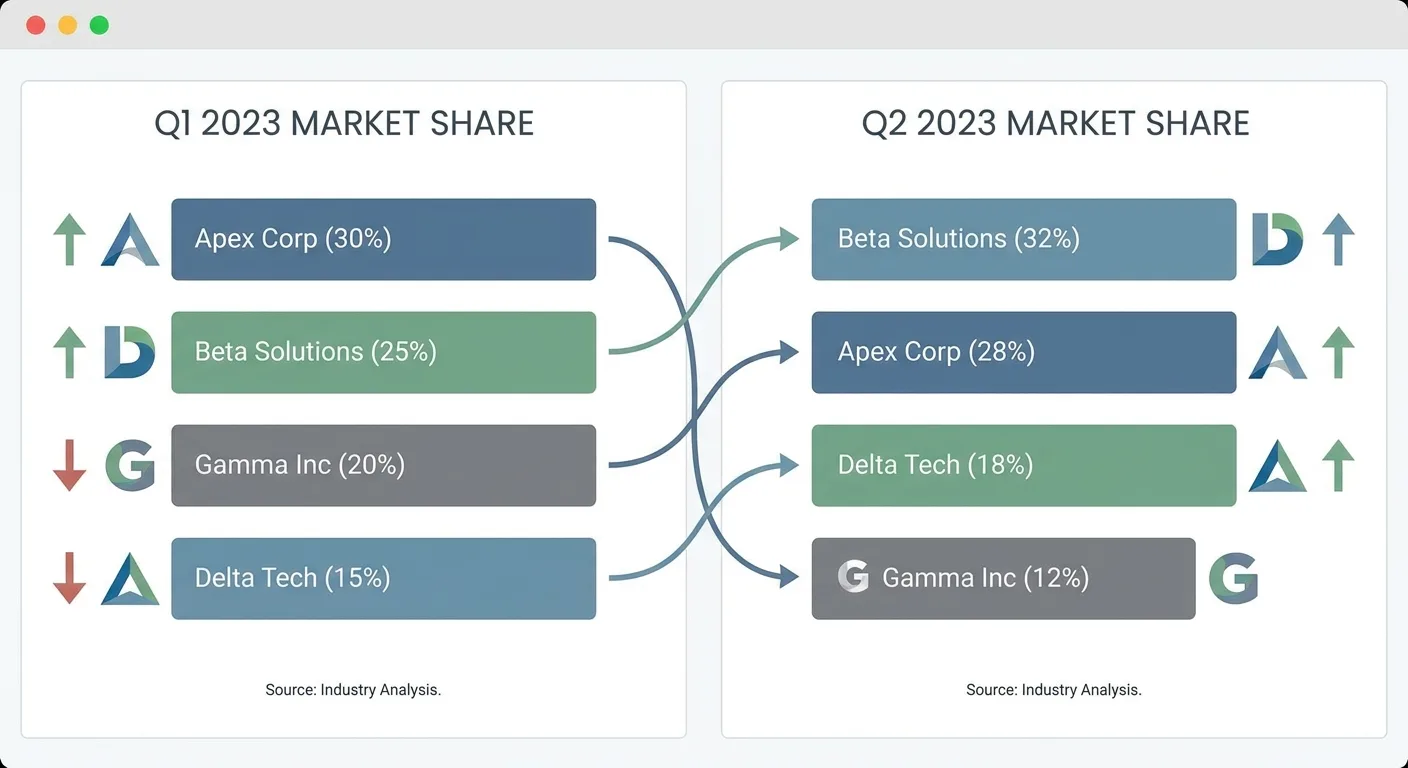
Keep dated snapshots of the same competitor analysis chart side by side so leadership sees direction of travel, which one snapshot hides.
Adding AI Answers as a Column
AI answer mentions are the newest axis on the list. The same habits behind tracking your brand’s AI visibility apply here, pointed at every rival on the roster:
- List 10-20 real buyer questions.
- Run them through the AI assistants your buyers use.
- Record which brands get named or cited, plus the date, in the log below.
- Convert the mention rate into a 1-5 value for a new axis on your chart.
AI ANSWER LOG
Question set: [10-20 real buyer questions]
Collection window: [start date] to [end date]

| Question | Assistant | Run # | Date | Brands named | Sources cited (if shown) |
|----------|-----------|-------|------|--------------|--------------------------|
|          |           | 1     |      |              |                          |
|          |           | 2     |      |              |                          |

Mention rate per brand = runs where the brand was named ÷ total runs (all questions × all runs)
Axis value on the chart = mention rate converted to the 1-5 scale with written anchors, with the collection window in the footnote
AI answers vary between sessions and over time. Sample each question more than once, and record dates so readers know the collection window.

Taking the Manual Work Out of Search and AI Rivals
Rebuilding the search and AI rows of your chart takes real time every quarter. You compile keyword overlap, filter out platforms, and re-run AI questions.

Vee3.ai covers that groundwork in one workspace built for SEOs and AI search: crawl, research, plan, write, fact-check, publish and measure. Every strategic decision stays with you. Start building and map your real search rivals to see which sites overlap with your search footprint.
Frequently Asked Questions
How many competitors should go on one chart?
A competitor analysis chart stays readable with four to seven scored rivals in a grid, or three to four on an overlaid radar chart. Treat those ranges as guidance. Split a longer list into separate charts by segment, and let the two-of-three rule decide who makes the starting cut.
Which format should I use for an executive presentation?
Open with one positioning map or bubble chart carrying a one-line takeaway, and keep the detailed grid in an appendix for anyone who wants the numbers. Executives may scan before reading, so the headline visual has to make the point alone. State the data date on the slide itself.
Where do I find reliable data for scoring?
Reliable scoring data comes from checkable public sources such as pricing pages, product docs, rank tracking data, and site crawls. Page-level audits from an on-page SEO checker confirm which topics each rival covers, while sentiment should come from one named review platform. Log each source with a link and a date, and mark thin-evidence cells as low confidence instead of guessing.
Final Thoughts
Pick one task for this week: open your current competitor analysis chart and check each row against the two-of-three rule. Any rival appearing in fewer than two sources moves to the watchlist, and if the chart doesn’t carry a data date yet, add one.
The design can wait.
When the questions come, you’ll have a source ready for each one.