
We fuss over headings, fonts and featured images, yet people make up only part of the audience that reads a blog post.
Part of that format is invisible. The format of a blog also covers its feed output, metadata, structured answer blocks and schema, none of which a visitor sees on the page.
Those hidden pieces are where problems tend to go unnoticed. A post can look polished in the editor and still arrive broken in a feed reader, or get quoted inaccurately by an AI answer.
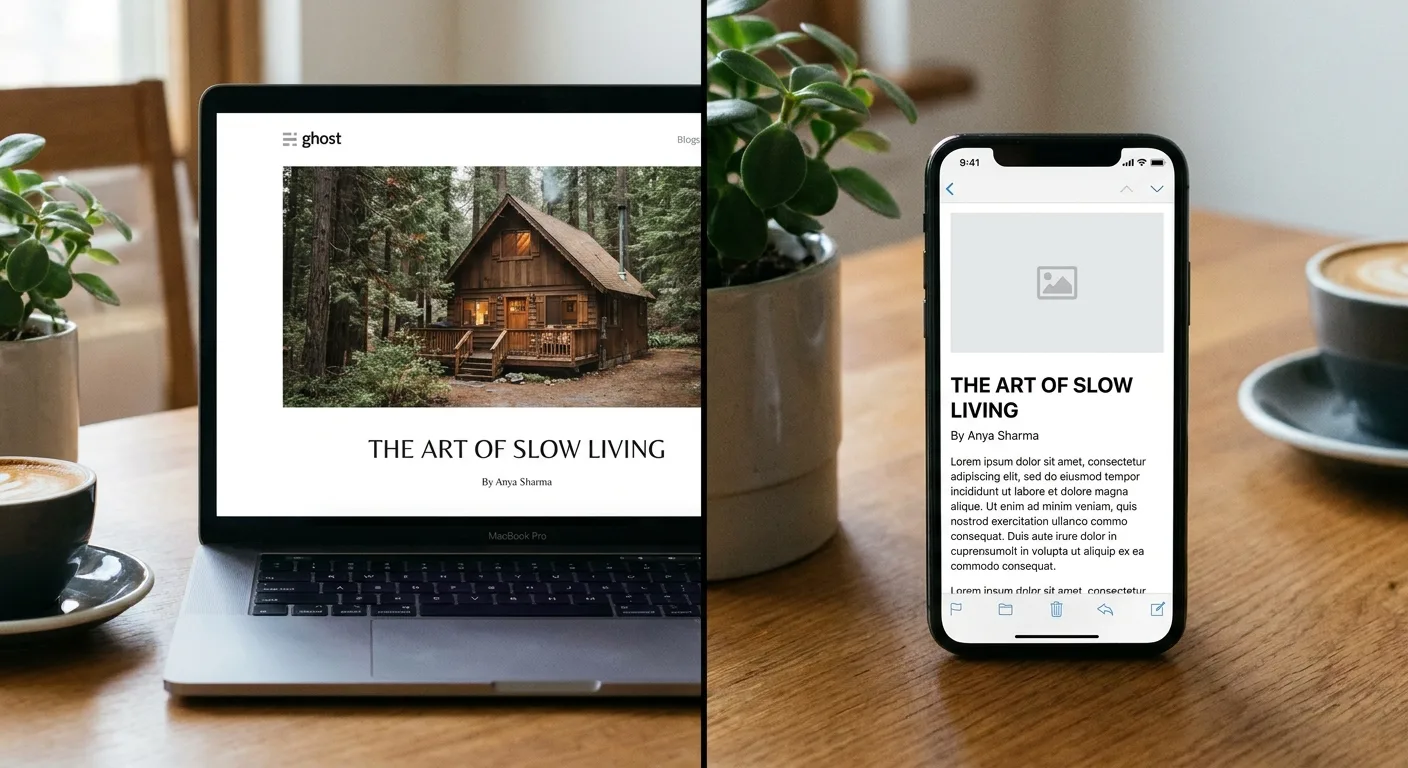
*A polished post in the CMS editor beside the same post as a feed reader displays it.*
Key Facts at a Glance
Three Readers Open Every Post You Publish
Picture who shows up the moment a post goes live. A person lands from search or a newsletter link. A feed reader pulls the post into a subscriber’s list. An AI answer engine, backed by a search index, scans the page for passages worth lifting.
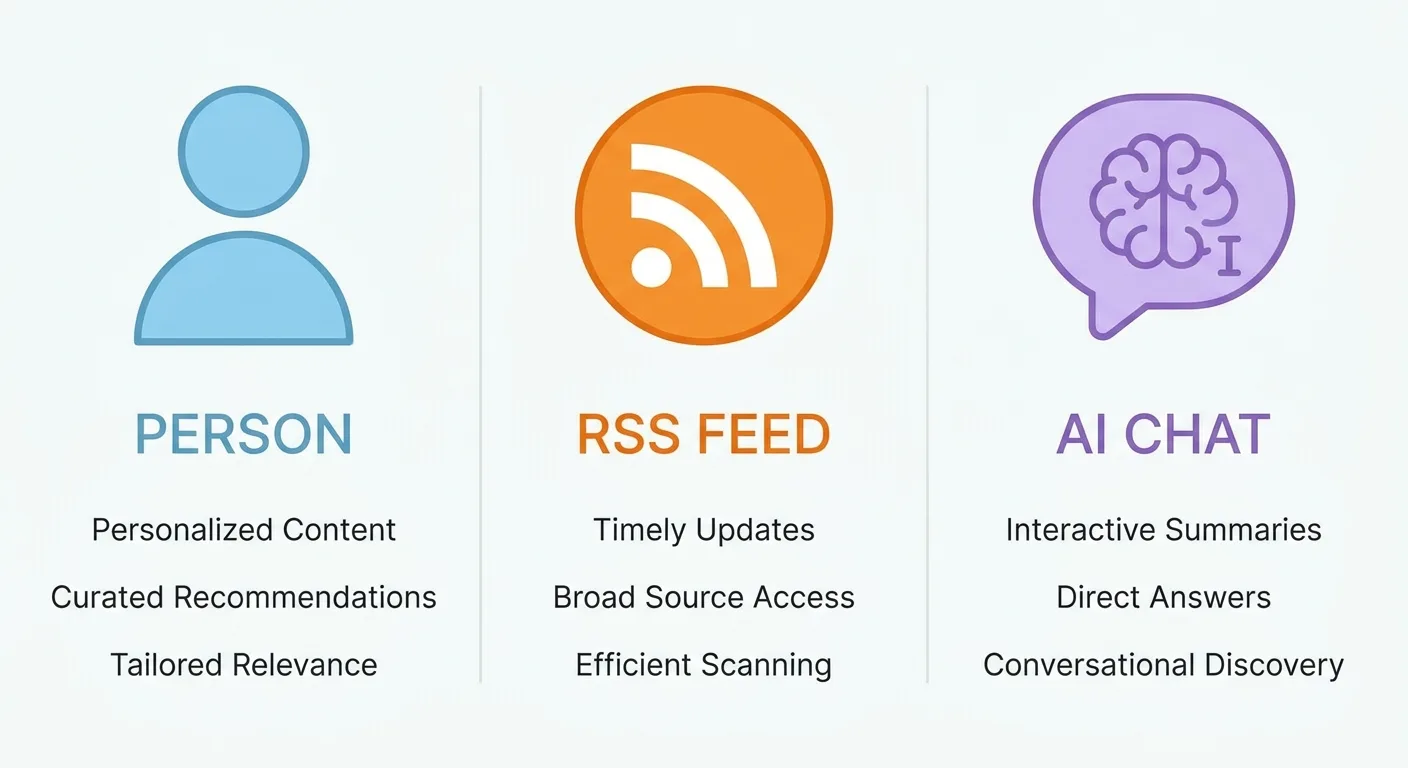
*One column per reader: the person, the feed and the AI answer, each with its core needs.*
The human reader decides quickly whether the post answers their question. They skim headings and scroll on a phone, so the format for a blog read on mobile needs short paragraphs. Visuals earn their place only when they carry information.
Feed readers and aggregators receive your post stripped of site styling. They depend on semantic HTML: real heading tags, real lists and image alt text. A “heading” faked with a bold paragraph dissolves into body text the moment styling disappears.
Answer engines and search features pull individual passages out of a page and quote them, a central part of how AI visibility works. That rewards a heading-plus-answer pattern, covered in the AI section below. Key facts written as self-contained lines are easier to lift accurately.
These needs don’t always agree. A dense key-facts block helps extraction, yet a human can find it abrupt. One sentence of context above the block softens the landing, and weighing trade-offs of this kind is why blog format takes judgment.
Which of these three readers did your last post ignore?
Treat the blog post format as one document serving all three readers, not three separate versions.
A Blog Format Template You Can Reuse Without Sounding Templated
Our blog format template exists so nothing important gets skipped on a busy publishing day. It settles the order of a post.
Here is the blog post format template we work from, with one line of purpose per slot:
BLOG POST FORMAT TEMPLATE

1. Title ............... State the payoff the reader gets
2. Intro ............... Answer the core question in the first 2-3 sentences
3. Key takeaways ....... 3-6 lines a skimmer can act on
4. Body sections ....... One reader task per heading
5. Visual or table ..... Placed where it replaces explanation, not decorates it
6. FAQ ................. Only questions the body left open
7. Close ............... One next step, no recap
The wireframe below is our single blog format example, mapping each slot onto a real page.
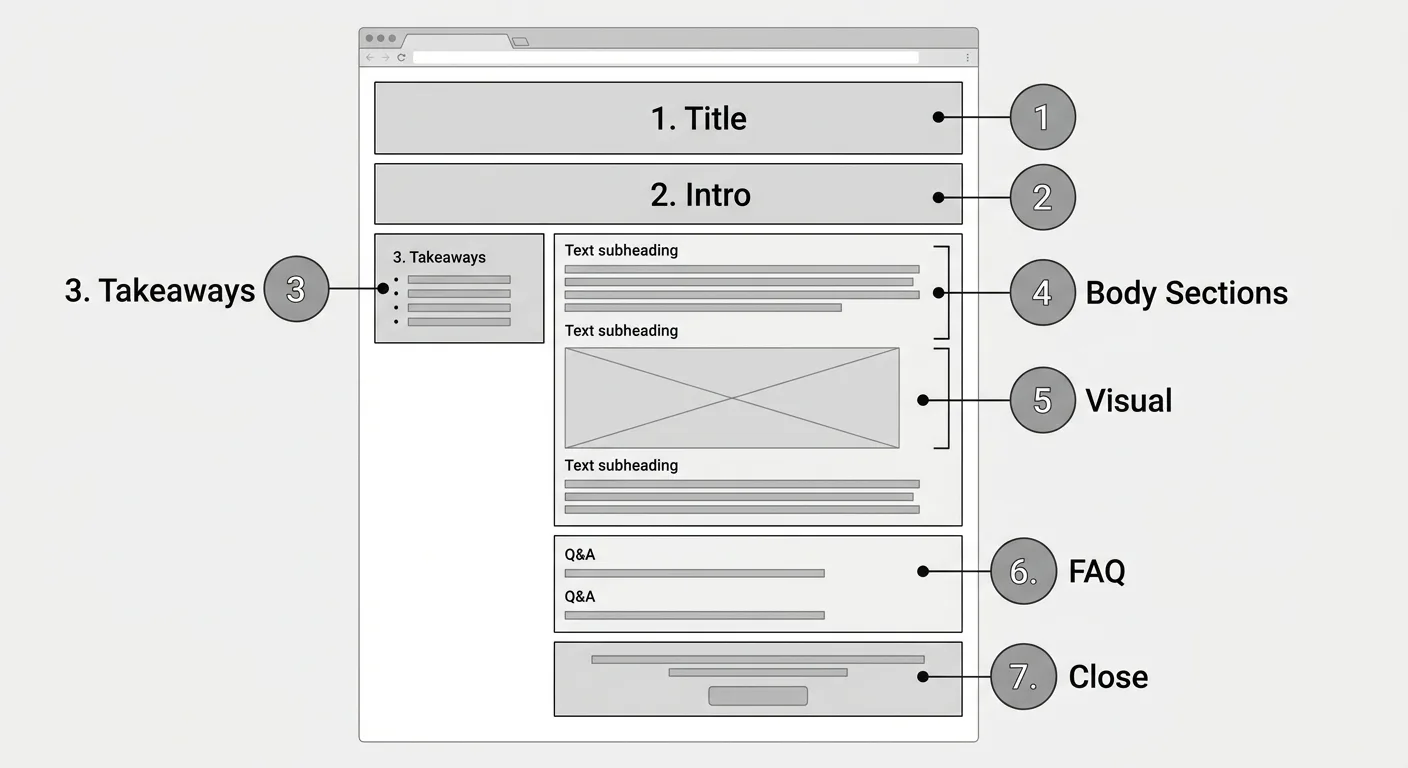
*Seven numbered callouts, one per template slot.*
Blog format writing comes down to four habits:
- One idea per paragraph.
- Varied sentence length, so a skimmer’s attention doesn’t flatten out.
- Descriptive headings that make sense out of context. Those headings also make placing keywords in headings feel natural and unforced.
- Lists only for parallel items.
The template fixes order and coverage. Voice, section count and visual type should flex with each topic.
Post type also changes the body (the FAQ covers how-to, opinion and news posts), and some posts need far fewer slots.
Shrinking It Down for a Quick Blog Entry
A blog entry format can drop most of that skeleton. Here is the minimum blog entry writing format:
- Headline
- One sentence of context
- The update itself, in 1-3 short paragraphs
- One link or action
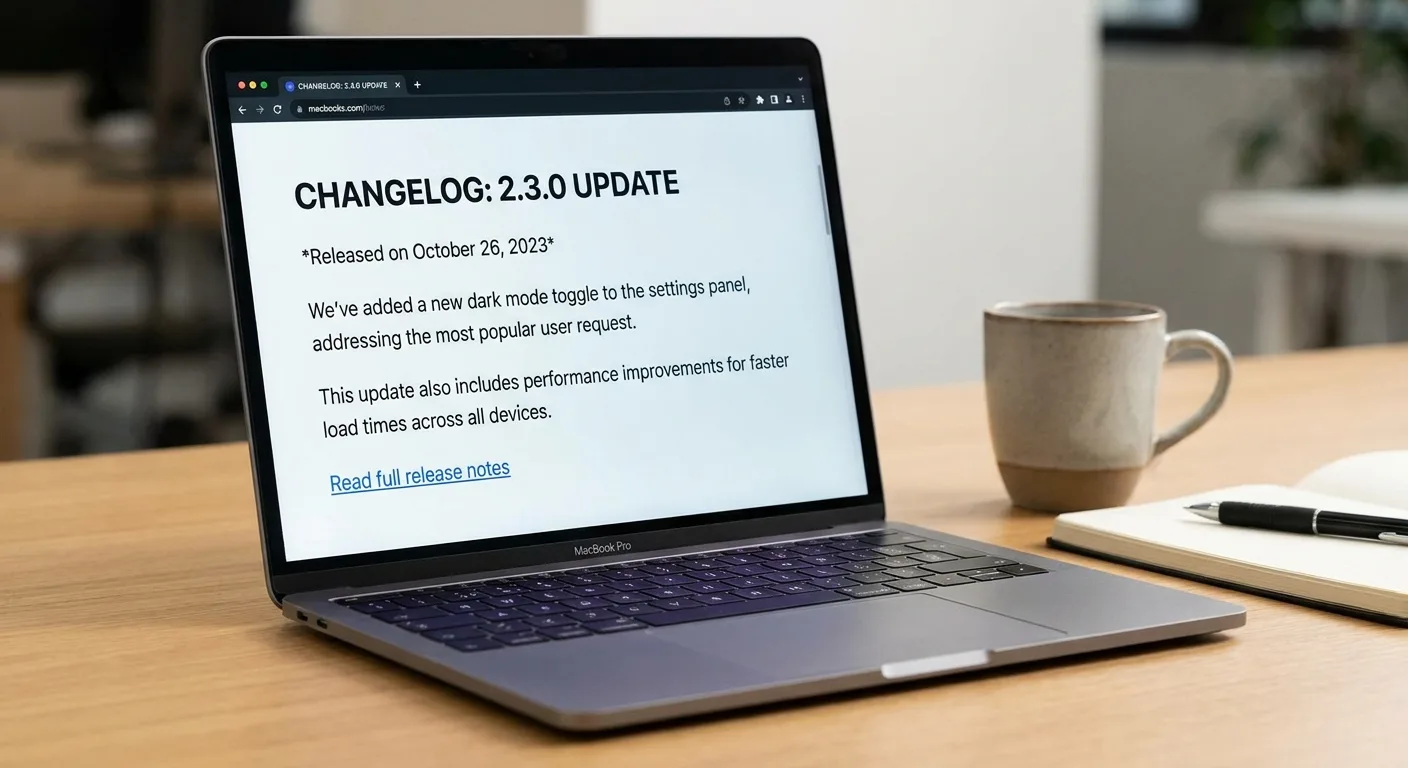
*A complete short entry: headline, context line, update and one link.*
Use it for time-sensitive updates, changelogs, event notes and personal reflections on a professional blog. Short entries also suit new bloggers working through blog topics for beginners who want to publish often without a full guide each time.
The format of a blog entry still needs a real headline tag, a meta description and alt text on any image, because feeds and search read short posts as well.
RSS, Atom and the Feed Layer Nobody Proofreads
If you arrived from the blog feed format crossword clue “Blog feed format: abbr.” (three letters), the answer is RSS. As a blog feed format abbreviation, RSS first named RDF Site Summary, the first web syndication format to be called “RSS”, which Netscape offered in March 1999 for use on the My Netscape portal (Wikipedia).
RSS and Atom are both XML-based formats that can publish your posts as a machine-readable list. Feed readers, aggregators, podcast-style apps and some newsletter tools pull from them. Nobody sees the feed on your site, which makes it the unchecked layer of blog format.
Feed failures usually trace back to publishing setup, the same territory as technical SEO fundamentals like encoding and absolute URLs. The usual suspects:
- Truncated excerpts that cut off mid-sentence
- Missing featured images
- Special characters appearing garbled
- Relative links that fail outside your site
- Shortcodes or embeds rendering as raw text
A post built with a page-builder gallery looks complete on the site. The same post in a feed reader shows a line of bracketed shortcode text where the images should be, and the subscriber sees no photos at all. The fix sits in the publishing setup (rendering shortcodes before the feed is generated, or adding a plain fallback image), not in the post copy.
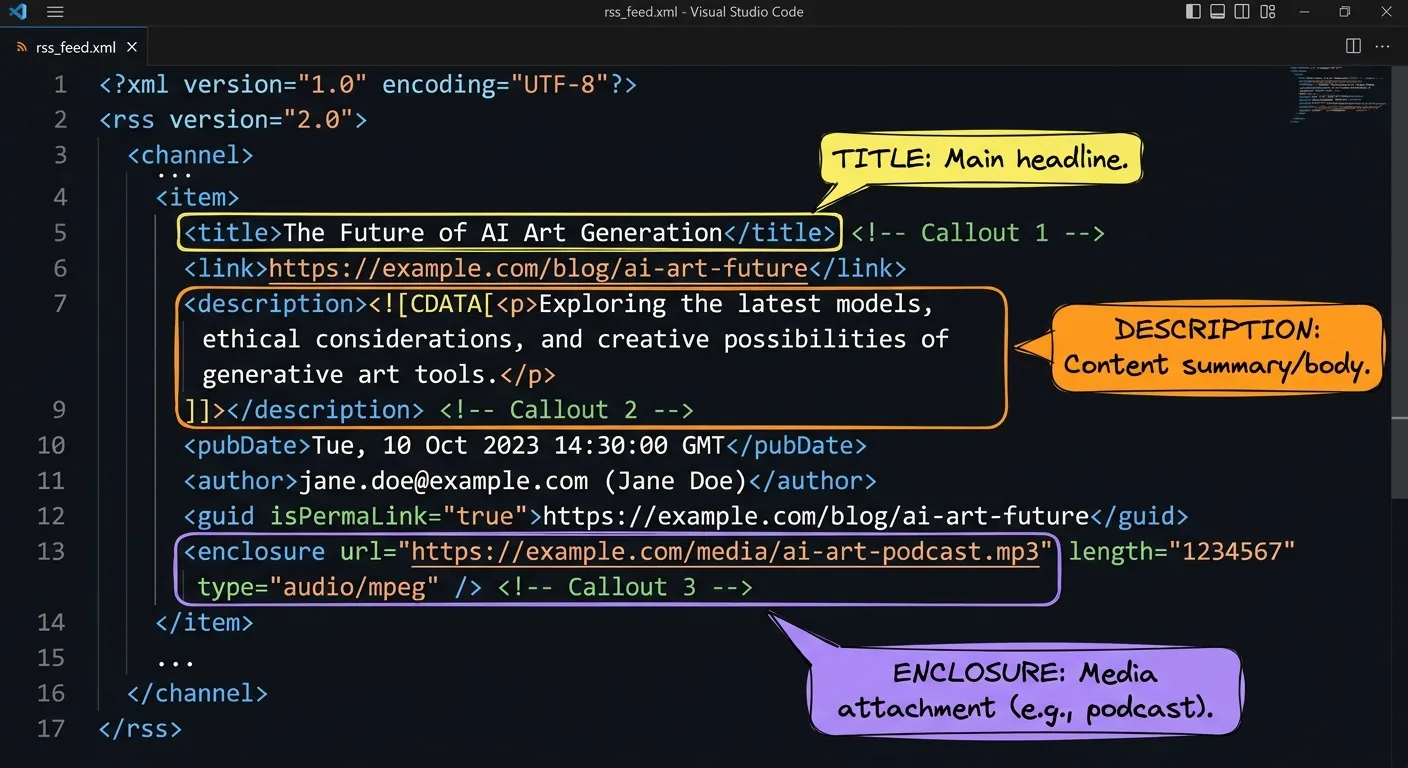
*Raw RSS for one item, with callouts on the title, description and image fields where breakages appear.*
The other choice worth making on purpose is whether subscribers get the whole post or a teaser.
| Feed type | What subscribers receive | Trade-off to weigh | Tends to fit when |
|---|---|---|---|
| Full-text | The entire post inside their reader | Content becomes easier to scrape and republish elsewhere | Subscriber loyalty and reading comfort matter most |
| Summary | An excerpt plus a link back to the site | Readers must click through; excerpts can cut off mid-sentence | On-site actions (signups, purchases, ad views) drive the blog’s goals |
Five-minute feed audit
- Open your feed URL in a browser and confirm it loads without errors.
- Run the URL through a feed validator and fix any flagged items.
- Subscribe in a feed reader and open your most recent post.
- Confirm the title, excerpt and featured image all appear.
- Scan for raw shortcodes, garbled characters and links that point nowhere.
Feeds hand your post to machines that republish it. Answer engines go a step further and summarize it.
Shaping Posts So AI Answers Can Quote Them Accurately
Answer engines read a page looking for something they can lift cleanly. Four elements help.
A direct answer of 1-3 sentences belongs right after the intro hook or under a question-style heading. It has to make sense alone, with no “as mentioned above” leaning on earlier text.
A key-facts block of 3-6 lines works when each line is a complete claim with its units, dates and qualifiers attached. A line that reads “This setting fixes it” means nothing once an assistant lifts it out of the post. A version that survives extraction names the subject and the outcome in the same line: “Switching a WordPress feed from summary to full text stops excerpts from cutting off in feed readers.” That line stays true on your page, in a summary or in a chat answer.
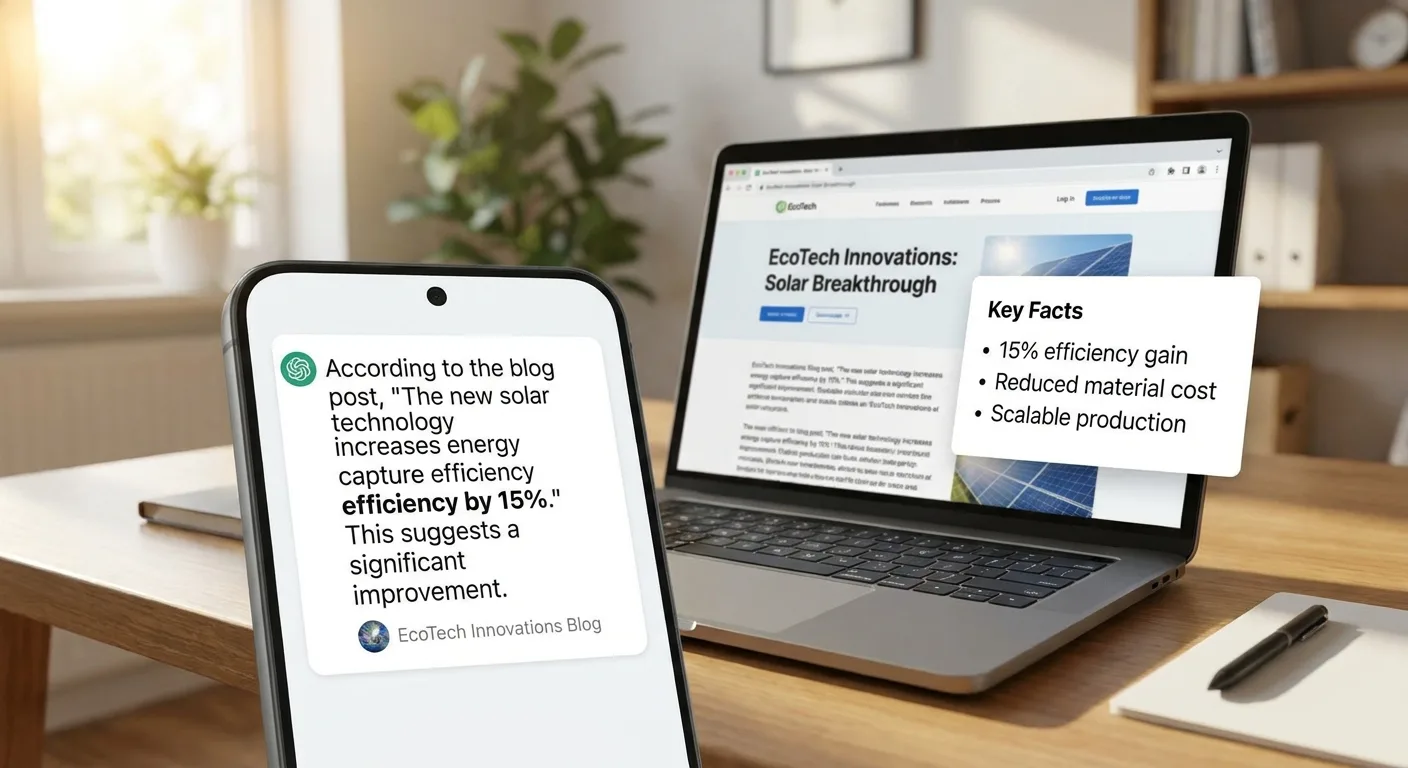
*A self-contained sentence carried intact into an AI chat answer.*
AI answers can still paraphrase claims wrongly, and precise, sourced sentences give them less room to.
If an assistant quoted only your second sentence, would it still be true?
An FAQ earns space only when each question covers ground the body didn’t. Keep answers short and specific, and skip FAQs that restate your headings.
JSON-LD schema tells machines what the page is. Article markup from the schema.org vocabulary, plus FAQPage where an FAQ exists, is covered step by step in our schema markup guide, so the one rule here: every value must agree with what readers see on the page.
{
  "@context": "https://schema.org",
  "@type": "Article",
  "headline": "Blog Format for the Readers You Can't See (and the Ones You Can)",
  "author": { "@type": "Organization", "name": "Vee3.ai" },
  "description": "How to structure a blog post for people, feed readers and AI answer engines."
}
Search features change, and none of this guarantees a citation or a rich result. Good structure raises the odds that a quote is accurate. Schema that contradicts the page creates risk with no reward.
Fact-checking is part of blog format too: an unsourced number in a key-facts block gets repeated everywhere that block travels.
Clean answers depend on clean language, and the rules shift once a post leaves English.
Punctuation, Spacing and Slugs Change the Moment You Leave English
Blog format in English quietly assumes title-case headings and length measured in words. Neither default transfers.
| Language | Punctuation | Spacing | Heading case | Length and slug notes |
|---|---|---|---|---|
| Spanish | Opening ¿ and ¡ marks, which Spanish typically expects, often including in headings | Standard word spacing | Sentence case | Copy often runs longer, so leave room in titles, buttons and meta fields; decide how accented letters appear in slugs and apply it consistently |
| French | « » guillemets and typographic apostrophes | Non-breaking space before : ; ! ? and inside guillemets (France) | Sentence case | Strip or keep accents in slugs by one consistent rule |
| Chinese | Full-width punctuation | No spaces between words | No letter case; keep headings compact | Use Traditional Chinese for Taiwan and Hong Kong and Simplified Chinese for mainland China, since mainland China exclusively uses Simplified while Taiwan and Hong Kong both use Traditional, each with its own vocabulary and cultural nuance (eliteasia.co). |
A Spanish blog format aimed at both Mexico and Spain keeps vocabulary neutral or commits to one market.
A blog format French readers in France expect treats the non-breaking space as mandatory, because a plain space lets the browser push a lone “?” onto its own line.
Chinese characters have no capitalization (MusicBrainz), so heading size and weight carry the job of signaling hierarchy.
In one open-source project’s French catalogs, machine translation kept English Title Case and also needed fixes for French typography (ProxMenux contributors on GitHub). A machine-translated French heading often arrives as “Pourquoi Le Format Compte?”, with English title case and a question mark pressed against the last word. A native reviewer corrects it to “Pourquoi le format compte ?” with a non-breaking space before the colon and a narrow non-breaking space before semicolons, exclamation marks and question marks in French from France (AZERTY Global).
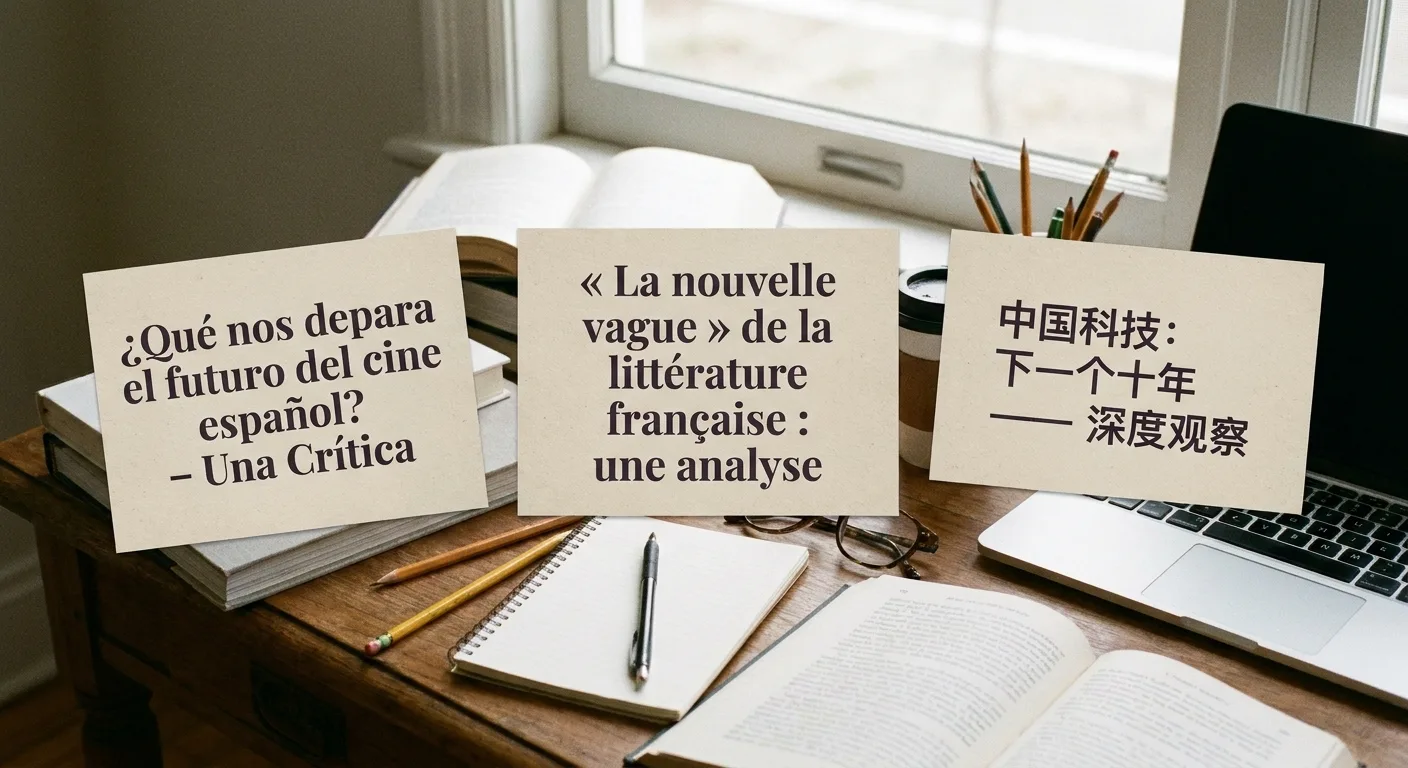
*Spanish, French and Chinese headings marked up during a native-speaker review.*
The technical layer is shared across every language:
- A correct lang attribute on each page
- Hreflang linking every translation
- UTF-8 encoding throughout, declared explicitly, which prevents the garbled characters (mojibake) caused by encoding mismatches (TechCompare)
- Localized meta descriptions and alt text, verified by running each translated version through an on-page SEO checker to catch missing lang attributes or untranslated meta fields
Frequently Asked Questions
What’s a good blog format for students?
A good blog format for students starts with the assignment rubric. Then use a clear title, an intro stating the main point, 2-4 headed sections, inline linked sources, a brief reflection and alt text on images. Linked sources show the research, and the reflection shows your thinking.

*A blog format example for students: rubric open beside the draft, reflection section in progress.*
Can one blog format template cover every type of post?
Yes, one blog format covers most posts when the core order stays fixed and the body adjusts by type. For example: how-to posts use numbered steps with an outcome per step, opinion posts move from claim to reasoning to counterpoint, and news posts put the date and key facts first. Keep the title, direct answer and close consistent across all of them.
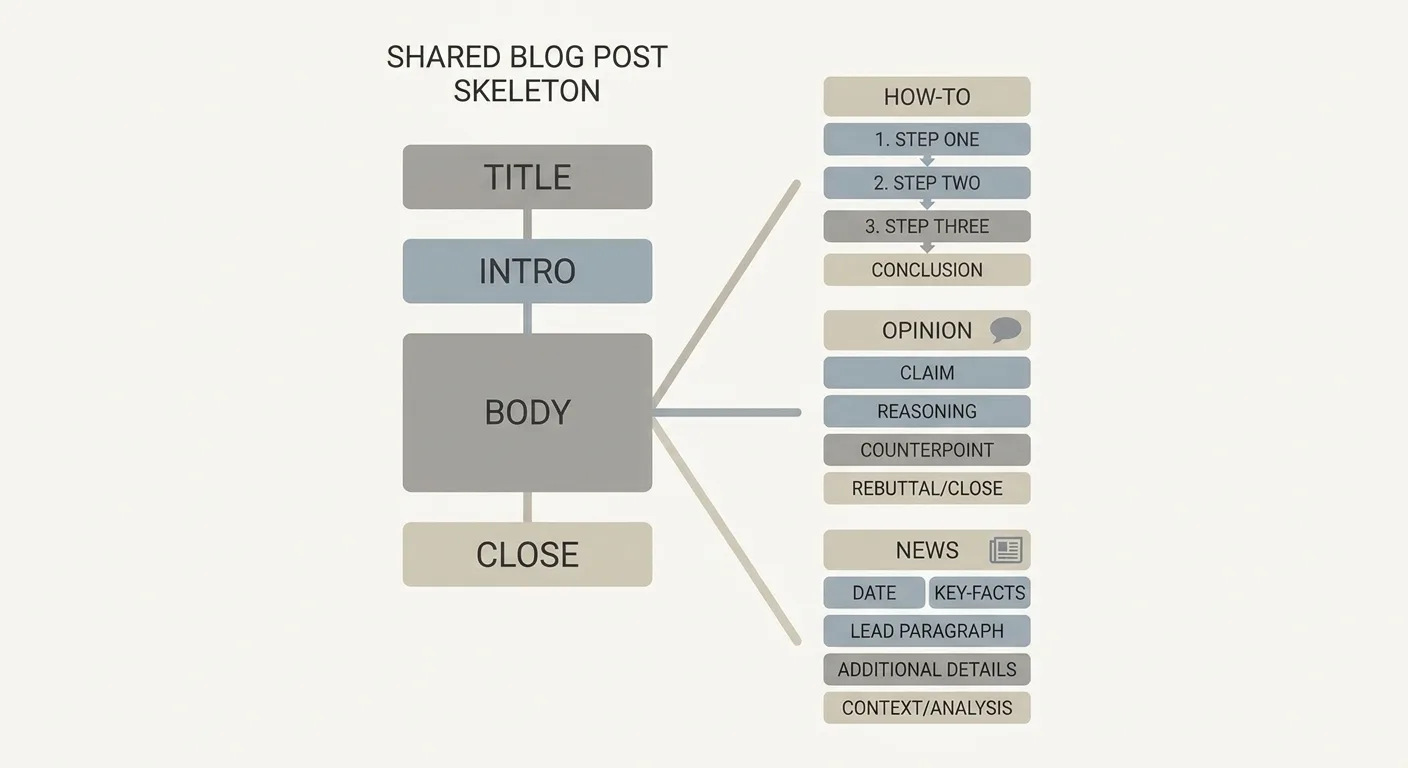
*One shared skeleton adapting for how-to, opinion and news posts.*
How do I check whether my blog format is working?
Test a blog format with four checks: read only the headings and confirm the story holds, read the post on a phone, view it in a feed reader, and run the page through a schema validator. Format changes can take a while to show in data, so watch scroll depth, clicks and impressions alongside other SEO KPIs worth tracking.
Keeping Every Format Layer Intact After You Hit Publish
Hand-building every layer of blog format gets tedious fast. Writing FAQ blocks and schema for each post, re-fixing headings and lists after pasting into the CMS, and filling SEO plugin fields one by one all add up. Across a growing archive, formatting starts to drift.
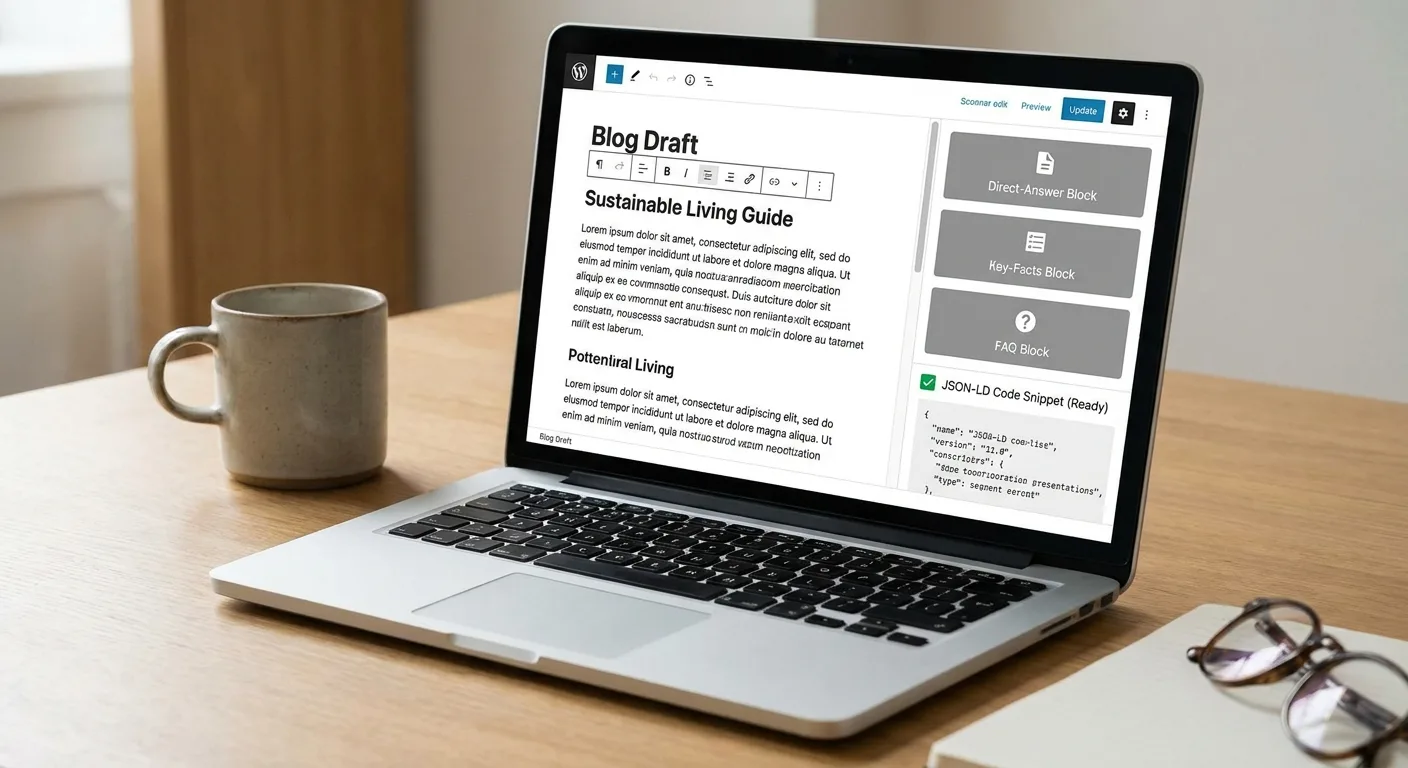
*Answer blocks and schema prepared alongside the draft before publishing.*
Vee3.ai brings SEO automation from crawl to rank into one workspace built for AI search: crawl, research, plan, write, fact-check, publish and measure (see the Vee3.ai homepage).
Start building with Vee3.ai and keep research, writing, fact-checking and publishing for your next post in one place.
Fix One Format Layer on Your Next Post
Pick the layer of your blog format you’ve been neglecting: the visible structure, the feed, the answer blocks or the language conventions. Fix it on the next post you publish, whether that post comes from your backlog or from fresh blog post ideas for writers.
Every clean feed item, accurate quote and well-placed heading keeps working long after you’ve moved on to the next draft.
One layer, one post, starting this week.