
Your markup can pass every validator and still describe a page that no longer exists. So what is schema, and how does it go wrong without anyone noticing?
Plenty of teams added markup once, saw green checkmarks and haven’t opened it since. Busy roadmaps make that a reasonable call.

The word also lives in psychology, databases and data validation, so the next section sorts those meanings first.
Schema Markup Key Facts
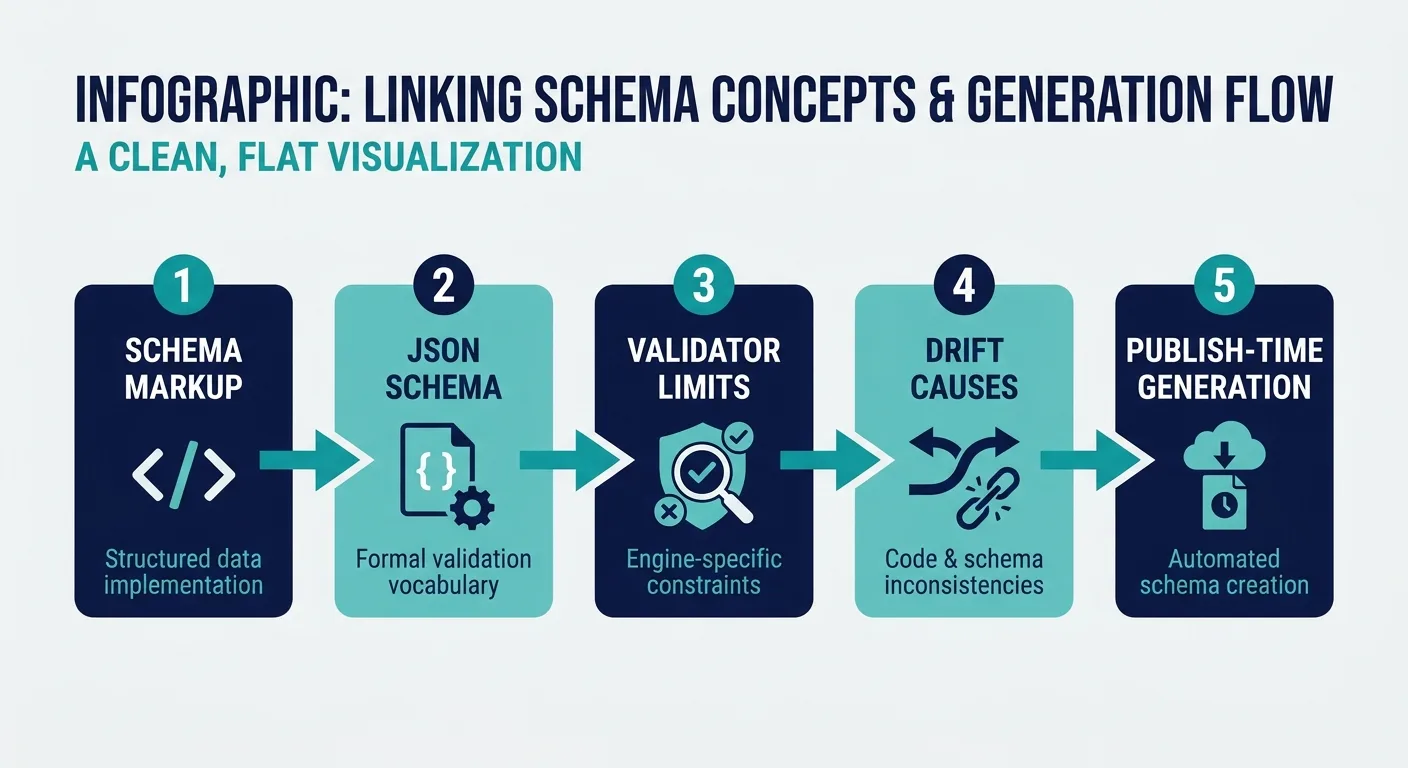
One Word, Four Meanings: Which Schema Did You Search For?
What is a schema in the broadest sense? The simplest definition of a schema is an organized structure that sets how pieces of information fit together. All schemas share that idea, whatever field puts them to work.
| Field | What a schema means here | Where you’ll meet it |
|---|---|---|
| Psychology | A mental framework people use to organize knowledge and expectations | Psychology courses and schema therapy |
| Databases | The tables, fields and relationships that define how stored data fits together | Database design work, often sketched as an ER schema diagram |
| JSON Schema | A specification declaring what valid JSON data looks like: required fields, types and allowed values | APIs and data pipelines |
| Search markup | Structured data that labels page content for machines, usually JSON-LD built on Schema.org | A web page’s source code, and the focus of this guide |
The first row holds the schema meaning psychology courses teach, and the term also names a treatment. Schema therapy, also known as schema-focused therapy, is a type of talk therapy (my.clevelandclinic.org).
We’re an SEO team, so we’ll make no claims about what it treats or how well it works. Anyone looking for support deserves a real conversation with a qualified mental health professional, such as a trained schema therapist.
Database schemas come back later in a hands-on way, once we sketch entity diagrams for markup.
Shorthand searches like “schema def” and “schema psych” land in the rows above. One religious usage sits outside the table: in Eastern Orthodox monasticism, the monk of the Great Schema represents the third and highest stage of monastic life (johnsanidopoulos.com).

Search markup is the schema meaning we cover from here on.
Structured Data in Plain Terms: What Schema Markup Tells Machines
We define schema, for search purposes, as a shared vocabulary of types and properties that describe page content in a machine-readable way. Types name the thing: Article, Product, Organization, FAQPage, BreadcrumbList. Properties describe it: headline, author, price, datePublished.
JSON-LD is a widely used format for writing that vocabulary down. It sits in its own <script type="application/ld+json"> block, apart from the visible HTML, so visitors never see it in the layout. Microdata and RDFa exist too, and the FAQ below handles the format question.
Here’s schema defined in eight lines:
{
  "@context": "https://schema.org",
  "@type": "Article",
  "headline": "Example Headline",
  "author": { "@type": "Person", "name": "Example Author" },
  "datePublished": "2025-01-15",
  "dateModified": "2025-01-15"
}
- @context tells the parser which vocabulary applies, here Schema.org.
- @type declares what the page is: an Article.
- headline and author carry the visible title and the person credited for it.
- datePublished and dateModified record when the piece went live and when it last changed in a meaningful way.
What counts as meaningful? New information, a corrected fact or a changed price warrants a new dateModified. A typo fix or a template redeploy does not. That distinction makes the date row in the drift table below something you can actually test.
Markup makes a page eligible for certain search features. Even correct structured data markup is no guarantee of rich results, and Google decides how to display them (Yoast).
AI answer engines parse page content as well, yet how much any given system relies on JSON-LD isn’t something we can confirm from public documentation. We treat that as an open question, and our guide to how AI visibility works covers what you can influence today.
That uncertainty is the reason accuracy deserves your attention: accurate markup is the part you control.
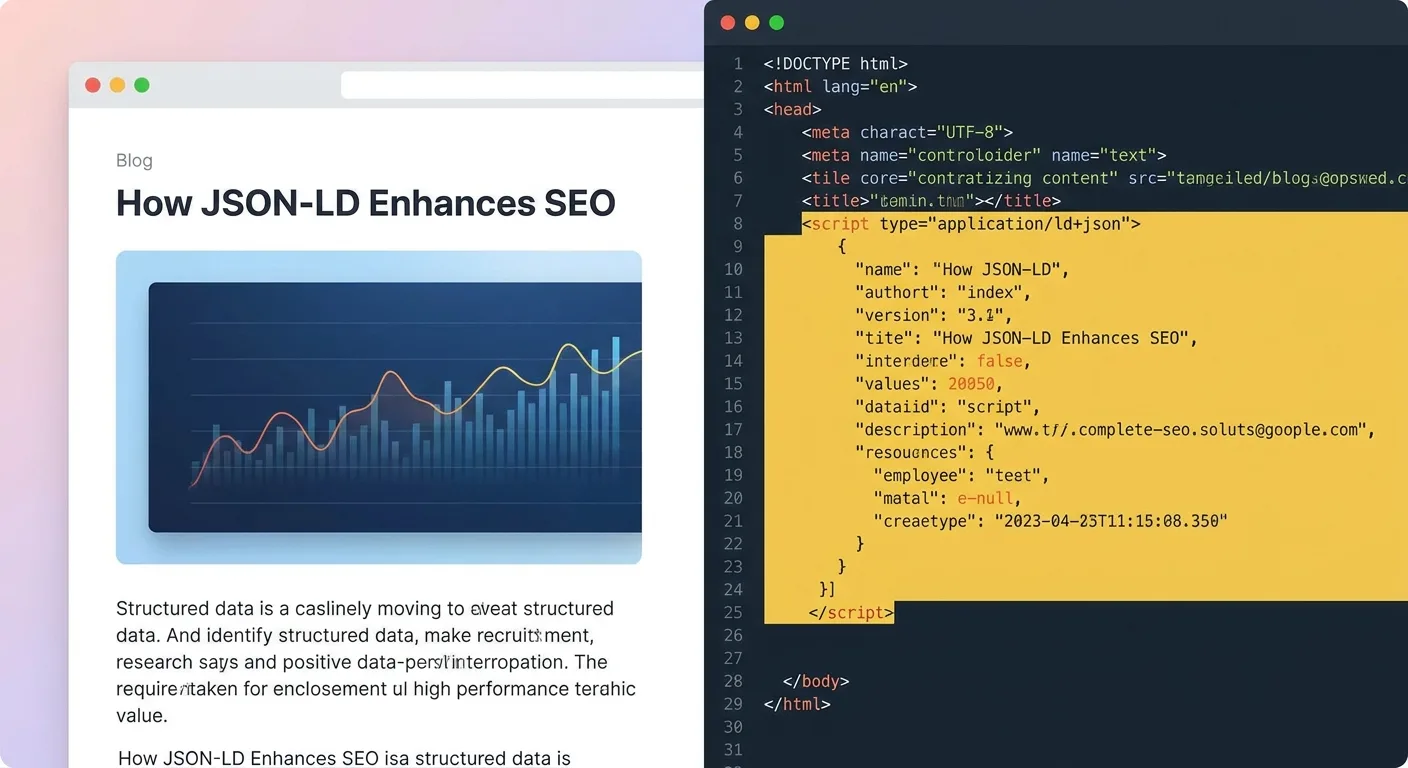
Which pages on your site carry markup right now? Open the source on two or three and look for that script block.
Now look back at the dateModified line. Whether it still matches the page’s last real edit is the quickest drift test you can run.
When Markup Describes a Page That No Longer Exists
Markup gets written once. Pages get edited constantly, by writers, merchandisers, developers and plugins that update themselves overnight.
That gap produces what we call schema drift: markup that was accurate at publish time but no longer reflects the page it sits on.
Drift rarely shows up as one dramatic break. The table maps where it tends to start.
| Where drift starts | Markup that goes stale | Factual claim at stake? |
|---|---|---|
| FAQ answers edited on the page only | FAQPage answer text | Yes |
| Store price or stock updated | Offer price and availability | Yes |
| Review count or star rating changes on page | aggregateRating ratingValue and reviewCount | Yes |
| dateModified frozen, or bumped on every save with no real edit | dateModified | Yes |
| Author swapped on the page | author (the old Person stays) | Yes |
| Theme and plugin each inject their own block | Duplicate Article or Organization blocks that disagree | Yes |
| Page section deleted | Orphaned markup for content that’s gone | Depends on the content |
| Minor wording tweak | headline or description | Rarely |
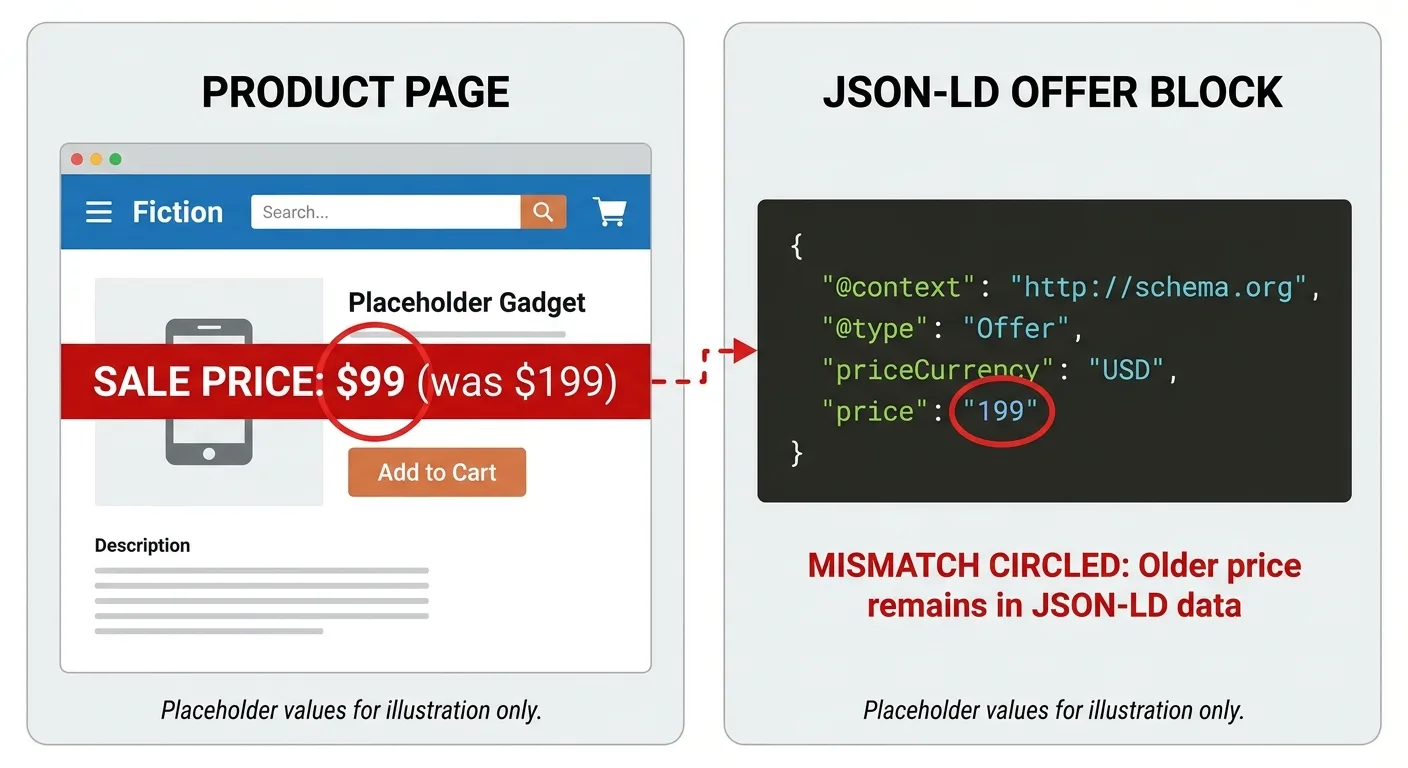
Picture a product page during a sale. Someone updates the visible price from $49.00 to $39.00, but the JSON-LD Offer still reads 49.00 because that figure lives in a hand-typed script block nobody touched. Shoppers see one price, machines read another, and validators still report a clean pass.
The fix is structural: map the Offer price to the same field the page displays, so the next sale updates both at once.
Duplicate blocks are easy to create by accident. Hallam’s guide to adding article schema markup (published September 2022) notes that many CMSs add article markup automatically or work with a plugin that inserts BlogPosting schema into every post, and it advises checking that the plugin doesn’t interfere with other plugins. Add a theme that emits its own Article block, and you end up with two descriptions of one page that may not agree.
Drift hides well: the page still renders, and few people reopen the script block after launch, which is why drift belongs in your broader technical SEO maintenance and not on a one-time setup list.
Some drift is harmless. A slightly reworded headline in the markup rarely misleads anyone. Prices, ratings, dates and authorship carry real trust risk, because each one makes a specific factual claim. Our rule: markup should reflect visible content, and those four property groups are where that rule matters most.
What catches the price mismatch?
Two Checks Every Schema Block Needs Before It Ships
A common workflow validates schema once, usually inside the SEO tools you already use, and stops there. That covers the first of two checks. The second asks whether the markup still tells the truth.
Check One: Syntax, Types and Required Properties
A schema validator confirms the mechanics: the JSON parses, the types exist in Schema.org, the property names are spelled correctly, and the required or recommended fields for a given feature are present. Mechanics are also what an on-page SEO checker inspects across a page. Schema.org’s validator and Google’s Rich Results Test are the usual starting points at this layer.
Teams that generate JSON-LD from templates or code can go further with JSON Schema. A JSON Schema file declares the expected shape of your output: headline required, price must be a number, dates in ISO 8601. The pipeline rejects anything that breaks those rules before it reaches a live page.
Type declarations carry real weight, though the failure looks different depending on where it happens. In a pipeline that converts types, Dataddo’s data source schema documentation warns that converting a float column to an integer type rounds off the decimal places and changes the stored values, so 5.4 becomes 5. A price converted that way loses its cents. JSON Schema behaves differently: "type": "integer" doesn’t round anything. The integer type does not allow decimal numbers, so a real sale price fails validation, and the tempting shortcut is to round the data upstream; if you want to allow decimal numbers, you can use the number type (tour.json-schema.org). Our advice: declare price as "number" with "minimum": 0, never "integer". If a value then fails, correct the data instead of loosening the rule.

Tools that convert JSON to JSON Schema can draft a starter file from one sample block; review the inferred rules, since one sample can’t show which fields are optional. The catch: JSON Schema validates structure, not meaning. A well-shaped wrong price passes every time.
Check Two: Does the Markup Still Tell the Truth?
The second way to validate schema runs against the page itself. Treat each markup value as a claim and apply the discipline of fact-checking before it goes live:
- Match every price, rating and availability value against the visible page.
- Confirm the author and dates reflect the current version: compare dateModified with the date of the last real content change, and check that the Person name matches the visible byline.
- Read each FAQ answer in the markup beside the on-page answer.
- Search the page source for duplicate JSON-LD blocks of the same @type. A search for
application/ld+jsonfinds every block, and two Article blocks on one page point to a theme and plugin conflict. Google’s Rich Results Test also lists each item it detects. - Remove markup for anything no longer on the page.

Run it after content edits, template or plugin updates and price changes, the moments the drift table flagged. Neither a validator nor JSON Schema can do this job.
Give the recheck an owner: whoever edits a field checks its markup. Add Check Two to the editorial or merchandising checklist that already covers the content change, so the recheck isn’t a separate task nobody owns.
Sites with thousands of pages can’t hand-check everything. Prioritize page types with factual properties: products, reviews, events and articles with named authors. Spot-check the rest on a rotating sample.
This checklist catches drift after it happens. Preventing it means changing where markup comes from.
Build Markup From the Document, Then Wire the Entities Together
The page content is the source of truth, and the schema is derived from it. Every time the content changes, the markup should regenerate.
Most of what you need already sits in structured places: CMS fields for title, author, dates and price; on-page FAQ blocks; product data feeds. The risk lives in hand-typed values that exist only inside the script block, where no editor will ever watch them go stale. Map each property to its source instead:
| Page source | Schema property | Drift rule |
|---|---|---|
| Title field | headline | Regenerate on every save |
| Author profile | author (Person @id) | Update when the byline changes |
| Publish date | datePublished | Set once at first publish |
| “Last substantive edit” field | dateModified | Map to an editor-controlled field, not the CMS auto-save timestamp |
| Price field or product feed | offers.price and priceCurrency | Use the same field the page displays |
| Stock status | offers.availability | Use the same feed as the visible label |
| On-page review data | aggregateRating ratingValue and reviewCount | Use the same data the page shows |
| On-page FAQ block | FAQPage Question and acceptedAnswer | Generate from the block; remove the markup when the block goes |
Connection is the second half of the job. Sketch a simple schema diagram of your site’s entities before writing any JSON-LD. If you’ve drawn an entity diagram for a database, the habit transfers: entities become boxes, relationships become lines, and stable @id values do the job primary keys do in a database.
Here, the boxes are your Organization, the WebSite, each WebPage, the Article and the Person who wrote it. The lines are publisher, author, isPartOf and mainEntityOfPage.
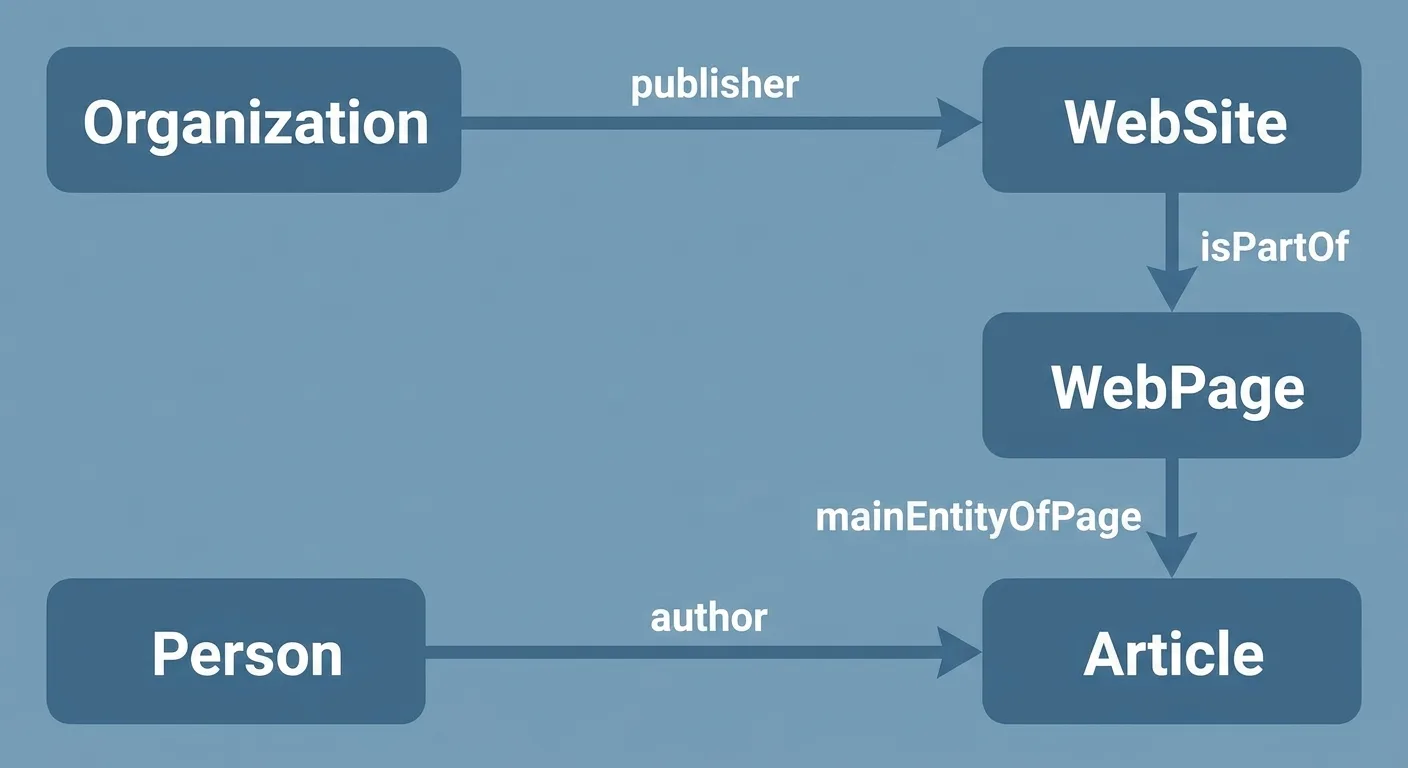
Each box then gets a stable @id, and every other entity points at it. One Organization definition serves the whole site, and each page references it, so you never maintain a slightly different version per template. This starter skeleton uses placeholder values on example.com, a domain reserved for documentation that can be used as an illustrative example without prior coordination (IANA). Swap in your own URLs and pull every value from CMS fields, never by hand:
{
  "@context": "https://schema.org",
  "@graph": [
    {
      "@type": "Organization",
      "@id": "https://example.com/#organization",
      "name": "Example Organization"
    },
    {
      "@type": "WebSite",
      "@id": "https://example.com/#website",
      "publisher": { "@id": "https://example.com/#organization" }
    },
    {
      "@type": "WebPage",
      "@id": "https://example.com/example-post/#webpage",
      "isPartOf": { "@id": "https://example.com/#website" }
    },
    {
      "@type": "Article",
      "@id": "https://example.com/example-post/#article",
      "headline": "Example Headline",
      "mainEntityOfPage": { "@id": "https://example.com/example-post/#webpage" },
      "author": { "@id": "https://example.com/#author-example" },
      "publisher": { "@id": "https://example.com/#organization" }
    },
    {
      "@type": "Person",
      "@id": "https://example.com/#author-example",
      "name": "Example Author"
    }
  ]
}
A connected @graph keeps definitions consistent across pages. The tradeoff is fragility: one broken @id can break several references at once.
A few habits keep those IDs stable. Base each @id on the canonical URL plus a fragment, as the skeleton does. Never change an @id when a page title changes. Point each Person @id at the author’s profile URL, so every article references one definition. Record the full ID list in your team’s documentation, where anyone editing templates can find it.
Consistent, connected entities give machines one clear picture of your organization, and they’re far easier to audit, by hand or with AI visibility tools.
How many slightly different versions of your Organization markup exist across your site?
Taking Hand-Edited JSON-LD Off Your Plate
Hand-maintained markup is the workload drift feeds on.
We built Vee3.ai to take it on. As the Vee3.ai platform overview describes, the platform generates a direct answer, key facts, an FAQ and JSON-LD for every page from the document itself, by code. It publishes drafts or live pages to WordPress, Webflow or Shopify with plugin fields mapped, refreshes content without creating duplicates and doesn’t overwrite your edits.
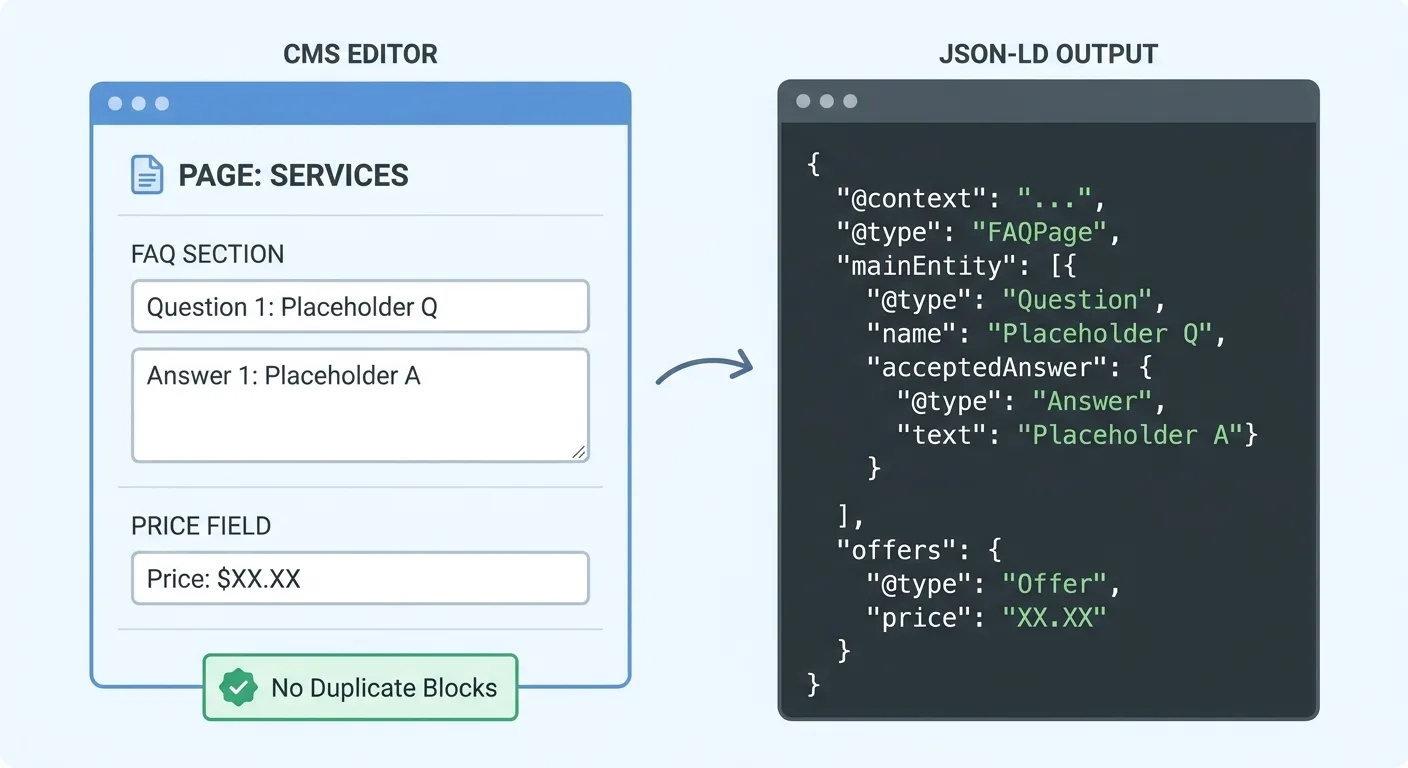
That’s the prevention step from the previous section, handled inside the pipeline. You still validate schema; you stop hand-editing it. Generate structured data from the page itself and keep it in step with every edit when you start building with Vee3.ai.
Frequently Asked Questions
Does schema markup improve rankings by itself?
No, Google’s John Mueller said structured data won’t improve your site’s ranking by itself (Engage Coders). It helps machines understand a page and can make it eligible for rich results, though adding it doesn’t guarantee Google will display them (Search Engine Journal). If you want to measure any effect, track rankings over time. Accurate markup protects trust, and inaccurate markup puts it at risk.
Which schema types should a small site start with?
Start with the types that describe what you already publish. That usually means Organization sitewide, WebSite, BreadcrumbList, Article or BlogPosting for editorial content, and Product with Offer only where real product pages exist. Add FAQPage only where a visible FAQ sits on the page. Connect them with the @id pattern from the entity section.
Is JSON-LD the only format for structured data?
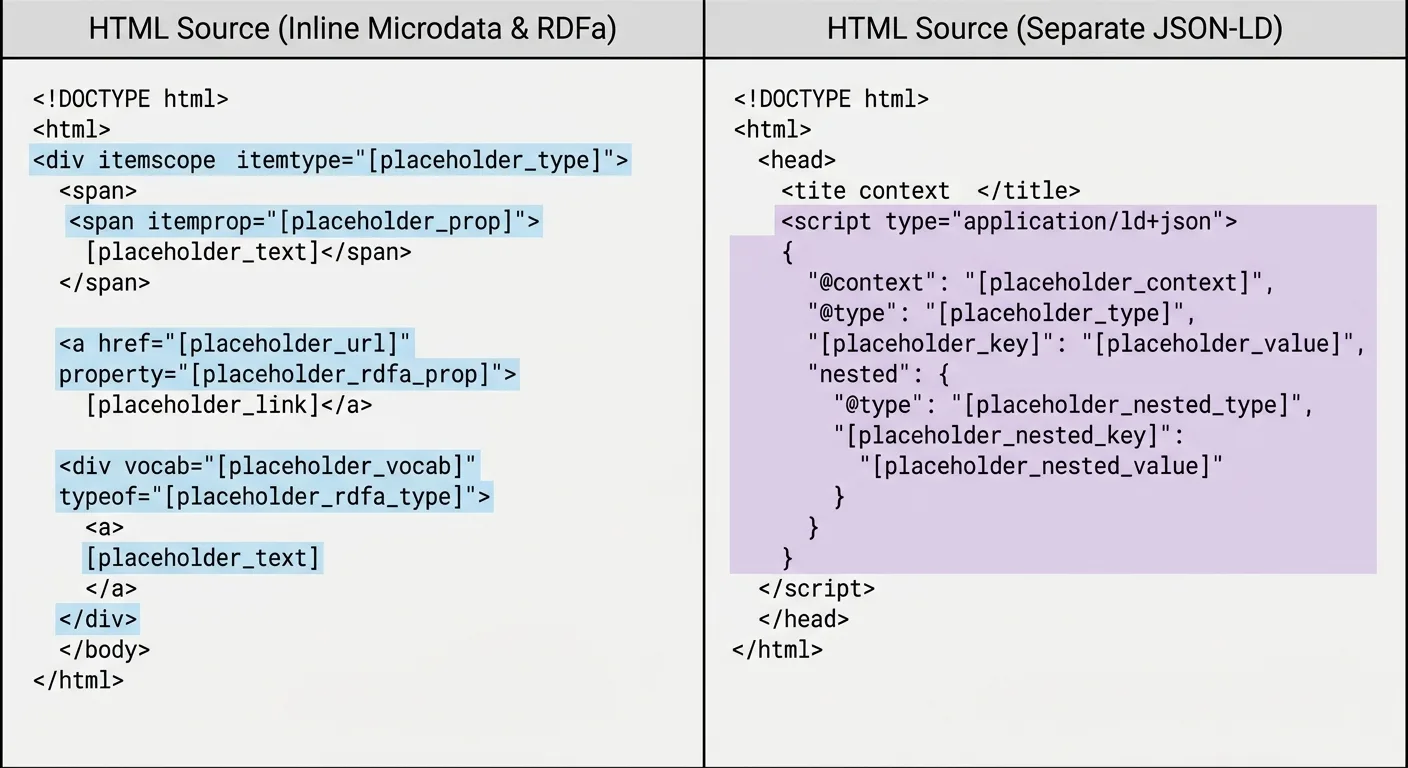
No, Microdata and RDFa are alternatives that add attributes to visible HTML elements, while JSON-LD can sit as a clean script block in the page (opace.agency). That standalone block of JSON with schema types is straightforward to generate from content data and to audit. Working Microdata needs no urgent rewrite. Check its accuracy first, since passing validation won’t confirm it.
Final Thoughts
A schema definition earns trust only while it matches the page, and pages never stop changing.
Pick five pages with factual properties this week: a product, a post with a named author, a page with a FAQ and two more of your choosing. Run Check Two on each one. Add markup accuracy to the SEO KPIs you report next, so drift gets caught on a schedule and not by accident.
Finding drift isn’t a failure. It’s the normal result of a site people are actively working on.
Which five pages are you checking first?