
Your keyword spreadsheet is full. The backend fields are packed, the title reads well, and the listing still sits on page three.
Here’s the tension. Amazon search data records what people typed, but it holds no record of what they wondered about first.

*A seller reviewing keyword data at a desk.*
TL;DR
The Amazon Search Bar Only Sees the Final Step
A considered purchase rarely starts on Amazon. It tends to move through stages that look something like this:
- A problem: “why does my lower back ache after sitting”
- Criteria: “what to look for in a lumbar cushion”
- A short product phrase typed into Amazon: “memory foam lumbar pillow”
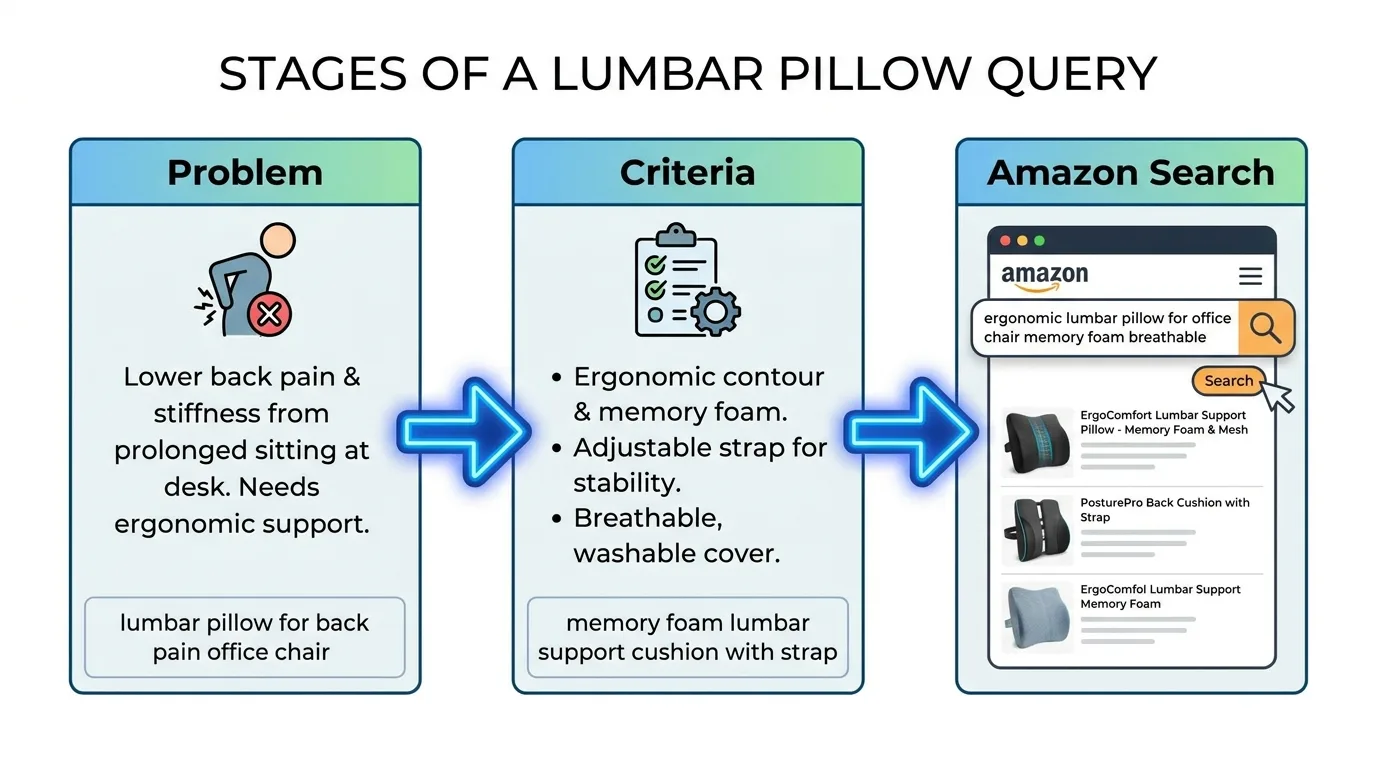
*Three stages: problem, criteria, Amazon search.*
Amazon keyword analysis built solely on Amazon data captures only that last phrase. The listing then describes the pillow perfectly and never touches the worry about an aching back that started the whole search. The compression is real: SellerSprite’s Amazon keyword research analysis found that across the first one million keywords, 65% of searches on Amazon are short, with only 2 to 3 words. Three words carry very little of the reasoning that came before them.
The consequence shows up after the click. A full keyword analysis process traces intent back to the original problem; skip that, and the title wins the click while the bullets fail to resolve the doubt that brought the shopper there.
We should be clear about limits. Replenishment and impulse categories, such as batteries or trash bags, skip most of this research. The gap matters most for considered or higher-priced products.
What was your buyer wondering about an hour before they searched?
Those earlier stages may play out on search engines, forums, review sites and AI assistants, and each one is a place where your shopper’s real question gets asked out loud.
Reading Amazon Keyword Search Volume Without Taking It Literally
Sorting by volume and trusting the top rows is a common habit, and a risky one. Third-party tools estimate amazon keyword search volume with different estimation methods, so the same keyword can show different search volume numbers from one tool to another, according to Keywords.am.
Treat volume as relative evidence. It ranks phrases against each other inside one tool and works poorly as an absolute count. Three reads are worth taking from any figure:
- Direction: is the phrase rising, flat or fading over recent months?
- Seasonality: where are the peaks you should plan inventory and copy updates around?
- Intent fit: does the phrase match what the product does? Check it against how keywords reveal shopper intent before chasing its volume.
Modest volume can hide strong buyers. Amazon’s seller guide to keyword research notes that long-tail keywords may not get as many searches but are less competitive, and that people searching them often know exactly what they want, so they’re more likely to buy.
The Self Publishing Titans KDP glossary entry offers an illustrative case. A planner author targeted “planner” alone, a hyper-competitive term, until research surfaced “teacher lesson planner 2026” and “student assignment tracker” as distinct clusters. In a hypothetical example from the Self Publishing Titans glossary, a planner author rewrites the subtitle and backend slots per cluster and runs exact-match ads on the profitable one, and ACOS improves without changing the interior file.
Try a quick sanity check: run one priority term through two of your options and note the spread. Each amazon keyword tool reports its own figure. That spread becomes your confidence band.
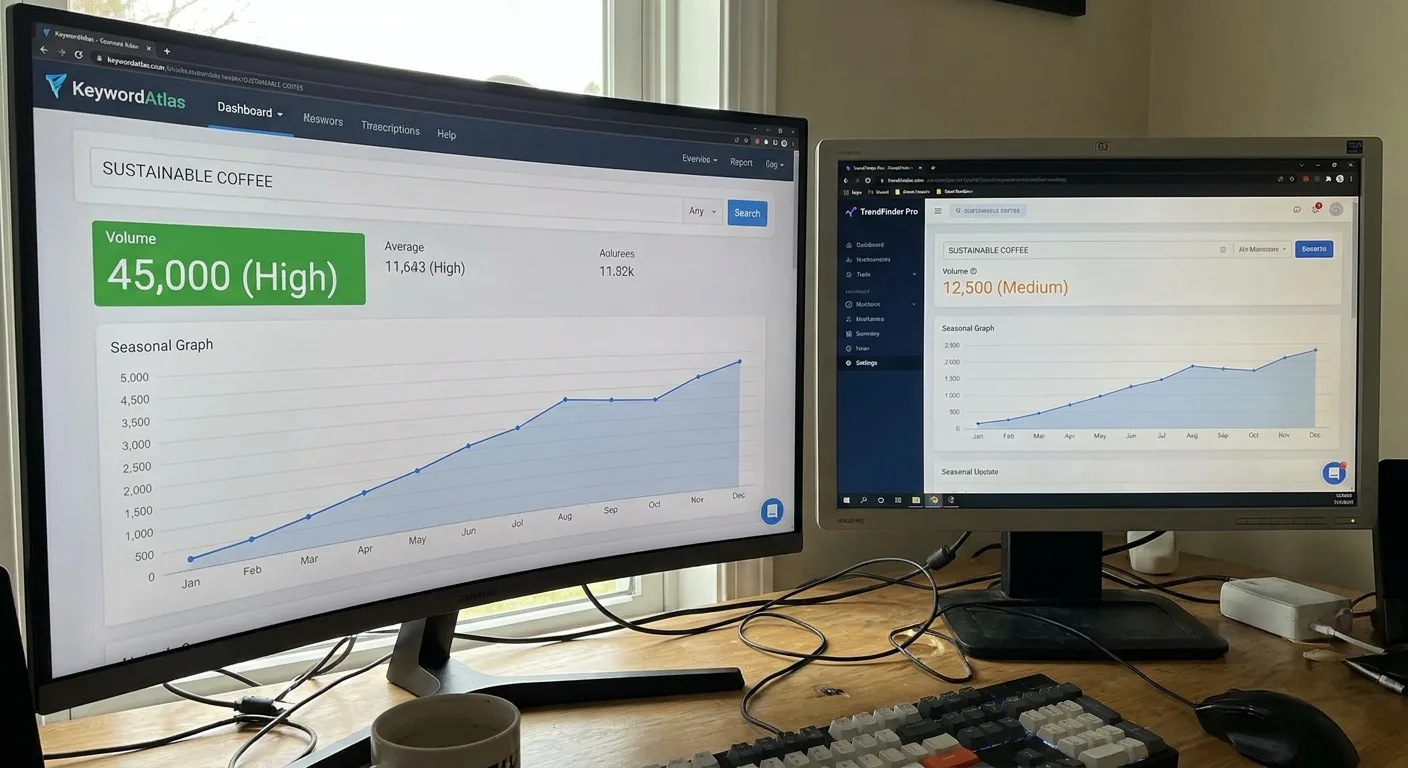
*Two tools, two different volume estimates.*
Disagreeing numbers raise a fair question about which tools belong in your workflow.
Choosing a Toolkit That Fits the Stage You’re In
“Which tool is best?” usually has a better version: best for which step? The same step-first logic behind choosing SEO tools by stage applies to Amazon research, so match each tool to the job in front of you.
| Tool type | What it gives you | Where it fits | Watch for |
|---|---|---|---|
| Amazon autocomplete | Phrases shoppers type, straight from the search bar | Early discovery | No volume figures |
| Browser extension | Estimates shown on the search results page | Discovery while browsing | Modeled numbers |
| Free research tool | Keyword suggestions with estimated volume | Discovery for a small catalog | Limited exports and history |
| Paid research suite | Bulk lists, rank tracking, reverse lookups | Scaling a catalog | Subscription cost |
| Ad search term reports | Phrases that drove clicks and sales on your account | Validation after launch | Needs live campaigns and spend |
A seller with one or two listings can lean on a free amazon keyword research tool for discovery. At that size, the bottleneck is usually writing, and data volume rarely holds anyone back.
Speed is the main reason to install an amazon keyword tool extension.
As catalogs grow, needs shift with them. The best amazon keyword research tool for a larger catalog is the one whose bulk and export workflow fits yours, because fit decides it and a brand name doesn’t.
Here’s our honest pick for the best free amazon keyword research tool: Amazon’s own autocomplete plus your ad search term reports. Those reports reflect your own account’s results, which no estimate can claim.
Picture a seller who launches a listing with an automatic Sponsored Products campaign. A few weeks in, the search term report shows orders coming from a phrase describing a use case the listing never mentions. The seller adds that use case to a bullet and moves the phrase into its own exact-match campaign.

*Reviewing a Sponsored Products search term report.*
First-party data goes further still. The same Amazon’s seller guide to keyword research directs sellers to Seller Central dashboards such as Search Query Performance and Top Search Terms. Check which of these your account can access, since availability isn’t guaranteed for every seller.
Pin down your current stage before spending a dollar, then revisit your tool choices as the catalog expands.
Turning Pre-Amazon Questions Into Listing Copy
The raw material for better copy sits in places most sellers already visit:
- Search engine autocomplete and “People also ask” boxes
- Forum threads
- Your own reviews and competitor reviews
- The customer questions on listings
- Your support inbox
Treat any tool’s suggestion list as one more input. More keyword analysis walkthroughs show how to weigh each source before it reaches your log.

*A pre-Amazon question log in progress.*
Shoppers keep asking product questions even inside Amazon. An industry report on Amazon search and Alexa for Shopping suggests Amazon may be shifting from its Rufus shopping assistant toward Alexa for Shopping. The author’s informal polls of Amazon Prime members found most use the assistant to get more information on products, not for product discovery, and the author notes those polls are not scientific.
Sellers can’t see those conversations, but the lesson is simple: Amazon keyword analysis should end in copy that answers those questions.
Start a log. Fill the first two lines while collecting, and the last two after sorting and placing:
Question (shopper's exact wording):
Where I found it (PAA box, forum, review, listing Q&A, support inbox):
Intent bucket:
Listing home:
Sorting Every Phrase by the Job It Does
Four buckets cover nearly everything you’ll collect. We’ll use a dog harness throughout:
- Problem-aware: describes the pain or situation. Example: “dog pulls on leash every walk”
- Criteria-driven: names what the shopper is evaluating. Example: “harness that won’t rub armpits”
- Specification: size, material or compatibility. Example: “harness for chihuahua”
- Transactional: product type plus modifiers. Example: “no pull dog harness small”
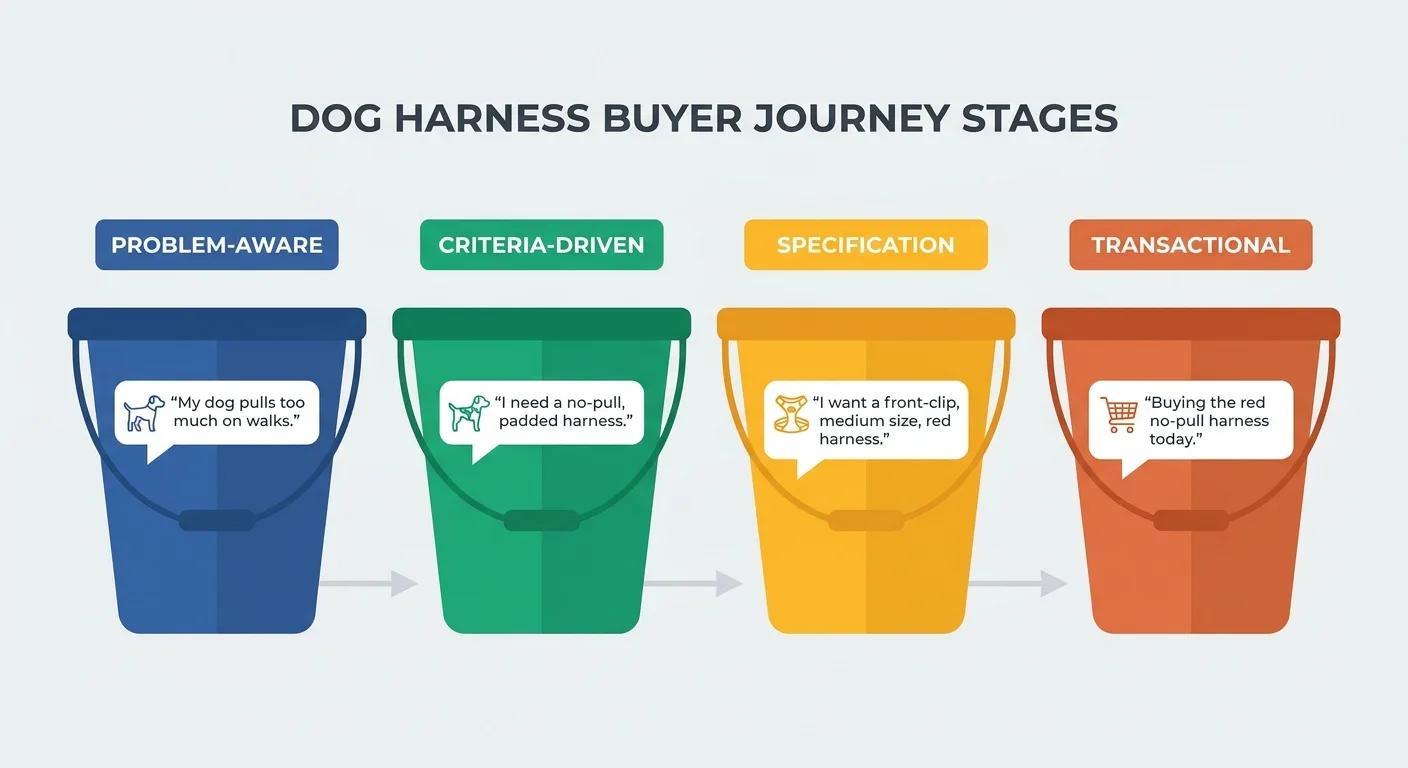
*Four intent buckets for sorting phrases.*
Some phrases legitimately sit in two buckets, so tag the primary job and move on, because over-sorting stalls the work. For big sheets, keyword clustering tools pre-group near-duplicate phrases so you tag each group’s primary job once.
Giving Each Phrase One Home in the Listing
Each bucket has a natural destination:
| Phrase type | Listing home | How to write it |
|---|---|---|
| Transactional | Title | Lead with the product type and its key modifiers |
| Criteria-driven | Bullets | Open the bullet with the criterion, then answer it |
| Problem-aware | Bullets, A+ content, image text | Name the situation, then show the fix |
| Specification | Bullets and attributes | State the spec plainly |
| Leftover variants, synonyms, misspellings | Backend search terms | Skip words already visible in the listing |
One home per phrase matters. Repeating a phrase across fields wastes limited space and blurs which placement drove results. It’s the same discipline an on-page SEO checker enforces on web pages, and it keeps the listing readable and results measurable.
Take a harness bullet that reads “Padded chest plate.” Rewritten around the criteria phrase from sorting, it opens by addressing the worry about rubbing behind the front legs, then names the padding as the reason it doesn’t rub. It’s the same feature doing a different job.

*A small dog in a padded harness.*
Character limits and style rules vary by category and change over time. Check the current category style guide in Seller Central before you rewrite anything.
Which of your bullets currently answers a question nobody asked?
When Your Own ASINs Fight Over the Same Phrase
Placement works cleanly for one listing, but catalogs complicate it. A common pattern: three similar ASINs, the same title phrase on all three, and ad campaigns targeting identical terms for each.
The cost adds up quietly:
- Budget spreads across listings.
- Performance data fragments.
- You lose clarity on which ASIN should rank for the phrase.
A short checklist fixes most of it:
- Build a phrase-to-ASIN ownership sheet for priority terms.
- Use negative keywords so secondary ASINs stop chasing the owner’s terms in ads.
- Differentiate copy around each ASIN’s distinct buyer, such as size, use case or price tier.
- Review ownership after every new launch, and pair it with tracking rank over time so you can see whether the owner ASIN holds the phrase.
| Priority phrase | Owner ASIN | Secondary ASINs | Negative keyword applied (Y/N) |
|---|---|---|---|
| insulated water bottle 32 oz | ASIN-B | ASIN-A, ASIN-C | Y |
| kids insulated water bottle | ASIN-A | ASIN-B | Y |
| large insulated water bottle for hiking | ASIN-C | ASIN-B | N |
Parent-child variation families share a single detail page instead of separate listings competing against each other, according to Amazon Seller Central, so this applies mainly to separate listings. Confirm how your own catalog is structured before you start adding negatives.

*Three similar bottles competing for one phrase.*
None of this signals a careless seller. Overlap builds naturally as a catalog expands, one sensible launch at a time.
Answering Shoppers Before They Ever Open Amazon
Amazon keyword analysis surfaces the problem-aware and criteria questions, but it doesn’t answer them anywhere; that work happens on your own site.
Expectations matter here. The Linnworks guide to Amazon keyword research states that Amazon’s ranking doesn’t take external links to a listing into account. Ranking rules can change, so treat that as directional. The payoff of off-Amazon answers is reaching shoppers earlier, not a direct rank boost inside Amazon.
That’s the work we built the Vee3.ai SEO automation workspace to handle. It brings crawling, research, planning, writing, fact-checking, publishing and measurement into one workspace built for AI search, so answers to pre-Amazon questions can move from idea to published page.
To be plain about scope: Vee3.ai works on web search and AI answers for your own site. It doesn’t optimize rankings inside Amazon’s search results.

*A store owner planning content for their site.*
Start building free with your store’s domain, and see which pre-Amazon questions your site could own.
Frequently Asked Questions About Amazon Keyword Analysis
Is a free Amazon keyword tool enough for a new listing?
A free option usually covers one or two listings. Autocomplete plus a browser extension handles discovery, and early ad search term reports confirm which phrases convert once campaigns run. Once you need bulk lists or rank tracking across many ASINs, a paid plan usually earns its cost.
What should the best Amazon keyword tool do for a small catalog?
For a small catalog, it should do four things well: relevant suggestions, trend history that shows seasonality, clean exports into your ownership sheet and reverse lookups on competitor listings. A long feature list matters little when the tasks you rely on every week feel clumsy.
How often should I redo Amazon keyword analysis?
Redo Amazon keyword analysis when a trigger appears, with a light quarterly review as the baseline. A new product launch should prompt a fresh look at your ownership sheet. Seasonal shifts, a drop in ad conversion on a priority term and new questions showing up in reviews or support tickets are also strong signals that the research needs a refresh.
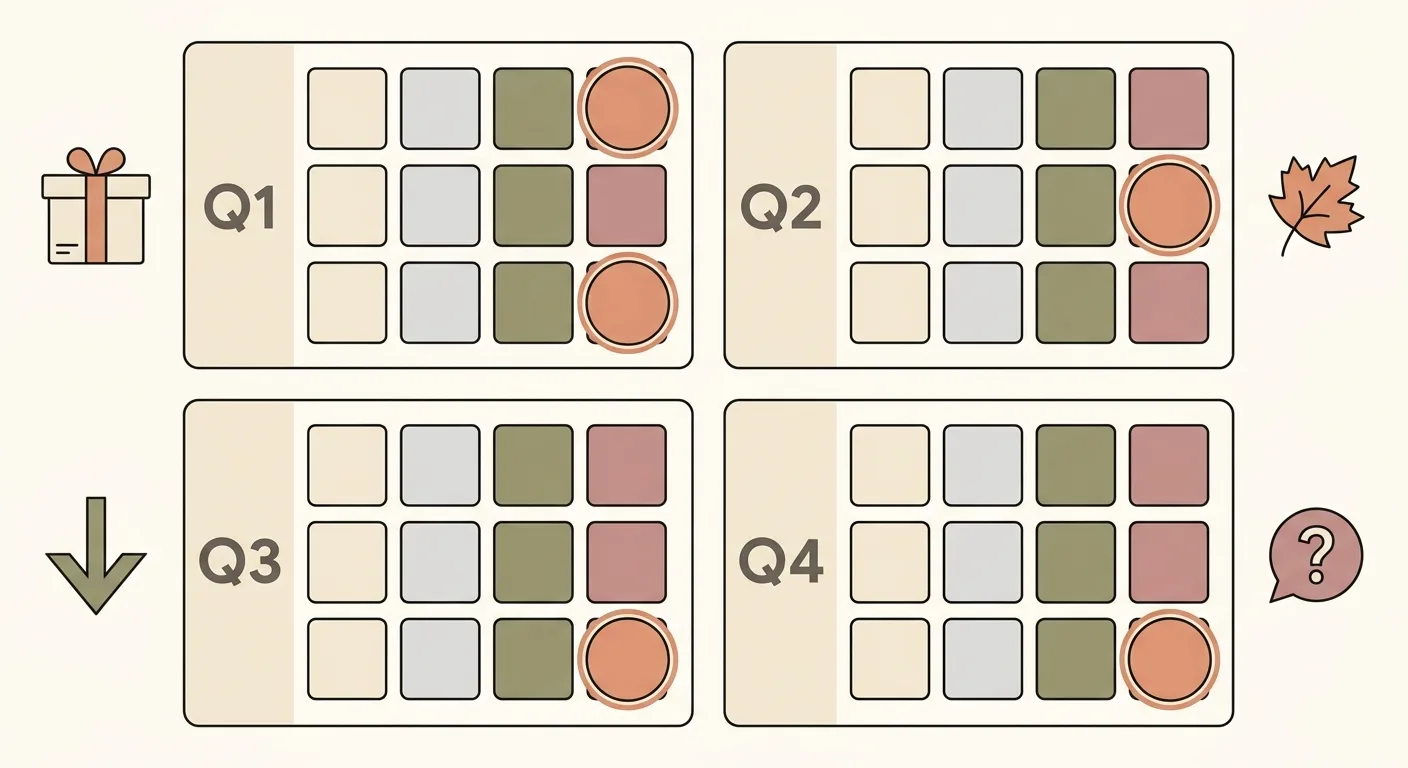
*Quarterly keyword review dates.*
Your Next Step
Skip the full overhaul. Make one move this week:
- Choose the listing with the most traffic and the weakest conversion.
- Gather five questions shoppers ask before they search, and record them in your pre-Amazon question log.
- Rewrite one bullet around the strongest of them.
That’s an afternoon of work. It tells you quickly whether the approach fits your product.
Start your next round of Amazon keyword analysis from the shopper’s first question, then work forward to the words they typed.
So, which question is your listing still leaving unanswered?