
Here’s a familiar pattern: a plugin adds hundreds of links, the dashboard turns green, and the pages that needed help stay parked on page four.

The usual cause is automation that reads raw link counts, padded by menus and footers, and confidently “fixes” the wrong pages. The plugins aren’t the problem; their inputs are.
Key Takeaways
Your Link Counts Are Inflated, and Automation Believes Them
Every page on your site inherits a template. The header menu, footer, sidebar and widgets ride along on each URL you publish, carrying identical links every time. One footer link to your contact page becomes 400 links on a 400-page site. Nobody wrote those 400 links; the theme did.
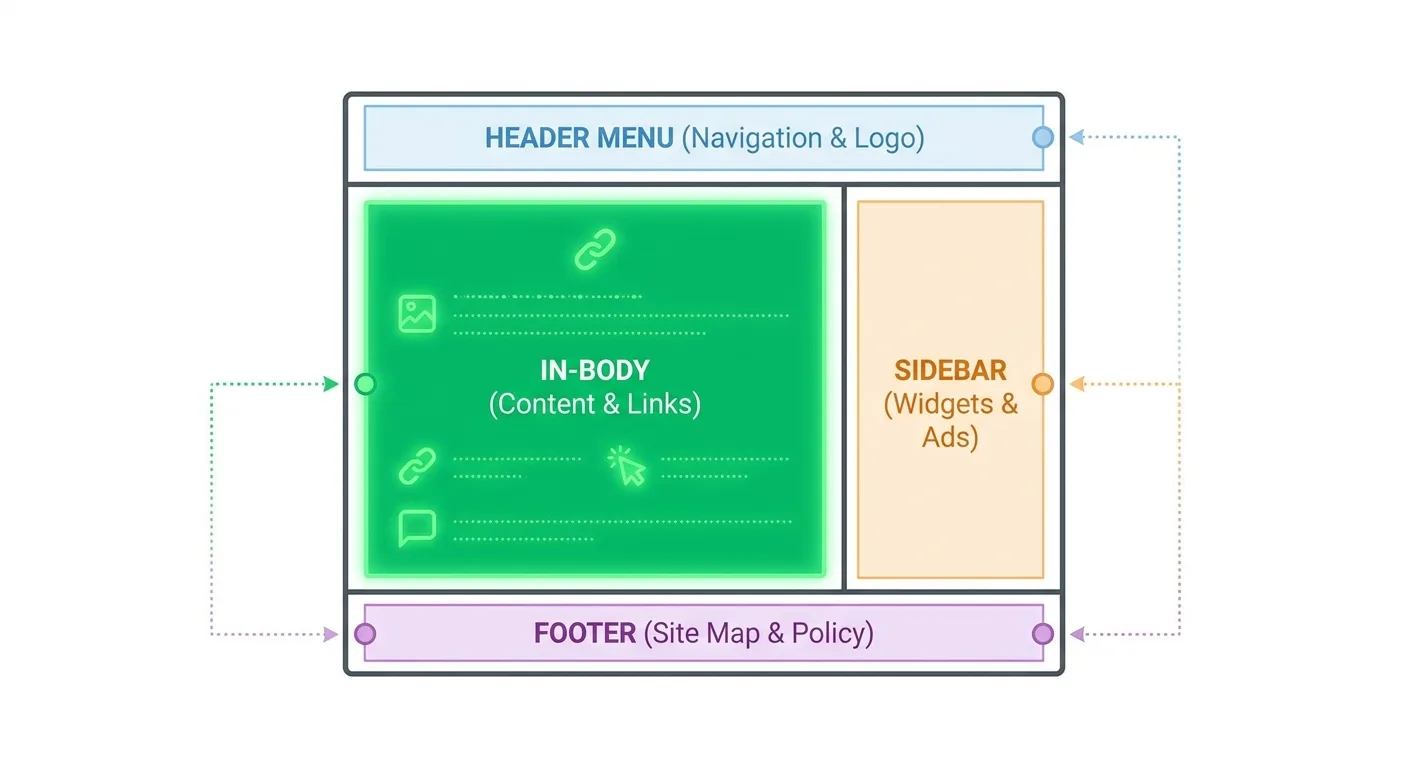
Picture a common content-site setup. The footer typically lists a few standard pages, such as contact and about, plus a handful of “popular posts.” Each new article adds one inlink to all seven URLs, so on a site with several hundred posts, every footer target reports an inlink count roughly equal to the total page count. Look inside the articles themselves, though. Suppose none of those five popular posts receives a single in-body mention.
When automated internal linking reads those raw totals as truth, three problems follow:
- Inflated reports. Raw inlink totals, like those an on-page SEO checker reports, count every footer repeat as a link, so pages with zero contextual mentions still look healthy.
- Skipped pages. Suggestion engines can treat the five popular posts as fully covered and skip proposing contextual links to them.
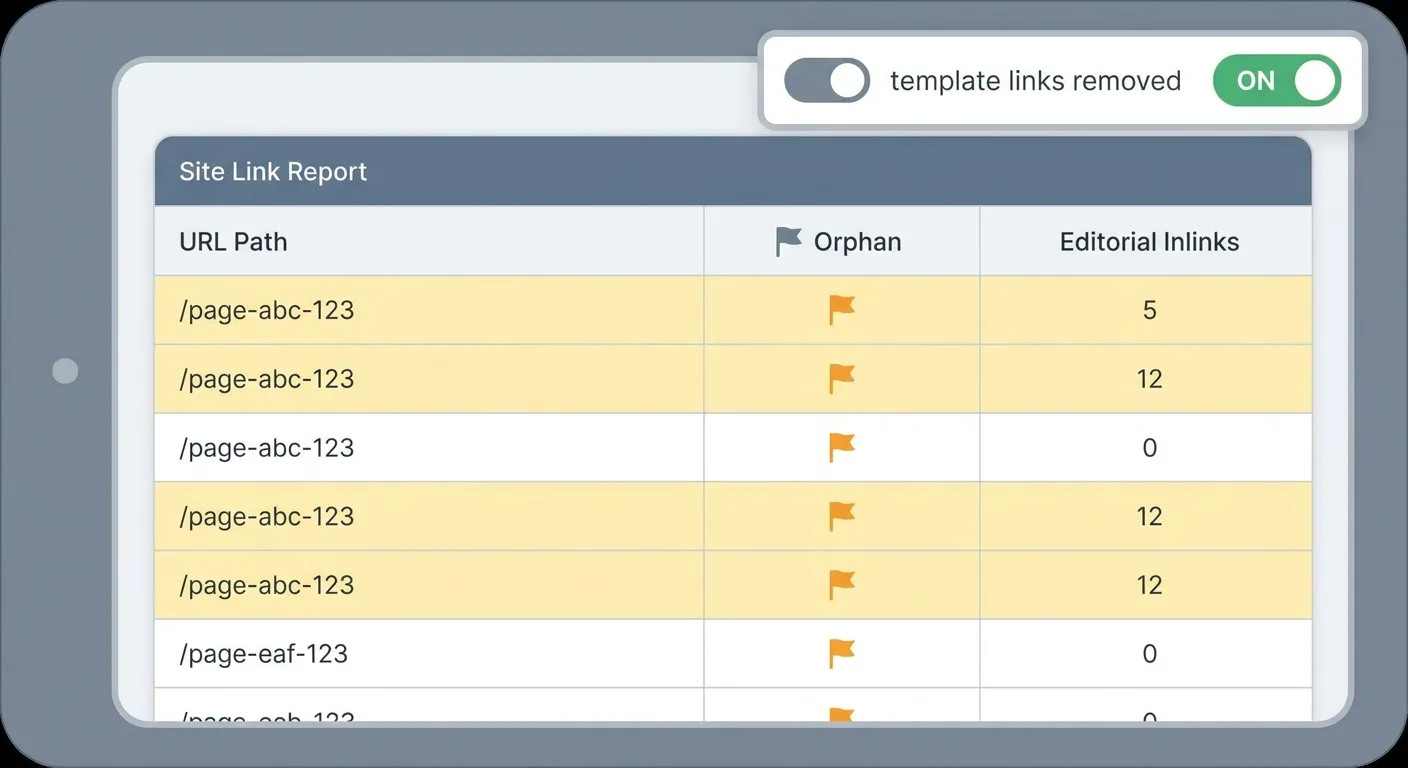
- Hidden orphans. A page with no editorial links and one footer link technically counts as connected, so it won’t appear in a standard orphan report.
None of this makes navigation links bad, since menus help visitors move around and give crawlers dependable paths. The trouble starts when analysis gives a templated footer link the same weight as one an editor placed mid-paragraph because it helped the reader.
How many of your “well linked” pages have a single in-body link pointing at them?
Stripping the Graph Down to Editorial Links
An editorial link is a contextual link placed in body content because the target helps the reader at that exact point.

Getting to that clean picture takes five steps:
- Crawl the full site, with the same full-URL coverage expected in technical SEO crawl audits, so no template block goes uncounted.
- Record each link’s position: body, nav, footer, sidebar, breadcrumb or related-posts widget.
- Flag any target linked from a large percentage of pages as template.
- Recalculate inlinks using body links only.
- Re-sort pages by editorial inlinks and see who’s left at the bottom.
| Link Location | Typical Behavior | Count as Editorial? |
|---|---|---|
| Main navigation | Identical links on every page | No |
| Footer | Repeats sitewide; often legal, contact or “popular” links | No |
| Sidebar | Repeats across a template or post type | No |
| Breadcrumb | Mirrors site hierarchy; changes per page | Sometimes |
| Related-posts widget | Either varied and topic-matched, or a static block | Sometimes |
| In-body contextual link | Placed in content because it helps the reader at that sentence | Yes |
For the two “Sometimes” rows, keep breadcrumbs in a secondary count if you want hierarchy visible, and classify any related-posts widget that shows the same links everywhere as template.
Treat the frequency threshold as a starting assumption, not a law. Large ecommerce sites with faceted navigation often need tuning, since filters can spread links across a big share of category pages without being truly sitewide.
A capable internal linking tool should handle this classification automatically. A spreadsheet works for small sites, but some CMS themes inject links the content team never sees, which manual reviews tend to overlook.
Choosing Targets That Won’t Fight Each Other
Clean data shows which pages need links, while target choice decides whether filling those gaps helps or hurts.
The risk most automation ignores is keyword cannibalization: keyword-match rules can split one phrase’s anchors across several overlapping URLs that end up competing for the same searches.
Consider a SaaS blog that publishes an “email marketing guide” and later an “email marketing tips” post. Automation then links every mention of “email marketing” across dozens of articles, sending some anchors to the guide and some to the tips post. Search engines can get mixed signals about which URL should rank. Google Search Console shows it when both URLs appear for the same queries. The fix is to name the guide as the primary target and repoint matching anchors to it. Then either turn the tips post into a supporting page that links up or merge it into the guide.
Preventing that mess takes four moves:
- Group keywords by meaning into clusters; keyword clustering tools can speed up this grouping.
- Assign one primary URL per topic cluster.
- Point supporting pages up to that primary URL.
- Link sideways only where the reader benefits.
The fill-in version looks like this:
Cluster: [topic in plain words]
Primary URL: [one URL only]
Supporting URLs: [pages that link up to the primary]
Approved anchor variants: [3-5 descriptive phrases for the primary]
Sideways links allowed: [URL pairs where the reader genuinely benefits]
Consolidation candidates: [overlapping URLs to review for merging]
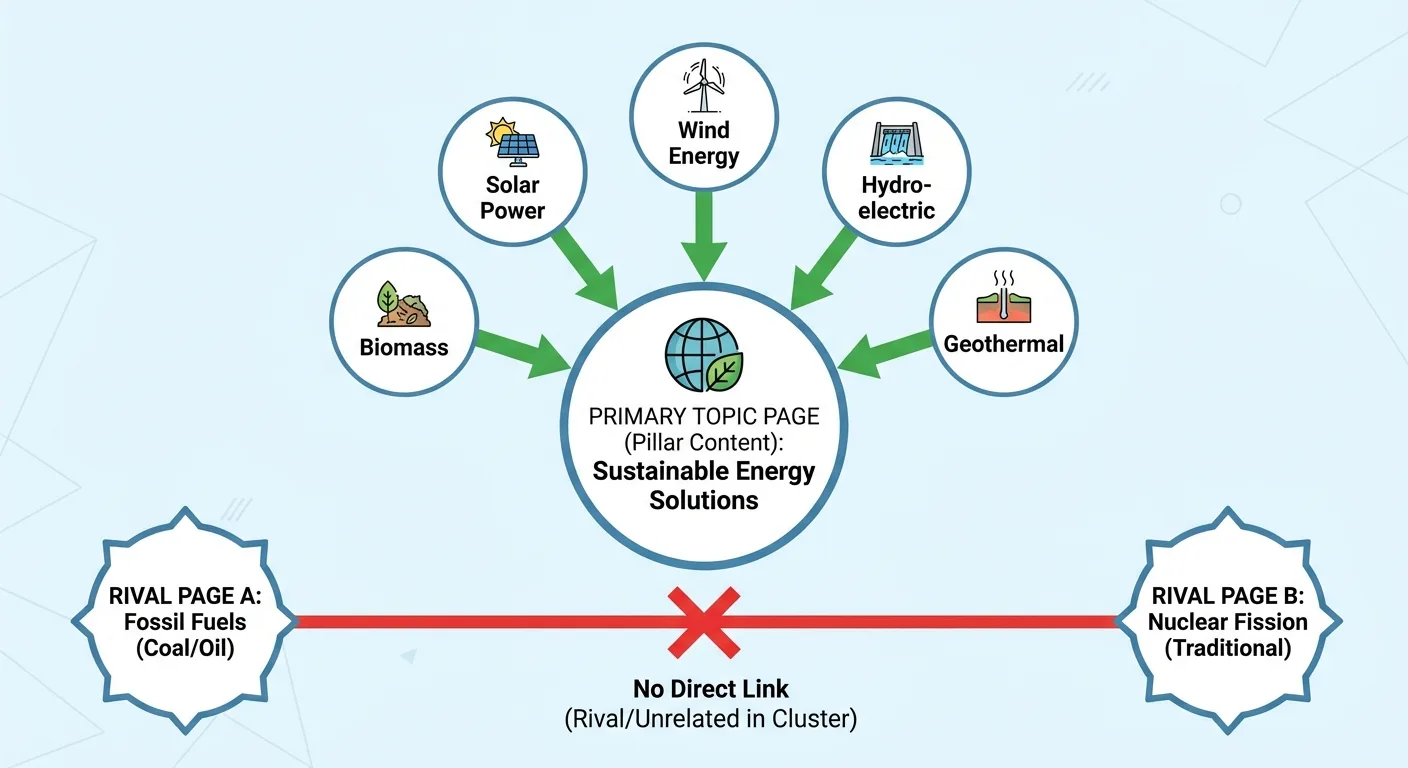
Anchor text needs the same discipline. Vary anchors naturally, skip exact-match repetition across dozens of pages, and make sure each anchor describes the target page instead of the sentence it sits in.
Two overlapping pages often signal a consolidation need, and linking won’t fix two pages that should be one.
Before approving any link, ask: would a reader clicking this anchor land on the page they expected?
Orphans, Near-Orphans, and Pages That Don’t Exist Yet
An editorial-only audit can surface pages kept alive by nothing more than a footer link. If you’re weighing enterprise platforms, Quattr’s guide to automated internal linking tools for enterprises covers that category. Whichever you shortlist, confirm it can run an orphan count based on editorial links alone.
Handle orphans, near-orphans and planned pages separately. Pages with search demand and few editorial inlinks come first, so confirm the demand column with keyword analysis for search demand before choosing between linking and pruning.
| Page State | Editorial Inlinks | Search Demand | Action |
|---|---|---|---|
| Orphan | Zero | Present | Link first, from the most relevant existing body content |
| Orphan | Zero | Absent | Review for pruning or merging before adding links |
| Near-orphan | One or two, low relevance | Present | Add relevant contextual links; upgrade weak ones |
| Near-orphan | One or two, low relevance | Absent | Hold and revisit at the next audit |
| Planned | Not yet published | Expected per roadmap | Draft anchors, queue links, publish page and links together |
Planned pages deserve linking work before launch. Pull upcoming URLs from your content roadmap, identify source pages now and draft the anchors.
An online running store planning a “how to choose running shoes” buying guide for next month shows how this plays out. The team finds existing category descriptions and blog posts that discuss fit and sizing, drafts an anchor in each, and holds those edits in a queue. The guide and its supporting links go live on the same day, so the page launches with editorial inlinks.
Queue those edits rather than inserting them early, because a link to an unpublished URL is a broken link.

Where an AI Internal Linking Tool Earns Its Keep (and Where It Shouldn’t Decide)
Placing links often depends on developer time, which helps explain the appeal of tools that insert links themselves, such as the automation described on seoClarity’s ClarityAutomate internal linking page.
An AI internal linking tool does three things well:
- Semantic relevance. It finds related pages that exact-keyword rules miss.
- Fast discovery. It scans thousands of pages far faster than manual review.
- Contextual drafting. It proposes anchors inside the surrounding sentence.
It also has blind spots:
- No cluster awareness. Without a roadmap, it can’t tell which page owns a topic.
- No commercial judgment. Your revenue priorities are invisible to it.
- Clumsy rewrites. A model that rewrites a sentence to fit a link can leave it reading as machine-made, the same problem AI-to-human text converters exist to fix. Edit the sentence by hand instead of accepting it as written.
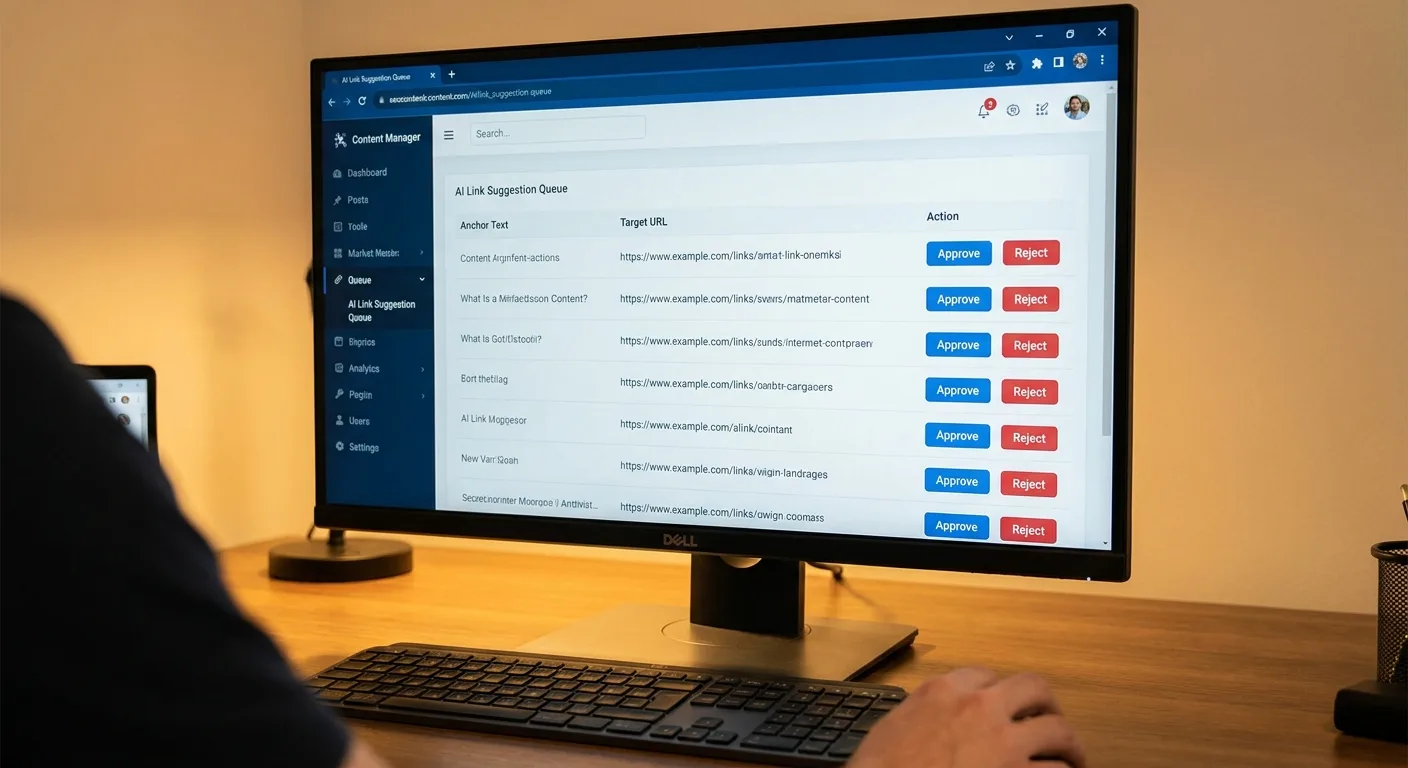
Approving hundreds of suggestions is tedious, but review each one instead of accepting them in bulk.
Five Questions to Put to Any Internal Linking Tool
Bring these to any demo or trial, and hold the product to the same standard you apply to the rest of your SEO tools.
- Does it exclude menu, footer and sidebar links from counts? Raw totals hide the pages that need help.
- Does it flag orphans using editorial links only? Footer links mask real orphans.
- Can it respect a cluster map or primary target per topic? Otherwise it builds cannibalization for you.
- Does it explain why it suggests each link? Reviewers need reasons to approve or reject quickly.
- Will it overwrite edits I’ve made manually? Your corrections should survive the next run.

Proving the Links Did Something
Measurement closes the loop on automated internal linking. Log each target URL separately and pair Search Console data with rank tracking for target pages so position changes show up per URL, not as a sitewide blur.
Target URL:
Date links added:
Editorial inlinks (before / after):
Search Console impressions (before / after):
Search Console clicks (before / after):
Average position (before / after):
Sessions from internal referrals (before / after):
Other changes in the window (content edits, seasonality, algorithm updates):
Review date:
Decision (keep / move anchor / reposition link / remove):
Give each target a review window of several weeks. Treat that as a working assumption, since crawl and indexing timing varies by site. Re-crawl at the review date too, confirming the links survived theme updates and content edits.
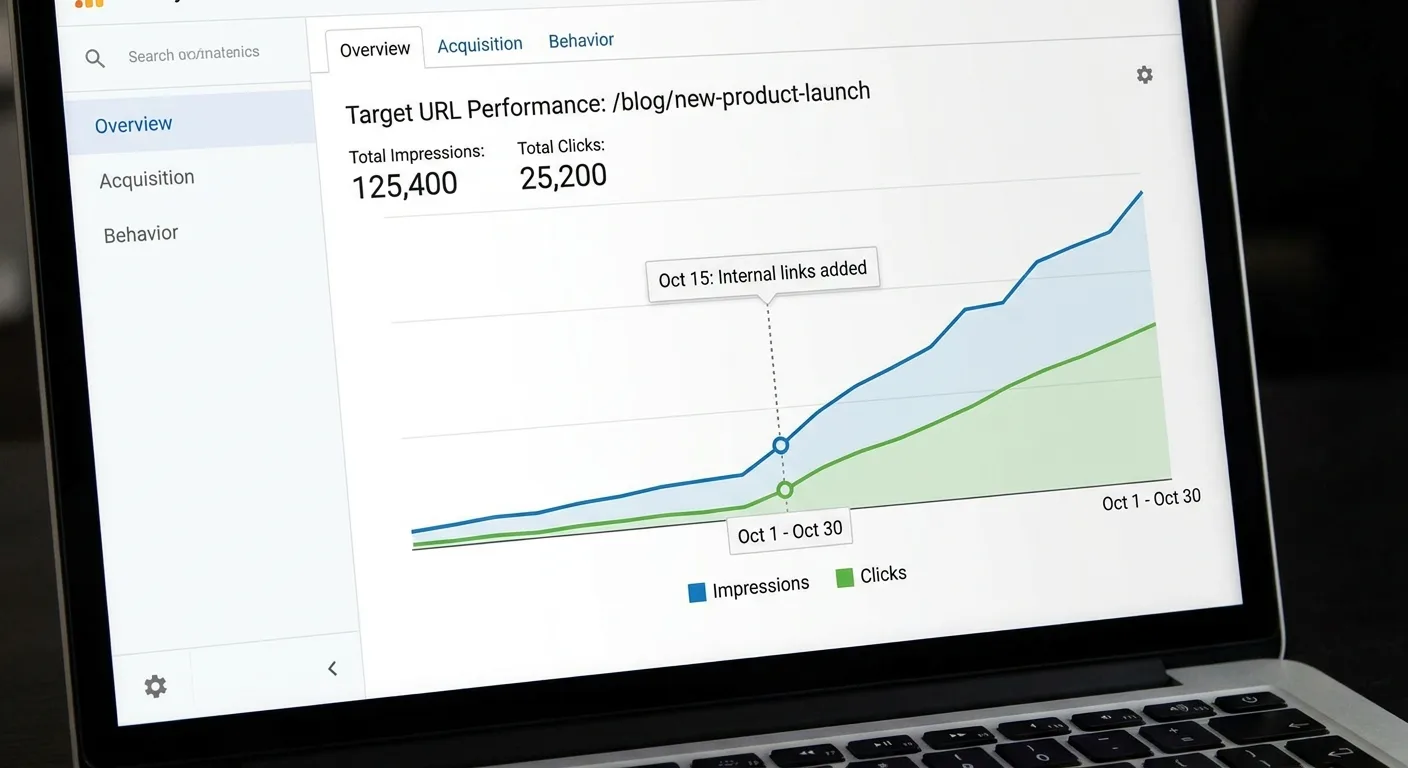
Attribution gets messy, which is why the template logs other changes in the window; one data point won’t prove causation.
Links that no one clicks are worth reviewing in GA4 and considering for removal (seoClarity). Revisit the anchor and its position before adding more links.
Automating the Editorial-Link Audit With Vee3.ai
Hand-classifying link positions across a large site is slow. Vee3.ai brings crawling, research, planning, writing, fact-checking, publishing and measurement into one workspace, as described on its page for SEO automation from crawl to rank. Whatever internal linking tool you rely on, use it to count editorial links, surface orphans and plan new pages so they don’t compete with each other. Keep every linking decision with your team.
Run your site through Vee3.ai and see its editorial link picture with template noise removed. Start building free
Frequently Asked Questions
Can automated internal linking hurt rankings?
Yes, automated links can hurt rankings when they split anchors across competing pages or lean on exact-match keyword repetition across dozens of links. The damage is preventable: assign one primary target per topic cluster and keep a human reviewing suggestions before they publish, and most of the risk disappears.
How many internal links should a page carry?
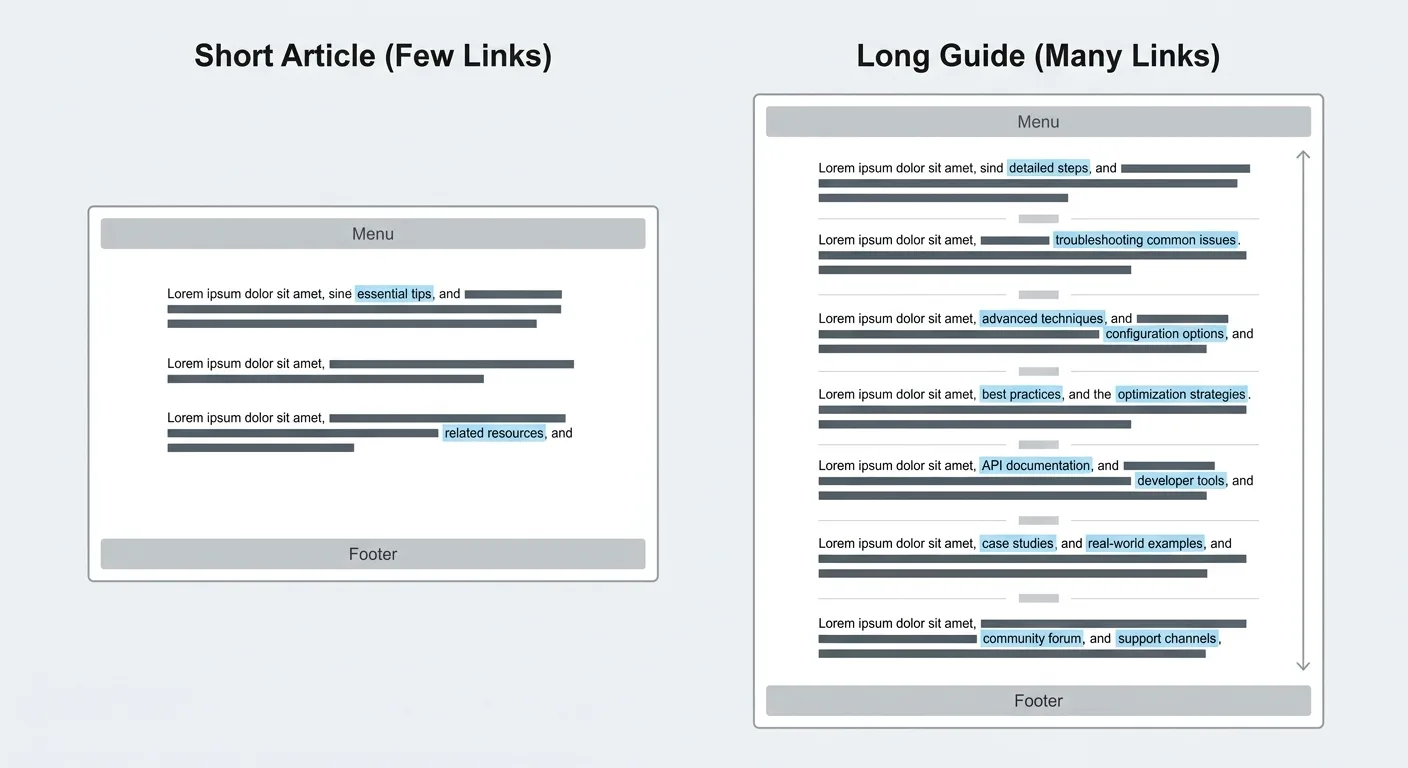
No universal number of internal links per page exists. Judge a page by its in-body editorial links only, leaving menus and footers out of the count. Then add a link wherever it helps the reader at that sentence. A long guide has room for many; a short explainer might need two.
Should automated links go live without review?
Automated links should go live without review only under narrow, well-defined rules, such as linking every new post to an established primary cluster page. Everything else should land as a draft first. Spot-check a sample of live links regularly to catch anchors that drifted, broke or landed in the wrong place.
Final Thoughts
The one recommendation: run an editorial-only link audit this week, before switching on or expanding any automation. Strip the template links, recount, and see which pages are left with nothing.
Automated internal linking becomes useful once the data underneath it tells the truth, so start with the links you’d ignore.